
 E-Paper



Take the short cut: How to keep up with new tech tricks

 Prefer HTon Google


Time is money. Here are the best hacks for saving precious seconds and taking even your everyday feed to the next level
People will always take the long way around, sang Eagle-Eye Cherry in 2000. In 2024, however, people who take the long way probably just don’t know any short-cuts. Everyday users on social media are already using automatic photo tagging, getting AI to edit and create photos and videos, and generating quick captions that need minimal clean-up. You don’t need to be an influencer to algo with the flow. This fresh batch of hacks will help to elevate your content and help you connect with your followers better -- all 875 of them!
Textual healing. Those cute new fonts on Insta aren’t just for text. They work on emojis too. Type <3 or : - ) or : - ( onto any story, switch between the typefaces and watch the magic happen. Bubble is the cutest to make little hearts with, says Insta creator Rebekkah Kaur, a tech reviewer on Instagram. Personally, we like the starkness of Editor. You can add sparkles to those little emojis as well, she says. Just hit the little A on the screen right below the fonts; you can see all the effects possible. Mind = blown.

Quick cuts. Bulgaria-based food blogger Todor Todorov has Insta hacks that save time. “On your FYP, press and hold any thumbnail image. It displays a preview of the post without the user having to fully open it,” he says. “Also, you can press and hold the search icon to start a keyword search; you don’t need to open the Explore tab! And you can expand posts on your FYP or on a profile, then swipe up to like the post, view the profile, or send it as a DM.”
Lens is more. Swipe right on Stories or tap the Effects button on Reels to find AR lenses or filters. Or use Instagram’s Spark AR Studio to create custom AR lenses. Friend’s birthday coming up? Make them a custom filter that all their friends can use, tag them , and earn the title of BFF.
Tune it in. Ever heard a song on Insta and wished it was on your playlist? Ishan Saluja, who plays trending music at his Noida restaurant Baby Dragon, suggests linking your Instagram to your Spotify account. “Then, tap on the audio of the Reel. Hit the Spotify logo.” Then on, whatever song you ‘like’ on Instagram gets added to a playlist. Convenient!
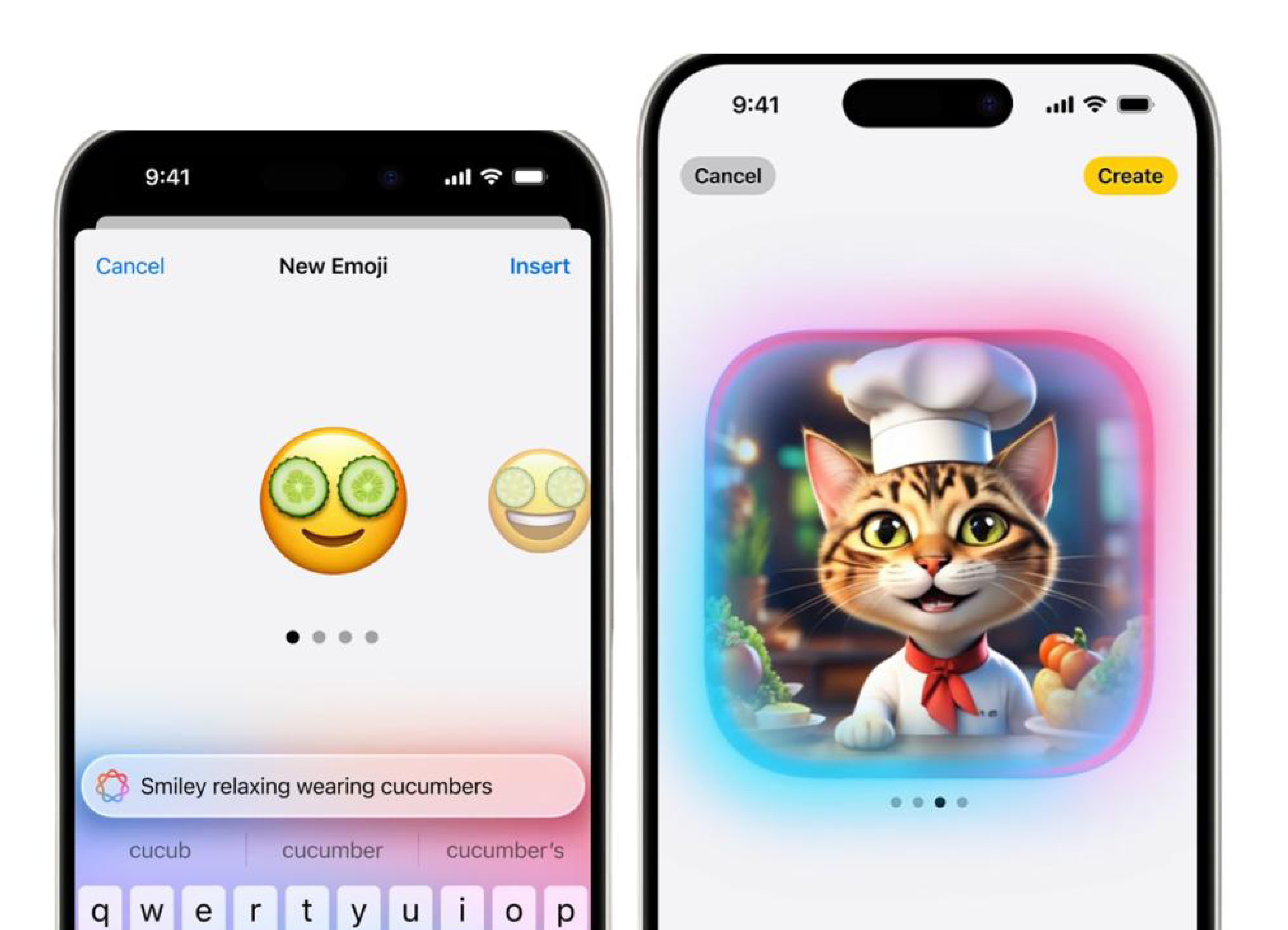
Say AI. Apple Intelligence available on the iPhone 15 and upwards, already lets users edit photobombers out of pictures. Even Android AI is handy to craft crisper emails, summarise phone calls, and transcribe audio to text. The next level: Genmoji (Generative AI + emoji, geddit?) to custom-make emojis based off text descriptions.
Shave off seconds. Keyboard short-cuts save time and make you look busier. Press L to like, C to comment and the arrow keys to move between Insta posts. Press Alt + 1 to go to the home feed, Alt + 2 to go to the search page, Alt + 3 to open the new post page, Alt + 4 to view your activity, and Alt + 5 to go to your profile. The same toggle shortcuts work on LinkedIn too.
Stay safe. Most Gen AI tools allow users to disable data storage. Security is always worth it – most options are under the phone and app Settings. ChatGPT says it only stores data for 30 days, but the fine print mentions that it can keep data longer for “security or legal reasons”. So, delete chat histories manually before the short-cuts arrive.
From HT Brunch, November 16, 2024
Follow us on www.instagram.com/htbrunch


