
 E-Paper



Best laptops under ₹60000 in June 2025 with fast performance, good storage and long battery life
Buying a laptop under ₹60,000 in June 2025? Here’s a quick roundup of models that offer solid speed, storage, and battery life without skipping the basics.

 Prefer HTon Google


Our Picks
Best Overall Laptop
Anti Glare Laptop
Backlit Keyboard Laptop
Lightweight Laptop
Flip Touch Laptop
FAQs
Our Picks
| Product | Rating | Price |
|---|---|---|
Best Overall Laptop Dell 15 Thin & Light Laptop, Intel Core 13th Generation i5-1334U Processor, 16GB DDR4 & 512GB SSD, 15.6" (39.62cm) FHD 120Hz 250 nits, Windows 11 + MSO'21 + 15 Month Mcafee, Carbon Black, 1.66kgView Details | ₹56,347 | |
 | ||
Anti Glare Laptop HP 15, 13th Gen Intel Core i5-1335U (16GB DDR4, 512GB SSD) FHD, Anti-Glare, Micro-Edge, 15.6''/39.6cm, Win11, M365 Basic(1yr)* Office24, Silver,1.59kg, fd0577TU, Iris Xe, FHD Camera w/Shutter LaptopView Details | ₹55,990 | |
| ||
Backlit Keyboard Laptop Acer[SmartChoice Aspire Lite 12thGen Intel Core i5-12450H Premium Laptop(Win11Home/16GB RAM/512GB SSD/IntelUHD Graphics/MSO)AL15-52H, 39.62cm(15.6") FHD IPS Display,Backlit Keyboard,Pure Silver, 1.7KGView Details | ₹47,990 | |
| ||
Lightweight Laptop Lenovo V14 G3, 12th Gen Intel Core i7-1255U Upto 4.70Ghz (16GB RAM/512GB SSD/Windows 11) 14.0" FHD Display Thin and Light Laptop/Iron Grey /1.70 kg 1 Year Onsite Brand WarrantyView Details | ₹45,990 | |
| ||
Flip Touch Laptop Acer Aspire 3 Spin 14, Intel Core i3-N305, 8GB RAM, 512GB SSD, WUXGA 14", Touchscreen 2-in-1, Windows 11 Home, MS Office, Obsidian Black, 1.54KG, A3SP14-31PT, AES Pen Solution LaptopView Details | ₹40,990 | |
| ||

Research-Backed Choices
Every product we recommend is chosen through a combination of Primary Research and Secondary Research.
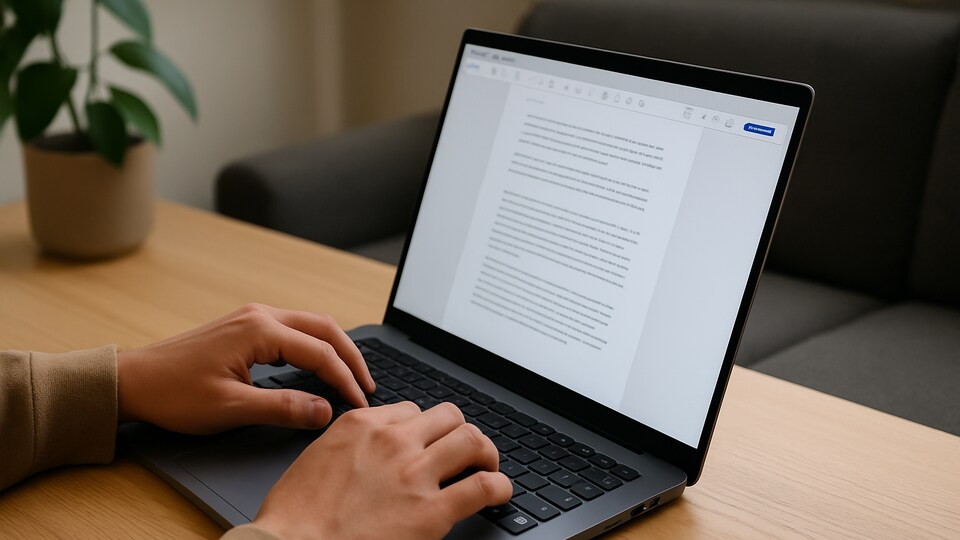

A good laptop under ₹60,000 used to mean compromises. That’s not the case anymore. June 2025 brings machines that are fast, well rounded, and built to last through long days of work or study. You get reliable performance, enough storage to stay organised, and battery life that actually holds up outside a charger.
These aren’t just budget picks; they’re capable devices ready for real-world use. From handling daily workloads to staying responsive during meetings or assignments, a few models clearly stand above the rest. After sifting through the noise, we’ve found the ones that are actually worth considering.
BEST OVERALL LAPTOP
1. Dell 15 Thin & Light Laptop, Intel Core 13th Generation i5-1334U Processor, 16GB DDR4 & 512GB SSD, 15.6" (39.62cm) FHD 120Hz 250 nits, Windows 11 + MSO'21 + 15 Month Mcafee, Carbon Black, 1.66kg
The Dell 15 thin and light laptop feels easy to handle if you often switch between work and personal stuff. Its screen has a smooth look that makes typing documents or watching a show feel less tiring on your eyes. The build feels steady but light enough to carry around without fuss.
You don’t have to spend time setting it up since Windows and Office come ready to use. For anyone wanting a laptop under ₹60,000 in June 2025, it’s a straightforward pick that keeps up with daily tasks.
Specifications
Reasons to buy

Feels quick for most tasks
Screen looks smooth and clear
Reason to avoid

No backlit keyboard for late-night work
What are buyers saying on Amazon?
Quick setup and works well for study and office work.
Why choose this product?
Keeps daily use smooth without trying too hard.
ANTI GLARE LAPTOP
2. HP 15, 13th Gen Intel Core i5-1335U Laptop (16GB DDR4,512GB SSD) Anti-Glare, Micro-edge,15.6''/39.6cm, FHD, Win11,M365,Office24, Silver,1.59kg, Iris Xe Graphics, FHD Camera w/privacy shutter, fd0577TU

Our Principles
Full Transparency
Every product review clearly lists the Pros and Cons, giving you a balanced view.
Brand Confidence
We focus on products from brands with a proven reputation and long-standing market trust.
This HP 15 brings together what most people actually need in a laptop under ₹60,000 in June. With a 13th Gen i5 and 16GB RAM, it moves smoothly through daily work like spreadsheets, video calls and casual browsing. The anti-glare screen helps reduce eye strain during longer use.
Intel Iris Xe graphics handle light creative tasks while the webcam includes a privacy shutter. Nothing is overdone here, just thoughtful where it matters.
Specifications
Reasons to buy
16GB RAM offers room for multitasking
Privacy shutter is a useful touch for remote work
Reason to avoid
Only 512GB storage may feel tight for heavy file users
No backlit keyboard
What are buyers saying on Amazon?
Runs fast and looks clean, works well for online classes and light work.
Why choose this product?
Small details like the shutter add real value.
BACKLIT KEYBOARD LAPTOP
3. Acer[SmartChoice Aspire Lite 12thGen Intel Core i5-12450H Premium Laptop(Win11Home/16GB RAM/512GB SSD/IntelUHD Graphics/MSO)AL15-52H, 39.62cm(15.6") FHD IPS Display,Backlit Keyboard,Pure Silver, 1.7KG
If you're exploring the best laptops under ₹60,000 in June with newer-gen specs, the Acer Aspire Lite offers a decent balance. The 12th Gen Intel Core i5-12450H works well for everyday work and heavier browser loads, and the 16GB RAM helps keep things moving without regular slowdowns. The Full HD IPS display gives a slightly better viewing angle and clarity compared to standard panels.
Its backlit keyboard helps in late hours and makes typing easier in dim lighting. The design is simple, but it delivers what’s needed for office work, college, or remote use.
Specifications
Reasons to buy
16GB RAM supports smoother multitasking
IPS display gives better clarity and angle
Reason to avoid
Lacks dedicated graphics
Slightly heavier than similar models
What are buyers saying on Amazon?
Good for daily office and online use without heating issues.
Why choose this product?
RAM and processor combo handles multitasking well.
LIGHTWEIGHT LAPTOP
4. Lenovo V14 G3, 12th Gen Intel Core i7-1255U Upto 4.70Ghz (16GB RAM/512GB SSD/Windows 11) 14.0" FHD Display Thin and Light Laptop/Iron Grey /1.70 kg 1 Year Onsite Brand Warranty
If you’ve been pushing your luck with an old laptop and want something faster without crossing ₹60,000 this June, the Lenovo V14 G3 is worth a serious look. It runs on a 12th Gen Intel i7 with 16GB RAM, which means it can handle multiple tabs, video calls and light software work without freezing up.
This is a work focused laptop that keeps things simple and quick. It holds up well when you need to get through a busy day.
Specifications
Reasons to buy
Fast processor and 16GB RAM at this price
Compact display easy to carry
Reason to avoid
No backlight on keyboard
Not built for gaming or heavy visuals
What are buyers saying on Amazon?
Fast enough for work and daily use without issues.
Why choose this product?
The processor and RAM hold up well for real multitasking.
FLIP TOUCH LAPTOP
5. Acer Aspire 3 Spin 14, Intel Core i3-N305, 8GB RAM, 512GB SSD, WUXGA 14", Touchscreen 2-in-1, Windows 11 Home, MS Office, Obsidian Black, 1.54KG, A3SP14-31PT, AES Pen Solution Laptop
The Acer Aspire 3 Spin 14 feels handy if you want a laptop that can flip into a tablet anytime. Its 14 inch WUXGA touchscreen works well for quick notes or browsing, and the AES Pen makes sketching feel natural.
Windows 11 Home and MS Office are ready out of the box. If you’re after a laptop under ₹60,000 in June 2025, this brings extra value with its 2-in-1 design.
Specifications
Reasons to buy
Flexible 2-in-1 screen feels easy to use
AES Pen adds more ways to work
Reason to avoid
Processor suits light tasks only
Screen brightness could be higher outdoors
What are buyers saying on Amazon?
Good for daily work and feels smooth in tablet mode.
Why choose this product?
You get tablet comfort without paying extra.
HP’s 15 inch model keeps things simple and focused with a 13th Gen Intel i5 and 16GB RAM. It’s made for people who mostly work across documents, attend meetings, or spend hours in browser tabs. The FHD screen feels easy on the eyes, and the backlit keyboard is handy in low light.
Extras like a privacy shutter on the webcam and Iris Xe graphics round it off neatly. A strong pick quietly holding its space in the best laptops under ₹60,000 in June 2025.
Specifications
Reasons to buy
Backlit keyboard helps in dim settings
Privacy shutter is useful for work calls
Reason to avoid
No dedicated graphics card
Audio quality is average
What are buyers saying on Amazon?
Runs smooth for work and daily tasks, with quick boot times.
Why choose this product?
It offers just enough to feel complete without going overboard.
ASUS Vivobook 16X brings extra room to work and play, with a 16 inch FHD+ display and a refresh rate of 144Hz that makes visuals feel smoother. Paired with the Intel Core i5-12500H and 16GB RAM, it’s built to handle creative tools, light editing, and some casual gaming without locking up under pressure.
The RTX 2050 graphics card adds that extra boost for tasks that need more than just a browser. It’s a well-balanced pick for those who need power and space in one machine.
Specifications
Reasons to buy
Large screen with 144Hz is smooth and sharp
RTX 2050 helps with creative and light gaming work
Reason to avoid
Slightly larger than usual laptops
Battery life varies with heavier apps
What are buyers saying on Amazon?
Good screen and handles editing tools without slowing down.
Why choose this product?
The display and GPU combo work well for creative or visual tasks.
Dell’s Inspiron 3530 brings together a smooth 120Hz Full HD display and the 13th Gen Intel Core i5 to handle everyday work without slowing down. With 16GB RAM and 512GB SSD, it stays quick while switching between apps or dealing with long work sessions. The backlit keyboard helps when you’re working late or in low light without needing to strain.
This is the kind of laptop that fits into a typical day without drawing much attention to itself. One of the few steady picks still showing up in lists under ₹60,000 in June 2025.
Specifications
Reasons to buy
120Hz screen makes daily work feel smoother
Backlit keyboard is useful in low light
Reason to avoid
Lacks dedicated GPU
Build feels basic and plain
What are buyers saying on Amazon?
Runs fast and handles everyday work without trouble.
Why choose this product?
Choose this laptop because it keeps tasks moving without freezing up or heating too much.
ASUS Vivobook 15 is built around the idea of staying fast and simple. With a 13th Gen Intel Core i5-13420H and 16GB RAM, it moves through daily work like browsing, calls and writing without delay. The 15.6-inch FHD screen is clear and easy to get used to, while the backlit keyboard is a quiet bonus when working late.
You won’t find extras that don’t serve a purpose here, and that’s exactly the point. It’s the kind of laptop that focuses on what actually matters and leaves out what doesn’t.
Specifications
Reasons to buy
New-gen processor and 16GB RAM handle daily work well
Backlit keyboard improves low-light typing
Reason to avoid
No dedicated graphics for creative tasks
60Hz screen is standard, not fast
What are buyers saying on Amazon?
Quick boot-up and handles office tasks easily.
Why choose this product?
Because it keeps things smooth when handling common tasks and multitasking.
10. Lenovo IdeaPad Slim 3, Intel Core i5-12450H, 12th Gen, 16GB RAM, 512GB SSD, FHD IPS, 14"/35.5cm, Windows 11, MS Office Home 2024, Grey, 1.37Kg, 83EQ0073IN, 1Yr ADP Free, Thin & Light Laptop
Lenovo IdeaPad Slim 3 is built for quiet everyday work, with just the features that make a difference. The 14-inch Full HD IPS screen comes with an anti-glare coating, which helps when you're stuck in long sessions. The 12th Gen i5 processor and 16GB RAM hold up well under usual workloads like browser tabs, docs, and video calls.
It also brings in small, useful details like a backlit keyboard, memory card slot, and HD audio; nothing loud, just what helps.
Specifications
Reasons to buy
Anti-glare screen and backlit keys are practical touches
Memory card slot adds simple flexibility
Reason to avoid
No fingerprint reader or Type-C charging
Speakers are fine but not loud
What are buyers saying on Amazon?
Runs smooth and looks clean with a good display and typing feel.
Why choose this product?
Practical additions like audio, card slot, and keyboard help in daily use.
Is it still possible to get a 16GB RAM laptop under ₹60,000 in June 2025 without cutting corners?
It actually is. Several brands now offer models with 13th Gen Intel i5 or Ryzen equivalents paired with 16GB RAM and SSD storage. For anyone juggling work, study or just everyday multitasking, these laptops manage to stay quick and responsive without asking for more money.
Can you still get a smooth display and backlit keyboard without paying extra this month?
You can if you know where to look. A few models quietly include 120Hz screens and backlit keyboards in this range. They do what matters without piling on features you probably won’t use, making them easy to recommend for daily use.
Factors to consider when purchasing the best laptop under ₹60,000 in June 2025:
- Processor matters more than design: A 12th or 13th Gen Intel i5 or a Ryzen 5 handles daily work better and stays relevant longer.
- 16GB RAM is worth it: With everything from browsers to apps getting heavier, 16GB helps things run smoother without freezing up.
- Always pick SSD over HDD: Laptops with SSD boot faster and feel quicker in general use. A 512GB SSD gives enough space for most users.
- Look beyond just screen size: A Full HD display should be the minimum. Anti-glare or higher refresh rates are helpful for longer hours.
- A backlit keyboard is a quiet win: It makes late-night typing easier and adds more comfort than you’d expect.
- Graphics depend on your use: If you're not gaming or editing videos, integrated graphics are more than enough.
- Build and weight still matter: Laptops in this range aren’t ultra slim, but a well-balanced one is easier to carry around.
- Check what software is included: Some laptops come with Windows and Office pre-installed. It saves you time and money later.
Top 3 features of the best laptops under ₹60,000 in June 2025:
| Best Laptops under ₹60,000 in June 2025 | Processor | Graphics | Special Features |
| Dell 15 Thin and Light Laptop | Intel Core i5-1334U, 13th Gen | Integrated Intel UHD Graphics | 13th Gen Intel Core i5 processor, 120Hz Full HD display |
| HP 15, 13th Gen Intel Core i5-1335U Laptop (16GB DDR4,512GB SSD) | Intel Core i5-1335U, 13th Gen | Intel Iris Xe | FHD Display, Backlit Keyboard, Privacy Shutter |
| Acer (Smartchoice) Aspire Lite 12thGen Intel Core i5-12450H Premium Laptop | Intel Core i5-12450H, 12th Gen | Intel UHD Graphics | IPS Display, Backlit Keyboard |
| Lenovo V14 G3, 12th Gen Intel Core i7-1255U Laptop | Intel Core i7-1255U, 12th Gen | Integrated Graphics | FHD Display, Light Build |
| Acer Aspire 3 Spin 14 2-in-1 Laptop | Intel Core i3-N305 | Integrated Intel UHD Graphics | 360-degree hinge to switch between laptop and tablet modes, 14-inch WUXGA touchscreen |
| HP 15, 13th Gen Intel Core i5-1334U Laptop | Intel Core i5-1334U, 13th Gen | Intel Iris Xe | Backlit Keyboard, Privacy Shutter |
| ASUS Vivobook 16X 12th Gen, Intel Core i5 Laptop | Intel Core i5-12500H, 12th Gen | NVIDIA GeForce RTX 2050 | 16" Display, 144Hz, RTX GPU |
| Dell Inspiron 3530 Laptop, 13th Gen Intel Core i5-1334U Laptop | Intel Core i5-1334U, 13th Gen | Intel UHD Graphics | 120Hz Display, Backlit Keyboard |
| ASUS Vivobook 15,13th Gen,Intel Core i5-13420H Laptop | Intel Core i5-13420H, 13th Gen | Intel UHD Graphics | Backlit Keyboard, FHD Display |
| Lenovo IdeaPad Slim 3, Intel Core i5 Laptop | Intel Core i5-12450H, 12th Gen | Integrated Graphics | IPS Display, Anti-Glare, Backlit Keyboard |
Similar stories for you:
Enhance multitasking on your laptop with the 6 best laptop screen extenders
Disclaimer: At Hindustan Times, we help you stay up-to-date with the latest trends and products. Hindustan Times has an affiliate partnership, so we may get a part of the revenue when you make a purchase. We shall not be liable for any claim under applicable laws, including but not limited to the Consumer Protection Act, 2019, with respect to the products. The products listed in this article are in no particular order of priority.



