In an average Indian household of 4 people, a minimum of 10 connected devices are found. That also means needing a reliable, trustworthy, and stable connection holding a Wi-Fi router. A Wi-Fi router helps connect your devices, such as smartphones, laptops, and other devices, to the internet without cables and wires. It is essential to have an uninterrupted network, especially if you are a work-from-home employee or a student studying late at night. And what better brand than TP Link routers, which have all the qualities. Here is an integrated list of all the specifications regarding the top 10 TP-link Wi-Fi routers. Check them out and make a perfect choice.
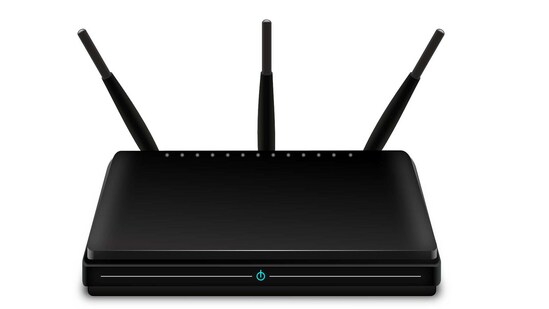
1. TP-Link Archer C50 AC1200 Dual Band Wireless Cable Router
For a smooth internet wireless connection at a speed to support 4K streaming, this TP-Link router is the best. With access point mode for a new Wi-Fi attachment and remote access to help all users, the model also includes superior coverage with 4 antennas. It is easy to manage and set up as well.
Specifications
Brand: TP Link
Model Name: Archer C50
Colour: White
Connectivity technology: Wireless
Frequency band class: Dual-band
| Pros | Cons |
| The product is easy to set up. | There are persistent issues with short-range connectivity. |
2. TP-link 300Mbps Wireless N Speed N300 TL-WR840N Wi-Fi Single Band Router
With a high wi-fi speed and a 300 Mbps wireless transmission rate, this TP link router IP also supports the range extender mode that boosts the coverage in your space. IPTV, which helps IGMP Snooping and Bridge, is another option.
{{/usCountry}}With a high wi-fi speed and a 300 Mbps wireless transmission rate, this TP link router IP also supports the range extender mode that boosts the coverage in your space. IPTV, which helps IGMP Snooping and Bridge, is another option.
{{/usCountry}}Specifications
Brand: TP Link
Model Name: TP-link WR840N
Colour: White
Connectivity technology: Wireless Network/ Wi-Fi
Frequency band class: Single band
| Pros | Cons |
| The auto restart feature is excellent. | There are connectivity issues. |
3. TP-link Archer MR200 AC750 2.4GHz 750Mbps Dual Band 4G LTE Mobile Wi-Fi
With 2 antennas, a power supply unit and an ethernet cable, the package is complete for use. It has advanced LTE antennas, a stable connection, and a Power Amplifier boost. Moreover, the device offers LAN and WAN options and is easily accessible from Android and iOS devices.
Specifications
Brand: TP Link
Model Name: Archer MR200
Colour: White
Connectivity technology: Wireless
| Pros | Cons |
| You get stability in 4G LTE modem connectivity and an in-built SIM slot. | The Wi-Fi connectivity has signal issues. |
4. TP-Link TL-MR6400 300Mbps 4G Mobile Single Band Wi-Fi Router
It has 4G sharing a connection with integrated antennas. The LAN/ WAN port also has high receptive sensitivity. Mac Chrome, Windows 7, Linux, and Unix are operating systems. It is simply to be plugged in, meaning no need to configure the modem. This TP link router has unmatched convenience and versatility.
Specifications
Brand: TP Link
Colour: Black
Connectivity technology: Wireless
Frequency band class: Single band
| Pros | Cons |
| The router has an accessible plug-in facility with better manageability. | The company should improve issues with the network and connectivity problems. |
5. TP-Link AC1750 Mbps Smart Wi-Fi Gaming Dual Band Gigabit Wireless Internet Router
This mesh wi-fi router TP-Link is a Qualcomm chipset with a full gigabit. The simultaneous 2.4 Hz 450 Mbps and 5GHz 1300 Mbps connections for 1.75Gbps of total available bandwidth makes the model a great contender. It eliminates weak signal areas for coverage across the space.
Specifications
Brand: TP Link
Model Name: Archer
Colour: Black
Connectivity technology: Wireless
Frequency band class: Dual-band
| Pros | Cons |
| The router has a unified management system. | The product line is average. |
6. TP-Link TL-WA850RE Single Band 300Mbps RJ45 Wireless Range Extender
The TP link router has a small size and wall-mounted design, making it flexible to deploy. Users can easily extend the router's wireless coverage with just a push of the WPS button. The ethernet bridge, aka port, functions as a wireless adapter; thus, the device can share the network.
Specifications
Brand: TP Link
Model Name: TL-WA850RE
Colour: White
Connectivity technology: Wi-Fi
Frequency band class: Single band
| Pros | Cons |
| The product offers flexible extension placement. | It has low speed after the extender is placed. |
7. TP-Link Wi-Fi 6 AX1500 Mbps Archer AX10
Ideal for everyday home usage, this model has high-speed wi-fi for streaming applications and more. It has excellent coverage and is easily managed across the network. Amazon Alexa and parental controls are also available. This TP link Wi-Fi router also includes Gigabit Broadband Internet Access that gives you speed up to 1 Gbps.
Specifications
Brand: TP Link
Model Name: TP-link WR820N
Colour: White
Connectivity technology: Wireless
Frequency band class: Single band
| Pros | Cons |
| You get good signal coverage. | The intel chipset is faulty. |
8. TP-Link Archer AC1200 Archer C6 router
This Wi-Fi router provides a smooth experience with its AC1200 Dual Band Wi-Fi and a fast-paced network. It also includes advanced security with WPA3. Easy setup and tethering app for support is made available for the users, along with boosted coverage.
Specifications
Brand: TP Link
Model Name: TP Link AC
Colour: Black
Connectivity technology: Wi-Fi
Frequency band class: Dual-band
| Pros | Cons |
| You get the facility of simultaneous connections at one time. | The product is expensive. |
9. TP-Link Archer C24 AC750 Mbps Dual-Band, Wi-Fi Wireless Router
This TP link router is compact-sized with more functions to accommodate a user's needs. Doubled bandwidth provides far-reaching and stable connections as well. It has a multi-mode 3 in 1 setting network.
Specifications
Brand: TP Link
Model Name: Archer C24
Colour: White
Connectivity technology: Wi-fi
Frequency band class: Dual-band
| Pros | Cons |
| The device has a compact design and build-up. | There are some hardware issues. |
10. TP-Link Archer C80 AC1900 Dual Band Wireless router
Broader coverage capable of holding up bandwidth-intensive tasks makes this TP-Link Wi-Fi router good. It utilizes beamforming to identify signal strength and connect many devices simultaneously.
Specifications
Brand: TP Link
Model Name: Archer
Colour: Black
Connectivity technology: Wi-Fi
Frequency band class: Dual-band
| Pros | Cons |
| The product offers a broader coverage area. | The reset option does not work. |
Comparison Table
| Product | Feature 1 | Feature 2 | Feature 3 |
| TP-Link Archer C50 AC1200 Dual Band Wireless Cable Router | It has easy parental controls. | The product has faster connectivity. | You get access to the Guest network. |
| TP-link 300Mbps Wireless N Speed N300 TL-WR840N Wi-Fi Single Band Router | It also works as a Wi-Fi extender | The device is easy to set up. | The product has a WPS button. |
| TP-link Archer MR200 AC750 2.4GHz 750Mbps Dual Band 4G LTE Mobile Wi-Fi | You get a stable 4G LTE network | The device has a Power amplifier facility. | It is accessible on Android and iOS devices. |
| TP-Link TL-MR6400 300Mbps 4G Mobile Single Band Wi-Fi Router | The product is versatile and reliable. | You get shared on-site productivity. | The device is easy to manage. |
| TP-Link AC1750 Mbps Smart Wi-Fi Gaming Dual Band Gigabit Wireless Internet Router | It has a unified management facility. | The product offers good connectivity. | It has a smart roaming feature. |
| TP-Link TL-WA850RE Single Band 300Mbps RJ45 Wireless Range Extender | The system has a flexible placement. | It has a Smart signal indicator light. | There is a proper Tether app usage system. |
| TP-Link Wi-Fi 6 AX1500 Mbps Archer AX10 | You get excellent signal coverage. | The internet speed access is up to 1 Gbps. | Amazon Alexa feature is there. |
| TP-Link Archer AC1200 Archer C6 router | It comes with advanced WPA3 security. | You get simultaneous connectivity at one time. | Advanced Security with WPA3 |
| TP-Link Archer C24 AC750 Mbps Dual-Band, Wi-Fi Wireless Router | There is a boosted Wi-Fi facility. | The router has a compact design. | It has High integration feature. |
| TP-Link Archer C80 AC1900 Dual Band Wireless router | The router offers a fast-speed network. | It has Beamforming technology. | There are full gigabit ports. |
Best overall product
One of the above models checks all the specifications with many products in the line. TP-Link AC1750 Mbps Smart Wi-Fi Gaming Dual Band Gigabit Wireless Internet Router is one of the best with its affordable rates and 3 types of modes (router- default, access point, range extender). It is reliable and has a high network speed with a coverage extension.
Best value money
Many options in TP-Link routers are both affordable priced and excellent quality. But what seals the deal is the TP-Link Archer C50 AC1200 Dual Band Wireless Cable Router. The seamless connection without glitches over the 5 GHz band is perfect for office and home purposes. There are three working modes to increase the connectivity range as well. It also provides the choice of connecting more devices simultaneously.
How to find the perfect TP-Link cable router?
Since the blog focuses on the best offers, looking through more reviews on verified accounts and websites would be great. The main viewpoints must include price rates, data transfer rates, connectivity technology, range of network, and the frequency band.