
 E-Paper



5 best printers for home in 2025 for easy printing, scanning and reliability
Find the 5 best printers for home in 2025, offering dependable performance, cost efficiency, and smart features for everyday printing.

 Prefer HTon Google


Our Picks
FAQs
Our Picks
| Product | Rating | Price |
|---|---|---|
Canon PIXMA E477 All in One (Print, Scan, Copy) WiFi Ink Efficient Colour Printer for HomeView Details  | ₹5,299 | |
 | ||
Epson EcoTank L3252 Wi-Fi All-in-One Ink Tank Printer (Black)View Details | ₹13,799 | |
| ||
HP Ink Advantage 4278 WiFi Colour Printer - Print/Scan/Copy with ADF Ideal for Home/Small Office, WhiteView Details | ₹6,999 | |
| ||
Canon PIXMA MegaTank G1010 Single Function Ink Tank Colour PrinterView Details | ₹9,499 | |
| ||
Brother Ink Tank DCP-T730DW (New Launch) WIFI Auto Duplex Color Multifunction Printer (Print Scan Copy), ADF, Print Upto 15K Pages Black & 5K in Color Each for(CMY), Extra Black Ink, Free InstallationView Details | ₹18,499 | |
| ||

Research-Backed Choices
Every product we recommend is chosen through a combination of Primary Research and Secondary Research.
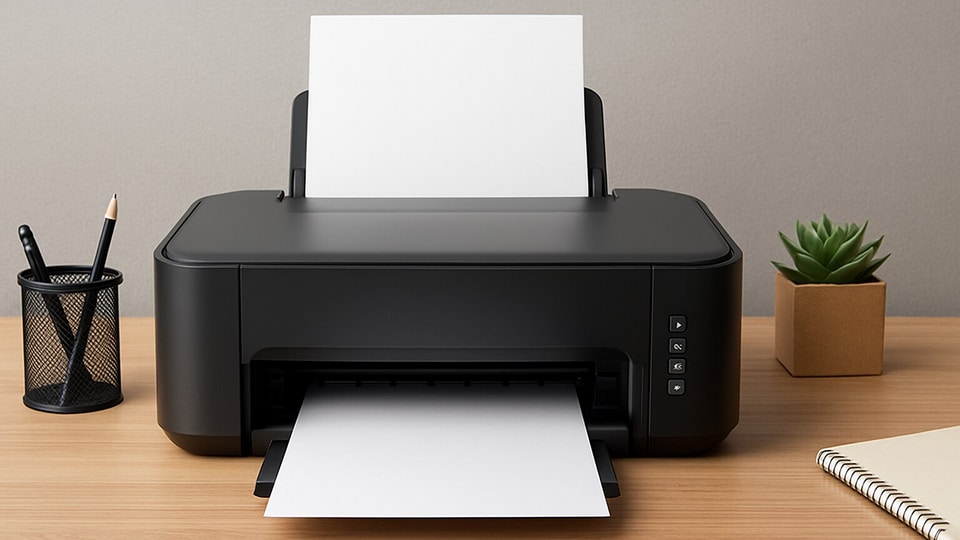

Having a reliable printer at home is a true convenience, whether you’re printing school assignments, office documents, or family photos. Home printers today are designed to be more affordable and versatile while maintaining high-quality output for both text and images.
The best home printers in 2025 offer not just printing but also scanning, copying, and even wireless connectivity. With features like mobile printing, compact designs, and low-cost cartridges or ink tanks, these machines are built to suit modern households. Let’s look at the top five picks that balance quality and value.
1. Canon PIXMA E477 All in One (Print, Scan, Copy) WiFi Ink Efficient Colour Printer for Home
The Canon PIXMA E477 is a compact ink-efficient printer ideal for light to moderate home usage. With its ability to print, scan, and copy, it offers an affordable all-in-one solution. Users can connect via USB or Wi-Fi, making it accessible across desktops, laptops, and even mobile devices through the Canon SELPHY app.
This model focuses on cost-effectiveness, offering cartridges designed for lower page costs. It’s ideal for students and households seeking budget printing options, though speed is limited.
Specifications
Reasons to buy

Affordable budget model with app support.
Compact and lightweight.
Reason to avoid

Mixed wireless reliability.
Cartridge issues reported by users.
What are buyers saying on Amazon?
Buyers find it good for home use and value its USB setup, but wireless reliability, cartridge issues, and print speed receive mixed reviews.
Why choose this product?
Choose this printer if you’re looking for a budget-friendly, compact option for light home usage with both Wi-Fi and USB printing.
2. Epson EcoTank L3252 Wi-Fi All-in-One Ink Tank Printer (Black)

Our Principles
Full Transparency
Every product review clearly lists the Pros and Cons, giving you a balanced view.
Brand Confidence
We focus on products from brands with a proven reputation and long-standing market trust.
The Epson L3252 belongs to the EcoTank family, recognized for its low-cost printing with refillable tanks. It supports printing, scanning, and copying, making it a versatile addition to homes and small offices.
Its Heat-Free technology ensures efficiency, while Wi-Fi and mobile app support allow flexible usage. With spill-free refill tanks, it reduces running costs drastically, suitable for those needing extensive, daily printing.
Specifications
Reasons to buy
Extremely low cost-per-page.
Spill-free refilling saves hassle.
Reason to avoid
Color quality can be inconsistent.
Wireless setup may be tricky.
What are buyers saying on Amazon?
Buyers praise its low-cost printing, EcoTank efficiency, and photo prints, but Wi-Fi setup, color print quality, and installation often receive mixed reviews.
Why choose this product?
Choose this printer for its economical EcoTank refills, suitability for high-volume printing, and mobile Wi-Fi support.
3. HP Ink Advantage 4278 WiFi Colour Printer - Print/Scan/Copy with ADF Ideal for Home/Small Office, White
The HP 4278 is designed for small offices and home usage that require multifunction features. It includes an automatic document feeder (ADF) for efficiency, along with Wi-Fi and mobile printing options.
It integrates with the HP Smart app, enabling easy setup and cloud sharing. However, its cartridges are small, and running costs can escalate for heavy users, making it more suitable for light-medium workloads.
Specifications
Reasons to buy
Comes with ADF for multipage scanning.
Smart app includes cloud sharing.
Reason to avoid
Cartridges run out quickly.
Printing slower than rivals.
What are buyers saying on Amazon?
Buyers appreciate its ADF and mobile app setup, but running costs, slow printing speed, and connectivity issues make value for money questionable.
Why choose this product?
Choose this printer for versatile small-office tasks like quick ADF scanning and mobile-managed printing.
4. Canon PIXMA MegaTank G1010 Single Function Ink Tank Colour Printer
The Canon PIXMA G1010 is a single-function printer built for high-volume printing. It’s an ink tank machine offering extremely low-cost per page thanks to refillable tanks that give yields up to 6000 black and 7000 color pages.
While limited to USB connectivity and lacking scanning or copying, it is compact and efficient for those who prioritize cost-savings in prints. Its photo-printing abilities also make it suitable for creative work at home.
Specifications
Reasons to buy
Ultra-low running costs.
Great for bulk usage.
Reason to avoid
No Wi-Fi or scan/copy.
Limited Mac compatibility.
What are buyers saying on Amazon?
Buyers find it cost-efficient and good for photo prints on glossy paper, though speed and occasional functional reliability issues are reported.
Why choose this product?
Choose this printer if you need bulk affordable printing with high output yields and photo-printing quality.
The Brother DCP-T730DW offers multifunctional versatility with print, scan, and copy features integrated along with automatic duplex and ADF. It’s targeted for heavy usage with page yields of up to 15,000 black and 5000 color pages per refill.
It’s designed for professional use, offering wireless printing and excellent build quality. Easy setup and refillable tanks enhance usability, making it a solid investment for homes and offices with high print volumes.
Specifications
Reasons to buy
High yield ink tank efficiency.
Duplex + ADF for productivity.
Reason to avoid
Pricier upfront cost.
Color accuracy can be inconsistent.
What are buyers saying on Amazon?
Buyers highlight its strong build, usability, and efficiency, but some mention color prints aren’t as accurate. Still, it’s appreciated for heavy workloads.
Why choose this product?
Choose it for long-term cost-effectiveness, duplex+ADF, and robust performance suitable for home and office work.
Reasons to consider when buying a printer for the home
- Multifunctionality: Many printers combine print, scan, and copy features in one device.
- Wireless printing: Connect easily with Wi-Fi, Bluetooth, or mobile apps.
- Cost efficiency: Ink tank and refillable options lower the cost per page.
- Compact size: Designed to fit small desks and home offices.
- High-quality output: Sharp text and vibrant colour prints for any task.
Should I choose an inkjet or a laser printer for home?
Inkjet printers are better for photos and occasional use, while laser printers are cost-effective for high-volume black-and-white printing.
Are refillable ink tank printers worth it?
Yes, they reduce per-page cost significantly, making them ideal for frequent printing at home.
Can I connect home printers to smartphones?
Most modern printers support mobile printing through apps, Wi-Fi, or cloud services for seamless usage.
Top 3 features of best printers for home
| Printers for home | Type | Functions | Connectivity |
|---|---|---|---|
| Canon PIXMA E477 | Inkjet | Print/Scan/Copy | Wi-Fi, USB |
| Epson L3252 EcoTank | Ink Tank | Print/Scan/Copy | Wi-Fi |
| HP Ink Advantage 4278 | Inkjet | Print/Scan/Copy/ADF | Wi-Fi, USB |
| Canon PIXMA G1010 | Ink Tank | Print-only | USB |
| Brother DCP-T730DW | Ink Tank | Print/Scan/Copy/ADF/Duplex | Wi-Fi, USB |
Similar articles for you
Best portable printers for last-minute printing: Top picks for students and businesses
Best photo printers for every budget: From high-volume to portable, top 10 printing options for you
Best Bluetooth printers: Wireless printing is the new age time saver you need!
Disclaimer: At Hindustan Times, we help you stay up-to-date with the latest trends and products. Hindustan Times has an affiliate partnership, so we may get a part of the revenue when you make a purchase. We shall not be liable for any claim under applicable laws, including but not limited to the Consumer Protection Act, 2019, with respect to the products. The products listed in this article are in no particular order of priority.



