I often find myself switching between dozens of browser tabs, documents, spreadsheets and apps throughout the day. Add a video call or photo editing session to the mix, and even a laptop that looks good on paper can start to feel sluggish. For anyone who works this way, choosing a laptop is less about chasing the highest processor number and more about finding a machine that can keep up with everyday multitasking.
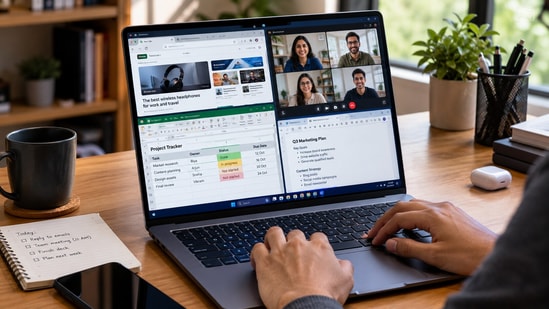
That is why I would pay close attention to memory, processor performance, battery life and thermal management before buying one. The right combination can help keep work flowing smoothly, especially when several applications need to stay open at once.
Choose better. Buy smarter.
NEHA by HT Tech generates recommendations using proprietary AI analysis built on years of editorial expertise.{{#product}}{{/product}}
The Acer Aspire 3 is an everyday laptop designed for users who need a large screen for office work, online classes and multitasking. Its Intel Core Ultra 5 115U processor, 16GB DDR5 RAM and 512GB SSD provide a practical combination for handling documents, browser tabs, video calls and routine productivity tasks. The Full HD IPS display offers a comfortable viewing area, while the backlit keyboard helps when working in dimly lit environments. At 1.72kg, it remains reasonably portable for a 15.6-inch laptop.
What are buyers saying on Amazon?
Check recent Amazon reviews for feedback on everyday performance, keyboard comfort, display quality and battery life. These details can help establish how well the laptop handles regular work and study routines.
Why choose this product?
Choose the Acer Aspire 3 if you want a large Full HD screen, 16GB RAM, a backlit keyboard and a capable processor for everyday productivity without needing dedicated graphics.
{{#product}}{{/product}}
Our Principles
Full Transparency
Every product review clearly lists the Pros and Cons, giving you a balanced view.
Brand Confidence
We focus on products from brands with a proven reputation and long-standing market trust.
The Acer TravelLite Smart Laptop offers a strong memory and storage configuration for professionals who regularly work with multiple applications and large files. Its AMD Ryzen 7 7730U processor, 32GB RAM and 1TB NVMe SSD provide plenty of capacity for office applications, spreadsheets, browser tabs and everyday multitasking. The 15.6-inch Full HD display offers room for working across documents, while Wi-Fi 6 supports modern wireless networking. Windows 11 and Microsoft Office 2024 add productivity software, and the advertised three-year warranty is a useful consideration for business users.
What are buyers saying on Amazon?
Look for recent Amazon reviews covering performance under multitasking, build quality, battery life and after-sales support. Confirm that feedback relates to the same Ryzen 7, 32GB RAM configuration.
Why choose this product?
Choose the Acer TravelLite if you want 32GB RAM, 1TB SSD storage and Microsoft Office 2024 for handling extensive office work, large files and multiple applications.
{{#product}}{{/product}}
The Lenovo 15 (2026) pairs an Intel Core i7-13620H processor with 32GB DDR5 RAM, making it suitable for professionals who frequently switch between applications, work with large spreadsheets and manage demanding office workloads. Its 15.6-inch Full HD display provides a spacious workspace, while the 512GB SSD supports quick boot times and application loading. The laptop includes Windows 11 Pro, Microsoft Office 2024 and a dedicated Copilot key. Despite its larger screen, its listed 1.5kg weight makes it relatively easy to carry between home and office.
What are buyers saying on Amazon?
Check recent buyer reviews for comments on processor performance, keyboard comfort, thermals and battery life. Confirm the exact 32GB configuration before relying on feedback from other Lenovo 15 variants.
Why choose this product?
Choose the Lenovo 15 if you want an Intel Core i7 processor, 32GB DDR5 RAM, Windows 11 Pro and a lightweight 15.6-inch laptop for business productivity.
{{#product}}{{/product}}
The HP Professional 14 is designed for professionals who need a compact laptop for office work, meetings and travel. Its Intel Core 5 120U processor and 32GB RAM provide capacity for running multiple applications, handling large spreadsheets and switching between browser tabs. The 512GB SSD offers fast access to files, while the 14-inch Full HD display keeps the overall design portable. A backlit keyboard and fingerprint reader add convenience, and Windows 11 Pro with Microsoft Office 2024 makes it suited to everyday business productivity.
What are buyers saying on Amazon?
Check recent Amazon reviews for feedback on keyboard comfort, build quality, battery life and performance during multitasking. Confirm that the reviews correspond to the same 32GB RAM configuration.
Why choose this product?
Choose the HP Professional 14 if you want a lightweight business laptop with 32GB RAM, Windows 11 Pro, a fingerprint reader and a compact 14-inch display.
{{#product}}{{/product}}
The HP ProBook 445 G9 is a business-oriented laptop with a practical selection of connectivity and security features. Its AMD Ryzen 5 5625U processor, 16GB RAM and 1TB SSD provide a suitable foundation for office applications, video calls, document management and multitasking. The 14-inch Full HD display makes it easier to carry between meetings, while the infrared camera can support compatible facial recognition features. Wi-Fi 6, an Ethernet port and a backlit keyboard add flexibility for professionals working across different environments.
What are buyers saying on Amazon?
Look for Amazon feedback on build quality, keyboard comfort, battery life and business connectivity. Check the seller's configuration carefully, as memory, storage, operating system and camera options can vary.
Why choose this product?
Choose the HP ProBook 445 G9 if you need a business laptop with 1TB storage, useful wired connectivity and an infrared camera for compatible authentication features.
{{#product}}{{/product}}
The Dell 14 (2026) is a compact laptop intended for everyday productivity, including document editing, online meetings, browsing and coursework. Its Intel Core 3 100U processor, 16GB DDR5 RAM and 512GB SSD offer a practical configuration for routine computing. The 14-inch display makes it easier to carry than a conventional 15.6-inch laptop, while integrated Intel UHD Graphics handle standard multimedia and office tasks. Windows 11 Home provides the familiar desktop environment, making this configuration suitable for users who need a straightforward laptop for daily work
What are buyers saying on Amazon?
Check recent Amazon reviews for feedback on battery life, display quality, keyboard comfort and everyday performance. Verify the exact Dell 14 model number to avoid mixing reviews from different configurations.
Why choose this product?
Choose the Dell 14 if you want a compact laptop with 16GB DDR5 RAM and an SSD for office documents, online classes, browsing and everyday productivity.
{{#product}}{{/product}}
The ASUS Vivobook Go 15 is built for students and professionals who need a laptop for classes, assignments, office applications and everyday entertainment. Its AMD Ryzen 5 40 processor, 16GB RAM and 512GB SSD provide a practical setup for multitasking and routine productivity. The 15.6-inch Full HD display offers plenty of room for documents and video content, while its 1.63kg weight keeps it reasonably portable. Microsoft Office Home 2024 and a one-year Microsoft 365 Basic subscription add useful software and cloud storage benefits.
What are buyers saying on Amazon?
Check recent Amazon reviews for feedback on battery life, keyboard comfort, display quality and everyday performance. Confirm the exact Ryzen 5 40 configuration, as similarly named Vivobook models can have different specifications.
Why choose this product?
Choose the ASUS Vivobook Go 15 if you want a lightweight 15.6-inch laptop with 16GB RAM, Office Home 2024 and sufficient performance for everyday study or office work.
Factors to consider when buying a laptop for multitasking
- RAM capacity: Aim for 16GB for regular multitasking, or consider 32GB for demanding applications.
- Processor performance: Look for a modern processor that can handle multiple active applications without slowing down.
- SSD storage: Choose an SSD for responsive boot times, file access and application loading.
- Battery life: Check independent tests and real-world results rather than relying only on manufacturer claims.
- Upgrade options: Check if the RAM can be upgraded later, as many thin laptops have soldered memory.
Top 3 features of best laptops
| Laptop | Display | Processor | RAM |
|---|---|---|---|
| Acer Aspire 3 AI PC | 15.6-inch FHD IPS | Intel Core Ultra 5 115U | 16GB DDR5 |
| Acer TravelLite Smart | 15.6-inch FHD | AMD Ryzen 7 7730U | 32GB |
| Lenovo 15 (2026) | 15.6-inch FHD | Intel Core i7-13620H | 32GB DDR5 |
| HP Professional 14 (2026) | 14-inch FHD | Intel Core 5 120U | 32GB |
| HP ProBook 445 G9 | 14-inch FHD | AMD Ryzen 5 5625U | 16GB DDR4 |
| Dell 14 (2026) | 14-inch FHD | Intel Core 3 100U | 16GB DDR5 |
| ASUS Vivobook Go 15 | 15.6-inch FHD, 60Hz | AMD Ryzen 5 40 | 16GB LPDDR5 |
Similar articles for you
Dark scenes looking dull on your smart TV? Dolby Vision is one feature worth considering
10 smartwatches with features that could make your phone less necessary
10 Windows laptops that could challenge your idea of what an everyday laptop should offer
- Is 16GB RAM enough for keeping dozens of Chrome tabs open?
For many users, 16GB is a sensible starting point for numerous tabs alongside documents and video calls. Heavy workloads may benefit from 32GB.
- Why does my laptop slow down when I switch between apps?
Limited RAM, demanding background processes or processor bottlenecks can cause slowdowns. When memory runs short, the system may rely more heavily on slower storage.
- Should I buy a laptop with 32GB RAM instead of 16GB?
Both matter, but they solve different problems. RAM helps keep multiple applications active, while the processor handles their workloads. The best balance depends on your software.
- Does a faster processor matter more than RAM for multitasking?
Both matter, but they solve different problems. RAM helps keep multiple applications active, while the processor handles their workloads. The best balance depends on your software.
- Can I upgrade my laptop's RAM later if I need more?
Some laptops allow RAM upgrades, while others use soldered memory that cannot be replaced. Check the maximum supported capacity and upgrade options before buying.
Disclaimer: At Hindustan Times, we help you stay up-to-date with the latest trends and products. Hindustan Times has an affiliate partnership, so we may get a part of the revenue when you make a purchase. We shall not be liable for any claim under applicable laws, including but not limited to the Consumer Protection Act, 2019, with respect to the products. The products listed in this article are in no particular order of priority.