You have seen the videos: a wall turns into a cinema screen at the press of a button and a 100-inch picture suddenly looks affordable. Then you open a shopping page and find a dozen 4K smart projectors at wildly different prices, all promising a similar experience. So what are you actually paying for and will it work in an ordinary Indian living room with curtains that never fully block the sun? Here in this article, we'll walk you through the specs that decide picture quality, the smart features worth having and the practical limits nobody mentions in the listing.
What "4K" on the box really means
This is the first trap. A native 4K projector uses a panel with a full 3840 by 2160 pixels, which is the genuine article. Many cheaper models instead use a Full HD panel and shift it rapidly to build up a 4K-like image, a technique known as pixel shifting. The result can look impressive, though it is not quite the same as native. The third kind is the most misleading: projectors that merely accept a 4K signal and then show it at a lower resolution. Check the listing for the actual panel resolution and be wary if it only says "supports 4K".
Brightness: ANSI lumens and your room
Brightness is measured in lumens, but not all lumens are equal. Look for the ANSI lumens figure, which follows a standard test method. Some brands quote other lumen numbers that sound bigger and mean less. As a rough rule, a projector in the region of a thousand ANSI lumens can work in a dim room, and a lot more is needed if daylight or lamps are on. No projector can show true black in a bright room, so curtains matter as much as the spec sheet.
Throw distance and where the projector sits
Throw ratio tells you how far the projector must be from the wall to fill a given screen size. On many standard models, a 100-inch image needs roughly two and a half to three metres of space, though it varies. Short-throw and ultra short-throw projectors need much less distance, which suits smaller rooms, but they usually cost more. Measure your room before you shop, because a projector that cannot reach your wall at the right distance is no use at any price.
Auto keystone and auto focus help when the projector sits at an angle, but heavy digital correction can slightly soften the picture. Placing it square to the wall is always best.
What "smart" should actually mean
A smart projector has a built-in operating system and apps, so you do not need a separate streaming stick. The thing to check is app support, particularly whether your preferred services are officially available. Some projectors run a basic or unofficial setup where certain apps are missing or limited, which is a bigger issue than it sounds if you want to watch Netflix without workarounds. A projector with a certified smart platform, or one that happily takes a plug-in stick through HDMI, saves frustration.
Gaming, sound and ports
If you plan to game, look for a low-latency mode and a 4K refresh rate that suits your console. Input lag, the delay between pressing a button and seeing the result, can make fast games feel sluggish on a projector that is not designed for it. Built-in speakers are usually modest, so budget for a soundbar or speakers, and check for HDMI ports, an audio output and USB. Sound is where many first-time buyers feel let down.
Light source and long-term cost
Projectors use a lamp, LED or laser as their light source. Lamps are usually the cheapest upfront but dim over time and need replacing after a few thousand hours. LED and laser units typically last far longer and turn on faster, with laser generally giving the brightest, most consistent output at a higher price. Over several years of regular use, a longer-lasting light source can work out better value than a cheaper lamp model.
Setup, noise and everyday life
A projector is less plug-and-play than a TV. You need a suitable wall or screen, a stable shelf or ceiling mount, and a way to control the light. Fans produce some noise, which can be noticeable during quiet scenes. Dust and heat also affect long-term performance, so a well-ventilated spot matters. If you want something you can switch on and forget, a TV is simply easier.
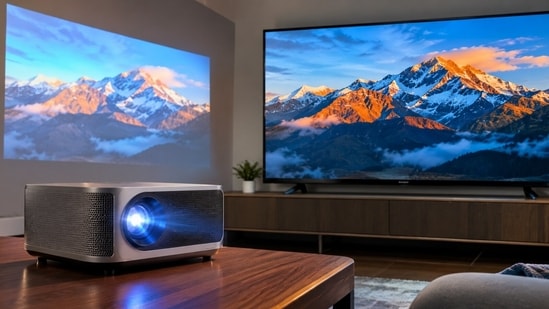
4K Smart Projector vs Big-Screen TV: Major differences
| Feature | 4K Smart Projector | Large 4K TV |
|---|---|---|
| Screen size | Very large, easily 100 inches or more | Usually 43 to 85 inches for most homes |
| Daytime viewing | Struggles in bright rooms | Handles daylight comfortably |
| Black levels and contrast | Depend heavily on a dark room | Better, especially on premium panels |
| Room needs | Throw distance, a plain wall or screen, light control | Just a stand or a wall mount |
| Setup effort | Higher, needs alignment and placement | Minimal |
| Sound | Built-in speakers are usually modest | Generally better, though still often basic |
| Noise | Fan noise can be audible | Silent in normal use |
| Light source life | Lamp needs replacing, LED and laser last longer | Panel lasts for years without replacement |
| Cost per inch of screen | Lower at very large sizes | Rises quickly with size |
| Best for | Home cinema in a darkened room | Everyday viewing in any room |
| Main drawback | Needs darkness and setup | Large sizes get expensive |
Who should buy one and who should skip it
A 4K smart projector suits movie lovers, sports fans and anyone who wants a really big picture in a room they can darken. It is also handy in a flexible space where a huge TV would dominate. It is less suitable for bright living rooms, for people who mostly watch TV during the day, or for anyone who wants an effortless, always-ready screen. If daytime viewing matters most, a large 4K TV is likely the safer choice.
A 4K smart projector can give you a cinema-sized picture that a TV struggles to match at the same price, but only if the room, the light and the specs line up. Prioritise genuine 4K or a good pixel-shifted panel, enough ANSI lumens for your room, a throw distance that fits your space and a platform with the apps you use. If your viewing happens mostly after dark and you love big-screen movies or sport, it is a strong buy. If you watch mostly in daylight or want zero fuss, stick to a big TV and enjoy the simplicity.
Similar stories for you:
Still using a basic TV? I would consider these affordable 4K smart TV upgrades
An 85-inch TV sounds excessive, but here is why I would consider buying one
- Is a 4K projector better than a Full HD projector?
A true 4K projector shows more detail, especially on large screens. On smaller screens or from far away, the difference can be harder to notice.
- How many lumens do I need for a home projector?
Roughly a thousand ANSI lumens works in a dim room, while brighter rooms need considerably more. Always check the ANSI figure rather than other lumen claims.
- Do I need a special screen for a projector?
No, a plain light-coloured wall can work. A proper screen, especially an ambient-light-rejecting one, can improve contrast and brightness.
- Can I game on a 4K smart projector?
Yes, if it has a low-latency mode and supports the resolution and refresh rate your console needs. Check input lag before buying.
- How long does a projector light source last?
Lamps typically last a few thousand hours, while LED and laser sources often last many times longer, depending on the model and usage.
Disclaimer: At Hindustan Times, we help you stay up-to-date with the latest trends and products. Hindustan Times has an affiliate partnership, so we may get a part of the revenue when you make a purchase. We shall not be liable for any claim under applicable laws, including but not limited to the Consumer Protection Act, 2019, with respect to the products. The products listed in this article are in no particular order of priority.