Samsung on 9 July finally unveiled its latest foldables, including the flagship Galaxy Z Fold 7. It packs the latest Snapdragon 8 Elite for Galaxy chipset and offers a thin and ultra-thin design, coming in at 8.9 mm when folded. It also packs a 200-megapixel main camera.
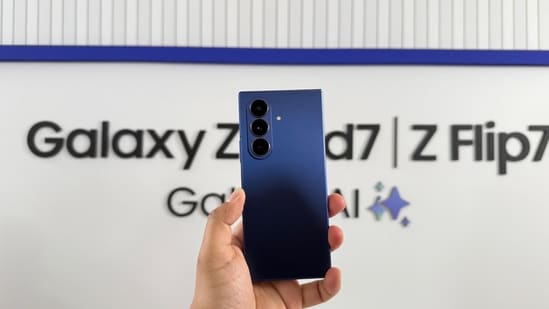
But alongside these upgrades, Samsung is also bundling several AI experiences with the new One UI 8. Here, we are going to tell you just that. Read on to know what are some of the best features on the Samsung Galaxy Z Fold 7.
Multi-Modal AI experience with One UI 8
Now, with One UI 8 on the Galaxy Z Fold 7, Samsung is delivering a multi-modal AI experience that brings in the power of Google Gemini Live. It lets users share their screen with Google Gemini as they speak to the assistant. This is what enables you to ask contextual questions based on what is visible on the display.
So, in theory, you could come across an image of a food item and you can simply then ask Gemini to identify what it is and maybe even recommend a place that serves it around you. In fact, even if you want to save the restaurant and set a calendar reminder for the same, Gemini handles it simultaneously, and there is no need to copy or paste.
Multi-Window Gemini Support
Samsung notes that OneUI 8’s multi-modality can be even more useful when you use the Samsung Z Fold 7's multi-window support and its large screen. Technically, you could be looking for interiors for your home. So you could technically on one half open a piece of furniture photo, and on the second half of the screen, you could open the room where the furniture is going to be, and then you could ask Gemini if the particular furniture would suit the room or vice versa.
Audio Eraser
Audio Eraser makes it incredibly easy to remove any unwanted sounds from the background. This could be traffic, wind, noise, etc. And now, Samsung has upgraded this feature to bring even more convenience. The company has now added a new toggle in the gallery which detects and removes unwanted sounds from video recordings proactively.
Photo Assist and Generative Edit
Photo Assist is another handy tool that comes with the Z Fold 7. It allows you to move, erase, or enlarge objects, and even adjust angles. It also allows you to fill in backgrounds with the power of AI.
{{/usCountry}}Photo Assist is another handy tool that comes with the Z Fold 7. It allows you to move, erase, or enlarge objects, and even adjust angles. It also allows you to fill in backgrounds with the power of AI.
{{/usCountry}}Samsung also claims that the Generative Edit feature that has existed on Galaxy phones for a while now is now better. You can now use the same to do usual tasks like fill in the backgrounds. But Samsung has now made it smarter by offering suggestions with new 'Suggest Erases.’ This automatically detects and suggests edits with just a tap.
Better gaming experience, thanks to Circle to Search
Circle to Search has also been on Galaxy phones and Google Pixels for a while now, but now Samsung says you can also Circle to Search to get gaming tips. Samsung says you can simply Circle to Search a specific item on the screen, and then you can get gaming tips for that, making it easy to quickly know something about a specific game.
MOBILE FINDER: iPhone 16 LATEST Price And More