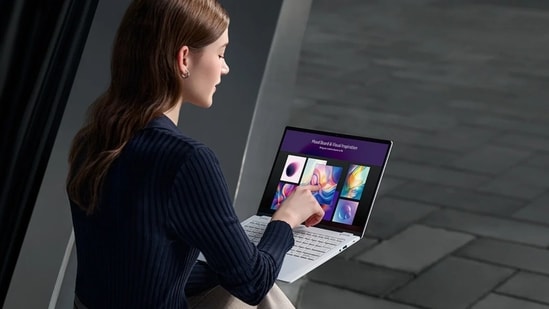
A touchscreen laptop sounds useful on paper, but it is worth asking how often you would actually use it. Tapping through a presentation, marking up a PDF, sketching an idea or scrolling through a long webpage can feel more natural with your fingers. A 2-in-1 design adds another benefit by letting you fold the display back for tablet-style use. Still, touch does not automatically make a laptop better, especially if you mostly type, work with spreadsheets or use an external monitor. Here, in this article, we are going to compare six touchscreen devices from Lenovo, ASUS, Microsoft, HP, Acer and Dell. Starting at ₹73,000 to ₹1.83 lakh, depending on the model and available offers. The selection includes OLED convertibles, a detachable Surface tablet with keyboard and pen and a more conventional laptop. The key is to choose a design that fits your actual workflow, not just one with an extra feature.
Flipkart price comparison: 6 touchscreen laptops
| Laptop | Key configuration | Listed Flipkart price |
|---|---|---|
| Lenovo Yoga 7 2-in-1 | Core Ultra 5 226V, 16GB RAM, 512GB SSD | Around ₹1,34,990 |
| ASUS ExpertBook Ultra | Core Ultra 5 325, 16GB RAM, 512GB SSD | Around ₹1,82,990 |
| Microsoft Surface Pro 12 | Snapdragon X Plus, 16GB RAM, 512GB storage | Around ₹1,42,990 |
| HP OmniBook X Flip | Core Ultra 7 256V, 16GB RAM, 1TB SSD | Around ₹1,23,990 |
| Acer Swift Go 14 | Core Ultra 7 155H, 16GB RAM, 1TB SSD | Around ₹84,505 |
| Dell Inspiron 7430 2-in-1 | Core i5-1335U, 8GB RAM, 512GB SSD | Around ₹72,990 |
Choose better. Buy smarter.
NEHA by HT Tech generates recommendations using proprietary AI analysis built on years of editorial expertise.{{#product}}{{/product}}
The Lenovo Yoga 7 is built for people who want a regular laptop that can also work as a tablet. Its 360-degree hinge lets you fold the display back for presentations, reading and touch-based tasks. The Core Ultra 5 226V processor, 16GB RAM and 512GB SSD provide a balanced setup for everyday work, while the OLED panel adds rich contrast.
What are buyers saying?
Users praise the vibrant OLED touchscreen, flexible hinge and battery endurance. The Lunar Lake processor's cool, efficient performance is another positive. Some buyers, however, feel the 60Hz refresh rate is underwhelming for a laptop at this price, particularly when compared with premium high-refresh-rate displays.
Why we picked it
The Yoga's 360-degree hinge is its main advantage. It suits students, professionals and frequent travellers who want to switch between typing, reading and touch-based work without carrying a separate tablet.
{{#product}}{{/product}}
Our Principles
Full Transparency
Every product review clearly lists the Pros and Cons, giving you a balanced view.
Brand Confidence
We focus on products from brands with a proven reputation and long-standing market trust.
The ASUS ExpertBook Ultra is aimed at professionals who need a lightweight machine with a premium display and business-focused features. The linked configuration uses an Intel Core Ultra 5 325 processor, 16GB RAM and 512GB SSD. Its 14-inch OLED touchscreen has a 2880 x 1800 resolution, while the nano-ceramic-coated chassis and enterprise security features add to its business-oriented positioning.
What are buyers saying?
Reviewers praise the lightweight magnesium-alloy chassis, durable nano-ceramic shield and responsive performance. Enterprise security also receives positive feedback. The main reservation is its high price, which may be harder to justify for ordinary home users who do not need business-grade security features.
Why we picked it
The ExpertBook Ultra is worth considering if portability, display quality and business security take priority over value. It is better suited to frequent travellers and professionals than to buyers who simply want a touchscreen for casual use.
{{#product}}{{/product}}
The Surface Pro 12 takes a different route: it is fundamentally a tablet that can become a laptop when connected to its Type Cover keyboard. This linked bundle includes a keyboard and pen, making it useful for handwritten notes, sketches and touchscreen navigation. The Snapdragon X Plus chip and 16GB RAM are designed for mobile productivity, though some older Windows applications may need compatibility checks.
What are buyers saying?
Customers value the Surface Pro's portability, solid construction and convenience of having the Type Cover and pen in the bundle. Everyday performance is described as smooth and efficient. Some buyers note compatibility hurdles with older Windows applications running on the Snapdragon ARM platform.
Why we picked it
The Surface Pro is the most tablet-like option in this group. Choose it if handwritten notes, drawing and mobility matter more than a conventional laptop design, but check compatibility for any specialist desktop software you rely on.
{{#product}}{{/product}}
The HP OmniBook X Flip combines a convertible design with a 3K OLED touchscreen and a 1TB SSD. Its Intel Core Ultra 7 256V processor and 16GB RAM are suited to multitasking, productivity and creative applications that benefit from a sharper display. The 2-in-1 hinge lets you fold it into different positions, although using the screen at its maximum refresh rate can affect battery endurance.
What are buyers saying?
Customers praise the 3K 120Hz OLED display, 1TB storage and Core Ultra 7 performance. The build is also viewed positively for multitasking. The main drawbacks raised are the higher price and faster battery drain when using the display at its maximum refresh rate.
Why we picked it
The OmniBook X Flip stands out for pairing a high-refresh-rate OLED touchscreen with 1TB of storage. It is worth considering for people who move between productivity, media and creative work and will use the convertible design regularly.
{{#product}}{{/product}}
The Acer Swift Go 14 offers touchscreen convenience without the convertible design or premium pricing of some rivals. The linked configuration uses an Intel Core Ultra 7 155H processor, 16GB RAM and a 1TB SSD. Its 14-inch WUXGA IPS touchscreen supports multi-touch, while a 1440p QHD webcam and Wi-Fi 6E add practical features for video calls and hybrid work.
What are buyers saying?
Customers value the Core Ultra 7 performance and 1TB storage at a competitive price. The hardware is viewed as good value overall, though the generic metal finish and basic-feeling trackpad receive less enthusiastic feedback than the performance and storage configuration.
Why we picked it
Acer's appeal is the balance of performance, storage and price. It suits buyers who want a touchscreen for everyday navigation and occasional creative tasks, but do not need a 360-degree hinge or an OLED panel.
{{#product}}{{/product}}
The Dell Inspiron 7430 2-in-1 is the more conventional productivity choice in this selection. It pairs a 13th Gen Intel Core i5-1335U processor with 8GB RAM and a 512GB SSD, plus a 14-inch Full HD+ touchscreen that folds back for tablet-style use. The included Active Pen adds value for annotating documents and taking notes, but the 8GB memory configuration is a key consideration for demanding multitasking.
What are buyers saying?
Buyers appreciate the sturdy construction, range of ports and included Active Pen. However, the 8GB RAM configuration is a recurring concern for people who keep many applications open, while the 250-nit screen is considered dim in bright outdoor conditions.
Why we picked it
The Inspiron 7430 is worth considering if you want a convertible Windows laptop with pen support for notes and documents. It is best suited to routine productivity, provided the 8GB RAM and screen brightness fit your needs.
Top 3 features of touchscreen laptops
| Touchscreen laptop | Display | Form factor | Standout feature |
|---|---|---|---|
| Lenovo Yoga 7 2-in-1 | 14-inch OLED | 360-degree convertible | Core Ultra 5 226V |
| ASUS ExpertBook Ultra | 14-inch OLED, 2880 x 1800 | Thin-and-light laptop | Business-focused security |
| Microsoft Surface Pro 12 | 12-inch PixelSense LCD | Detachable tablet hybrid | Keyboard and pen bundle |
| HP OmniBook X Flip | 14-inch 3K OLED, up to 120Hz | 2-in-1 convertible | 1TB SSD |
| Acer Swift Go 14 | 14-inch WUXGA IPS | Conventional laptop | Core Ultra 7 and 1TB SSD |
| Dell Inspiron 7430 2-in-1 | 14-inch FHD+ touchscreen | 2-in-1 convertible | Active Pen support |
Factors to consider when buying a touchscreen laptop
- Convertible or conventional design: A 360-degree hinge is useful if you want to switch between typing, watching videos and using the screen as a tablet. If you mainly work at a desk, a conventional laptop with a touchscreen may be enough.
- Stylus support: Touch input is useful for navigation, but handwritten notes and drawing are easier with a compatible pen. Check whether a stylus is included, sold separately or supported only on certain configurations.
- Display quality: Look beyond touch capability. OLED panels can deliver deep blacks and rich contrast, while IPS displays can work well for everyday productivity. Also compare resolution, brightness, refresh rate and reflections if you often work outdoors.
- RAM, storage and software compatibility: At least 16GB RAM is worth considering for heavier multitasking. Check whether the memory can be upgraded, whether the SSD has enough capacity and whether specialist applications work on the processor platform, particularly ARM-based devices such as the Surface Pro.
Similar articles for you:
Want bigger bass for less? These 6 speakers on Flipkart come with discounts of up to 81%
10 Windows laptops that could challenge your idea of what an everyday laptop should offer
- Are touchscreen laptops worth buying?
They are worth considering if you regularly annotate documents, take handwritten notes, draw, present information or prefer touch-based navigation. If you mostly type and use a mouse, a conventional laptop may offer better value.
- Can a touchscreen laptop replace a tablet?
A convertible or detachable model can handle reading, streaming, note-taking and some creative tasks. However, tablets are often more comfortable to hold for long periods, while laptops generally offer a more convenient keyboard and trackpad experience for extended work.
- Do all touchscreen laptops support a stylus?
No. Touchscreen support does not automatically guarantee active stylus compatibility. Check the exact model's supported pen standard and whether the stylus is included in the box or needs to be purchased separately.
- Are touchscreen laptops good for students?
They can be useful for handwritten notes, annotating PDFs, presentations and online classes. Students should also consider weight, battery life, keyboard comfort, software compatibility and RAM, particularly if they use demanding applications for their course.
- Does a touchscreen drain a laptop's battery faster?
Touch input itself can have some impact, but battery life also depends on display brightness, panel type, refresh rate, processor workload and background applications. A high-resolution OLED screen running at a high refresh rate can consume more power in some conditions.
Disclaimer: At Hindustan Times, we help you stay up-to-date with the latest trends and products. Hindustan Times has an affiliate partnership, so we may get a part of the revenue when you make a purchase. We shall not be liable for any claim under applicable laws, including but not limited to the Consumer Protection Act, 2019, with respect to the products. The products listed in this article are in no particular order of priority.