Gone are the days when monitors were just static screens. In today’s fast-paced digital world, touch screen monitors bring a whole new level of interactivity—bridging the gap between your fingertips and your workflow with fluid precision.
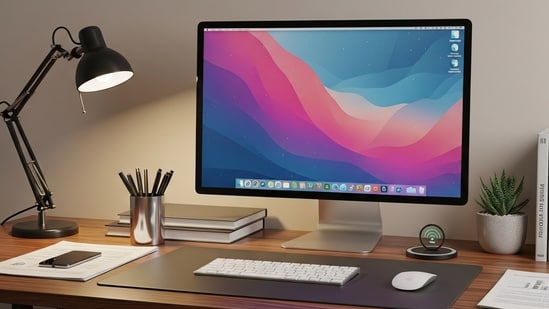
Whether you're designing, gaming, or simply multitasking, the right touch screen monitor can transform your entire experience. From ultra-responsive displays to sleek, modern designs, we've rounded up the best options that combine performance, style, and smart features. Ready to tap, swipe, and scroll your way to productivity? Let’s dive into the top touch screen monitors worth your attention this year.
Choose better. Buy smarter.
NEHA by HT Tech generates recommendations using proprietary AI analysis built on years of editorial expertise.{{#product}}{{/product}}
The Dell 24-inch P2418HT features a Full HD 1920x1080 IPS panel with a 60Hz refresh rate and 250 cd/m² brightness. It offers rich colours with 72% colour gamut (CIE 1931) and built-in USB-C hub for easy connectivity. Its touchscreen capability enhances productivity, ideal for creative and office workflows requiring tablet-like input on a spacious screen.
With excellent viewing angles due to IPS, the 16.7M colour support complements photo editing and presentations. Its flat screen and reliable Dell build make it suitable for professionals; however, brightness can feel low in very bright rooms.
What are buyers saying on Amazon?
Buyers enjoy the smooth touch interface and clarity, though some find brightness insufficient for well-lit environments.
Why choose this product?
Ideal if you want touchscreen functionality on a large, color-accurate display for productivity.
Lightweight and slim, the 15.6-inch ViewSonic VA1655 weighs only 0.7kg and is 6.6mm thin for maximum portability. Its FHD IPS panel ensures vivid color and wide viewing angles. USB-C single-cable connectivity delivers both power and video, making it a great travel companion for professionals needing a secondary display on laptops, mobile devices, or tablets.
Its foldable stand and matte screen reduce eye strain during long work sessions. While excellent for mobility, it offers just 60Hz refresh and moderate brightness, limiting its use in bright outdoor settings.
{{#product}}{{/product}}
Our Principles
Full Transparency
Every product review clearly lists the Pros and Cons, giving you a balanced view.
Brand Confidence
We focus on products from brands with a proven reputation and long-standing market trust.
What are buyers saying on Amazon?
Users praise exceptional portability and easy setup, but note limited brightness outdoors and modest color saturation.
Why choose this product?
Perfect for mobile professionals who want a lightweight, plug-and-play extra display on the go.
{{#product}}{{/product}}
This 15.6-inch portable monitor supports 10-point touch on Windows with USB-C and Mini-HDMI connectivity. It features a 1080p IPS matte display with 300nits brightness, 100% sRGB, and low blue light tech to reduce eye strain during extended use. Compact and lightweight at 1.22 lbs, it suits business travellers and multi-device environments.
Built-in speakers and an adjustable PU leather stand enhance usability. It requires Thunderbolt 3.0+ or USB 3.1 for touch interface and offers hassle-free plug-and-play setup. Gaming and entertainment benefit from HDR compatibility and wide viewing angles.
What are buyers saying on Amazon?
Buyers praise multi-device support and ease of use, with minor complaints about touch compatibility variance across devices.
Why choose this product?
Ideal if you want a portable touchscreen with solid visuals and built-in audio for work or light gaming.
{{#product}}{{/product}}
The Pixigo A16 by ZEBRONICS boasts a 15.6-inch Full HD anti-glare IPS display with 300 nits brightness and 16.7 million colours, ensuring bright and crisp visuals to reduce eye strain. Dual inputs (USB-C + Mini HDMI) with a 180° adjustable stand offer flexible connectivity and ergonomic use for work or entertainment.
Lightweight and travel-friendly, it doubles as a media monitor with built-in speakers. However, its 25ms response time limits gaming performance, making it better suited for casual use.
Why choose this product?
Perfect as a travel or secondary monitor for productivity and media consumption with solid portability.
{{#product}}{{/product}}
The Lenovo ThinkVision M14t is a 14-inch FHD IPS touchscreen featuring 300 nits brightness and an 8ms response time. Its slim design includes a height-adjustable and tiltable stand and comes with an active pen for precision. Dual USB-C ports offer flexible connectivity and plug-and-play operation.
Certified for low blue light, it reduces eye fatigue during extended use and comes backed by a 3-year warranty with premium support. The 700:1 contrast ratio delivers good clarity for business and creative users but is less ideal for HDR content.
Why choose this product?
Great for artists and professionals wanting a portable pen-enabled touchscreen with ergonomic design.
{{#product}}{{/product}}
The Acer UT222Q sports a 21.5-inch Full HD IPS touchscreen with 75Hz refresh rate and AMD FreeSync support for smooth visuals. A hardened 7H scratch-resistant glass protects the screen, ideal for heavy or mobile use. Ports include VGA, HDMI, DisplayPort, and USB 2.0 for versatility.
Eye-care tech, such as flickerless and blue light shields eases extended usage. Its zero-frame design maximises screen real estate, suited for office or casual gaming. The 4 ms response time is solid, though not ultra-fast for hardcore gamers.
What are buyers saying on Amazon?
Users like the responsive multi-touch and solid build, but note brightness can be lacking under direct light.
Why choose this product?
Ideal for those needing a larger touchscreen with gaming-ready features and durable glass.
{{#product}}{{/product}}
The Riitek 15.6-inch portable monitor offers a 1920x1080 IPS capacitive multi-touch display with a 178° viewing angle for clear visuals. Designed for laptops, PCs, and phones, it features USB Type-C and Mini HDMI inputs plus dual speakers and a travel case.
Its glossy screen supports vibrant colours but may reflect strong light. With travel-friendly design and plug-and-play ease, it is well suited for on-the-go productivity or entertainment.
Why choose this product?
Perfect for portable users valuing touch functionality, easy setup, and audio in a travel-ready screen.
Factors to consider when buying a touch screen monitor
- Screen Size and Resolution: Choose a size that suits your workspace and ensure the resolution delivers crisp, clear visuals.
- Touch Technology: Capacitive screens offer better responsiveness and multi-touch support compared to resistive ones.
- Connectivity Options: Look for HDMI, USB-C, and DisplayPort to ensure compatibility with your devices.
- Ergonomics and Adjustability: A monitor with tilt, swivel, or height adjustments enhances comfort during prolonged use.
- Build Quality and Design: A sturdy, stylish monitor not only lasts longer but also complements your setup.
Are touch screen monitors suitable for professional tasks like graphic design or coding?
Yes, many high-resolution touch screen monitors are ideal for professional tasks. Graphic designers benefit from intuitive controls and precise inputs, while coders can use touch features for quick navigation. However, ensure the monitor offers colour accuracy and supports external input devices for efficiency.
What are the advantages of capacitive touch screens over resistive ones?
Capacitive touch screens are more responsive, support multi-touch gestures, and offer a smoother, more intuitive experience. They work with light touch and are generally more durable. In contrast, resistive screens require pressure and may not register multiple touches, making them less suitable for modern multitasking needs.
Do touch screen monitors work with all operating systems?
Most modern touch screen monitors are compatible with Windows and Android systems, which offer robust touch support. macOS has limited touch screen functionality, so some features may not work as expected. Always check system compatibility and available drivers before purchasing to ensure full functionality.
Top 3 features of best touch screen monitor
| Touch screen monitors | Size | Resolution | Panel Type |
|---|---|---|---|
| Dell P2418HT | 24" | 1920x1080 (FHD) | IPS |
| ViewSonic VA1655 | 15.6" | 1920x1080 (FHD) | IPS (Matte) |
| MagicRaven | 15.6" | 1920x1080 (FHD) | IPS (Matte) |
| ZEBRONICS Pixigo A16 | 15.6" | 1920x1080 (FHD) | IPS (Anti-glare) |
| Lenovo ThinkVision M14t | 14" | 1920x1080 (FHD) | IPS |
| Acer UT222Q | 21.5" | 1920x1080 (FHD) | IPS |
| Riitek 15.6" | 15.6" | 1920x1080 (FHD) | IPS (Glossy) |
Similar articles for you
Top 10 laptops under 50,000 with latest processors, SSD storage and battery life
Top 6 HP Pavilion laptops in 2025 to find balance between performance and price
- What is the main benefit of a touch screen monitor?
It offers intuitive control through tapping, swiping, and pinching, making navigation quicker and more engaging.
- Can I use a touch screen monitor as a regular monitor?
Yes, touch screen monitors function like standard monitors, with the added benefit of touch input.
- Do touch screen monitors need special software?
Most are plug-and-play, but some features may require drivers or updates, especially for advanced touch functions.
- Are touch screen monitors more expensive?
Generally, they cost more than traditional monitors due to the added touch technology and responsive panels.
- Is a stylus necessary for touch screen use?
Not always, but a stylus can improve precision for tasks like drawing or handwriting.
Disclaimer: At Hindustan Times, we help you stay up-to-date with the latest trends and products. Hindustan Times has an affiliate partnership, so we may get a part of the revenue when you make a purchase. We shall not be liable for any claim under applicable laws, including but not limited to the Consumer Protection Act, 2019, with respect to the products. The products listed in this article are in no particular order of priority.