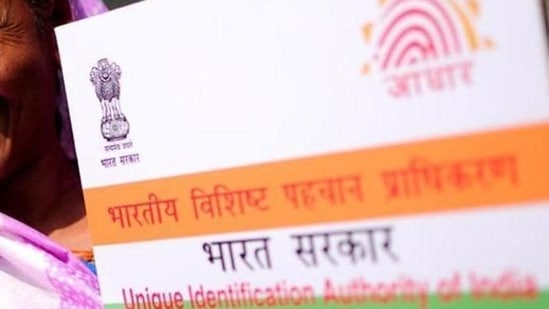
In its earlier statement, which now stands withdrawn, the Centre said hotels and cinema halls are not authorised to keep the Aadhaar cards of the customers.
The Centre on Sunday clarified the press release issued by the ministry of electronics and information technology which had advised people to not share the photocopy of their Aadhaar cards with any organisation. The press release was issued on May 27 and it triggered panic over information stealing as the ministry statement said Aadhaar card numbers can be misused. Later, the ministry issued a clarification claiming that the earlier advice is being withdrawn with immediate effect as there is a possibility of misinterpretation.
Photocopy of the Aadhaar card can be misused, the Centre said and then withdrew the advice. (File photo)
{{^htLoading}} {{/htLoading}}
Both the statements can be accessed here and here.
{{^usCountry}}{{/usCountry}}
In a notification, issued on May 27, which now stands withdrawn, the ministry of electronics and information technology said organisations which have obtained a user license from the UIDAI can use Aadhaar for establishing the identity of a person. Private entities like hotels or film halls are not entitled to keep copies of Aadhaar cards, the earlier press release said.
"Unlicensed private entities like hotels or film halls are not permitted to collect or keep copies of Aadhaar cards. It is an offence under the Aadhaar Act 2016. If a private entity demands to see your Aadhaar card, or seeks a photocopy of your Aadhaar card, please verify that they have a valid User License from the UIDAI," the earlier release said.
{{^htLoading}} {{/htLoading}}
{{^usCountry}}
As an alternative to submitting a photocopy of the Aadhaar card, users can download a masked Aadhaar card, which displays only the last 4 digits of the Aadhaar number, from the UIDAI website.
{{/usCountry}}
{{#usCountry}}
As an alternative to submitting a photocopy of the Aadhaar card, users can download a masked Aadhaar card, which displays only the last 4 digits of the Aadhaar number, from the UIDAI website.
{{/usCountry}}
“Please avoid using a public computer at an internet cafe/kiosk to download e-Aadhaar. However, if you do so, please ensure that you delete all the downloaded copies of e-Aadhaar permanently from the computer," it said
What is amasked Aadhaar card? How to download one
A masked Aadhaar card will not reveal the 12-digit Aadhaar number. Instead, it will only show the last 4 digits. A masked copy of Aadhaar can be downloaded from the UIDAI website.
Follow the latest breaking news, major developments and agenda-setting stories from India and around the world with the newsdesk at Hindustan Times. Operating round the clock, the desk brings together experienced editors, reporters and correspondents to deliver fast, accurate and contextual reporting across subjects that influence public policy, governance, business, society and international affairs. The HT News Desk covers politics, elections, government policies, the economy, business and markets, science and technology, the environment, law and order, infrastructure, education, climate issues and geopolitics, while closely tracking developments across states, institutions and global capitals. The team also leads coverage of major breaking news events, policy announcements, court proceedings, natural disasters, public emergencies and significant international developments. Reports published by the newsdesk are based on information gathered from reporters on the ground, official statements, government agencies, court records, regulatory filings, recognised institutions and other authoritative sources. Stories undergo editorial scrutiny and verification processes to ensure accuracy, fairness and relevance, and are updated as events evolve and additional information becomes available. Whether covering a key political decision in New Delhi, an economic policy shift affecting millions, a landmark court ruling or a major global event, the HT News Desk aims to provide readers with reliable, fact-based journalism that delivers not only the latest developments but also the context and analysis needed to understand their wider implications.
Get Latest News, breaking headlines, and top India News, and today real-time updates from across the nation. Stay informed on politics, government policies, crime, Today Weather, and major developments on Hindustan Times
Get Latest News, breaking headlines, and top India News, and today real-time updates from across the nation. Stay informed on politics, government policies, crime, Today Weather, and major developments on Hindustan Times