As someone who enjoys exploring gadgets, I have always found stylus-supported tablets particularly interesting. They offer a level of flexibility that traditional tablets often lack, whether it is jotting down quick notes, annotating documents, sketching ideas or getting some work done on the go.
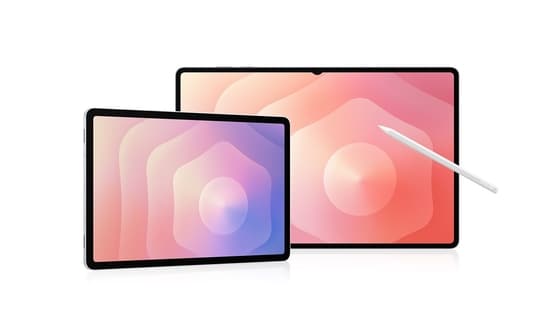
However, I believe the experience depends on more than just having a stylus in the box. Display quality, pressure sensitivity, palm rejection and overall performance can make a considerable difference.
With several options available on Flipkart, I have shortlisted five stylus-supported tablets for different needs, from students and working professionals to creative users.
Choose better. Buy smarter.
NEHA by HT Tech generates recommendations using proprietary AI analysis built on years of editorial expertise.{{#product}}{{/product}}
Whether you’re watching shows, attending online classes or getting some work done, the OnePlus Pad Go 2 offers a large screen for everyday use. Its 12.1-inch 2.8K display and MediaTek Dimensity 7300 processor make it a capable Android tablet. It also supports the OnePlus Stylo for note-taking and sketching, but the stylus is sold separately for ₹3,999.
{{#product}}{{/product}}
Our Principles
Full Transparency
Every product review clearly lists the Pros and Cons, giving you a balanced view.
Brand Confidence
We focus on products from brands with a proven reputation and long-standing market trust.
From taking handwritten notes in class to playing games or watching your favourite shows, the Motorola Pad 60 Pro is built for more than casual browsing. Its 12.7-inch 3K display offers a smooth 144Hz refresh rate, while the MediaTek Dimensity 8300 processor handles demanding apps. It also includes the Moto Pen Pro for note-taking and sketching.
{{#product}}{{/product}}
If you want an Android tablet for both work and entertainment, the Brave Ark offers a versatile setup. Its 12.95-inch 2.8K display and Snapdragon 8s Gen 3 processor support everyday productivity, gaming and streaming. The bundled keyboard helps with typing, while the included stylus makes handwritten notes and sketches easier.
{{#product}}{{/product}}
The Motorola Pad 70 Pro is worth considering if you want a tablet that can handle both creative work and everyday productivity. Its bundled Moto Pen Pro lets you write, annotate documents and sketch directly on the 13-inch screen. The high-resolution 3.5K display, 144Hz refresh rate and Snapdragon 8s Gen 4 processor also make it suitable for gaming and streaming.
{{#product}}{{/product}}
For students, professionals and creative users who prefer a compact tablet, the Samsung Galaxy Tab S11 packs plenty of capability into an 11-inch design. Its Dynamic AMOLED 2X display makes reading, streaming and sketching enjoyable, while the included S Pen supports handwritten notes and drawing. The Dimensity 9400+ processor also handles demanding apps and games with ease.
Factors to consider when purchasing an Android tablet with a stylus
- Display: Look for a high-resolution screen with good brightness and a 90Hz or higher refresh rate for smoother scrolling, reading and writing.
- Stylus compatibility: Check whether the tablet supports an active stylus, offers palm rejection and includes the pen in the box. Factor in its separate cost if needed.
- Performance: Choose a capable processor and at least 8GB RAM for multitasking, gaming and productivity apps.
- Battery: Compare battery capacity and fast-charging support for longer study or work sessions.
- Storage and connectivity: Consider 128GB or more, expandable storage, keyboard support and Wi-Fi or 5G connectivity.
How do these tablets stack up?
Product | Display | Processor | Battery |
|---|---|---|---|
| OnePlus Pad Go 2 | 12.1-inch 2.8K LCD, 120Hz | MediaTek Dimensity 7300-Ultra | 10,050mAh |
| Motorola Pad 60 Pro | 12.7-inch 3K LTPS LCD, 144Hz | MediaTek Dimensity 8300 | 10,200mAh |
| Brave Ark with Keyboard | 12.95-inch 2.8K IPS LCD, 144Hz | Snapdragon 8s Gen 3 | 14,550mAh |
| Motorola Pad 70 Pro | 13-inch 3.5K LTPS LCD, 144Hz | Snapdragon 8s Gen 4 | 10,200mAh |
| Samsung Galaxy Tab S11 | 11-inch Dynamic AMOLED 2X, 120Hz | MediaTek Dimensity 9400+ | 8,400mAh |
- Are there bank discounts on tablets during the Flipkart Big Billion Days Sale 2026?
Yes. Eligible Axis Bank and ICICI Bank cardholders can get up to 10% instant discount on qualifying purchases. The actual savings depend on the tablet, card variant and offer conditions. Check the product page and payment screen to confirm the discount before placing your order.
- Can I purchase tablets on No Cost EMI during the Flipkart Big Billion Days Sale 2026?
Yes. Flipkart offers No Cost EMI on select tablets through eligible payment methods and participating cards. Available tenures, minimum order values and eligibility vary by product. Check the total payable amount, processing fees and applicable taxes before choosing an EMI plan.
- Can I get additional discounts through exchange offers and other payment deals on tablets?
Yes. Select tablets may come with exchange benefits that reduce the effective purchase price when you trade in an eligible old device. Flipkart also advertises payment offers through Super.money and other financing options. These benefits depend on product eligibility, device condition, payment method and location. Review the final checkout price to understand your total savings.
Also Read:
Can a tablet replace your laptop? Features to consider before making the switch
Disclaimer: At Hindustan Times, we help you stay up-to-date with the latest trends and products. Hindustan Times has an affiliate partnership, so we may get a part of the revenue when you make a purchase. We shall not be liable for any claim under applicable laws, including but not limited to the Consumer Protection Act, 2019, with respect to the products. The products listed in this article are in no particular order of priority.