
 E-Paper



How to create cinematic AI videos in Gemini with Veo 2 and Whisk: Step-by-step guide
Know how to create short, AI-generated videos using Google's Gemini and Veo 2 tools with this step-by-step guide, including Whisk Animate for image animation.

 Prefer HTon Google


Google has introduced a new feature for Gemini Advanced users with the integration of Veo 2, an advanced AI video generation model. Launched in December last year, Veo 2 allows users to create high-quality, cinematic videos from simple text prompts across a range of subjects, genres and artistic styles.
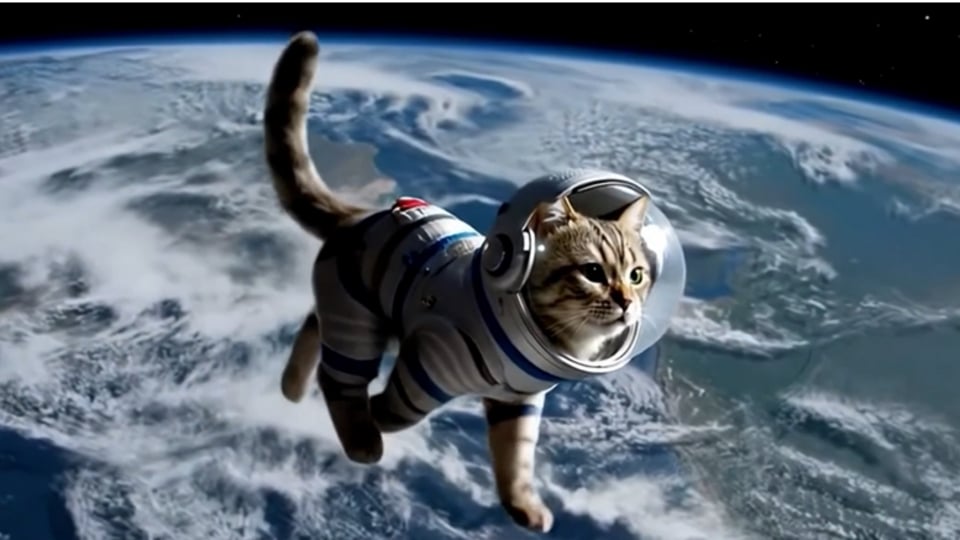

With this latest update, Gemini Advanced users can now easily convert text-based prompts into engaging and dynamic videos. Alongside this, Google Labs has also upgraded its experimental tool, Whisk, which uses text and image prompts to generate impressive visuals. The new Whisk Animate feature allows users to animate still images, bringing them to life with smooth, AI-generated motion. If you're eager to give it a shot and don’t know how, don’t worry, here’s a step-by-step guide to help you create AI videos using Veo 2 in Gemini and Whisk.
Also read: Google's digital ad network declared an illegal monopoly, joining its search engine in penalty box
How to Create Videos in Gemini Using Veo 2
Before getting started, it's important to understand the Veo 2's capabilities and features. This AI video model has significantly advanced the video generation field. It produces high-resolution, cinematic-quality videos that include realistic motion and fine details. By simulating real-world physics and human movement, Veo 2 can generate fluid character actions and realistic environments, which offer a visually rich experience.
Also read: Haier launches AI-powered Gravity AC series in India: Check features, price and more
Furthermore, the tool allows users to create eight-second videos at 720p resolution in MP4 format, with a 16:9 landscape aspect ratio. Now, here are the steps to create videos in Gemini using Veo 2:
- Access Gemini: Open Gemini and select Veo 2 from the model dropdown menu.
- Input a Text Prompt: Provide a description of the video you want to create.
- Generate the Video: Gemini will process the prompt and generate a custom video based on your description.
It's important to keep in mind that there is a monthly limit on the number of videos you can generate. Gemini will notify users as they approach their limit. This feature is accessible to Gemini Advanced users worldwide, on both web and mobile platforms. Additionally, video generation through Veo 2 is available to Google One AI Premium subscribers and supports all languages currently available in Gemini.
Also read: Nothing Phone 3 tipped to launch on July 25: Here’s what to expect from the upcoming device
Whisk Animate: What is it?
Whisk, an experimental tool from Google Labs, allows users to quickly create visuals using text and image prompts. With the recent update, Whisk Animate extends this functionality by enabling users to create short animated videos from still images. These videos, which last about eight seconds, are enhanced with motion and intricate detail.
Whisk Animate is now available to Google One AI Premium subscribers in over 60 countries. It is currently not accessible in India.


