
 E-Paper



Top 10 multifunction printers from HP, Canon, Epson and Brother with wireless and all-in-one features
Looking for a reliable multifunction printer? Check top picks from HP, Canon, Epson, and Brother with print, scan, copy, and wireless features.

 Prefer HTon Google


Our Picks
Best Printer
Laser Multifunction USB
Value for Money Printer
Best Wi-Fi Printer
FAQs
Our Picks
| Product | Rating | Price |
|---|---|---|
Best Printer HP Smart Tank 520 All-in-one Colour Printer with 1 Extra Black Ink Bottle (Upto 8000 Black and 6000 Colour Prints) and 1 Year Extended Warranty with PHA Coverage.Print, Scan & Copy for Office/HomeView Details | ₹10,999 | |
 | ||
Canon MF3010 Digital Multifunction Laser Printer, Black, StandardView Details | ₹16,999 | |
| ||
Laser Multifunction USB Brother DCP-L2520D Automatic Duplex Laser Printer with 30 Pages Per Minute Print Speed, Multifunction (Print Scan Copy), 2 in 1 (ID) Copy Button, LCD Display, 32 MB Memory, 250 Sheet Paper Tray, USBView Details | ₹16,499 | |
| ||
Value for Money Printer View Details | ₹15,750 | |
| ||
HP Laserjet Pro M126nw Multi-Function Monochrome Laser PrinterView Details | ₹20,999 | |
| ||

Research-Backed Choices
Every product we recommend is chosen through a combination of Primary Research and Secondary Research.
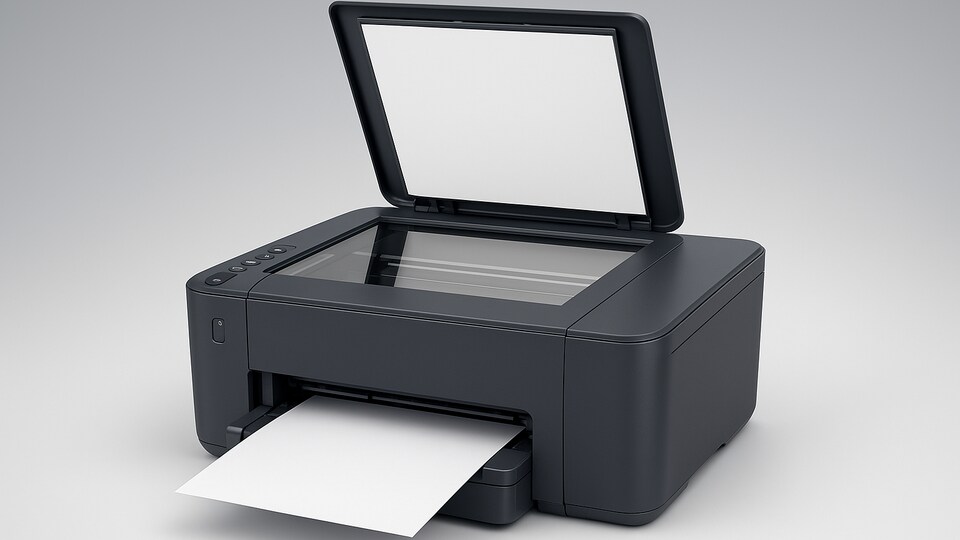

We know that buying a printer these days can really be confusing, especially with so many types available on both offline and online platforms. But if you want something easy that does everything in one place, a multifunction printer is worth looking at. It can print, scan, and copy, so you don’t need three separate machines.
These are useful options if you’re working from home, doing school work, or just need something for everyday tasks. In this list, we’ve picked a few good multifunction printers from trusted brands like HP, Canon, Epson, and Brother that you can actually use and rely on for everyday needs with ease.
BEST PRINTER
1. HP Smart Tank 520 All-in-one Colour Printer with 1 Extra Black Ink Bottle (Upto 8000 Black and 6000 Colour Prints) and 1 Year Extended Warranty with PHA Coverage.Print, Scan & Copy for Office/Home
If you're after one of the best multifunction printers for basic tasks, the HP Smart Tank 520 is a right choice for everyday printing, scanning, and copying. It’s simple to set up and easy to handle.
The printer comes with an extra black ink bottle, letting you print more pages without needing a refill too soon. It's a steady option for those who print often at home or in a small setup.
Specifications
Reasons to buy

Long ink life with high page yield for black and colour prints.
Reason to avoid

No wireless printing, so not suited for mobile or remote use.
What are buyers saying on Amazon?
Good quality prints and the ink really lasts a long time.
Why choose this product?
A good fit for users who don’t need Wi-Fi and prefer wired setups.
2. Canon MF3010 Digital Multifunction Laser Printer, Black, Standard

Our Principles
Full Transparency
Every product review clearly lists the Pros and Cons, giving you a balanced view.
Brand Confidence
We focus on products from brands with a proven reputation and long-standing market trust.
This Canon printer stands out for those who want quick prints without much setup at home or in the office. With print, scan, and copy features packed into a single device, it covers the basics well for everyday needs.
Among the best multifunction printers in the laser segment, this one keeps things simple. It’s built for regular use, especially when most of your work involves black-and-white documents or study material for school or college.
Specifications
Reasons to buy
Quick black-and-white prints with less maintenance.
Reason to avoid
No wireless printing and no colour support.
What are buyers saying on Amazon?
Reliable for daily use and easy to set up.
Why choose this product?
Ideal for anyone who wants quick document prints without extra features.
LASER MULTIFUNCTION USB
3. Brother DCP-L2520D Automatic Duplex Laser Printer with 30 Pages Per Minute Print Speed, Multifunction (Print Scan Copy), 2 in 1 (ID) Copy Button, LCD Display, 32 MB Memory, 250 Sheet Paper Tray, USB
The Brother multifunction printer is a nice choice for people who want faster prints and basic features in one setup. It prints, scans and copies, with duplex printing to save paper and time.
For those comparing the best multifunction printers in laser models, this one offers a useful mix of speed and simple controls. It's a great laser printer with an LCD display that makes daily printing tasks easier.
Specifications
Reasons to buy
Fast printing and auto duplex make daily work quicker.
Clear LCD display for easy operation
Reason to avoid
No colour printing, black and white only
No wireless or mobile printing support (USB only)
What are buyers saying on Amazon?
Print speed is good and it's simple to use for office tasks.
Why choose this product?
Best for users who don’t need wireless but want smooth printing at their desk.
VALUE FOR MONEY PRINTER
4. Epson EcoTank M2050 InkTank Multifunction Monochrome Printer, Black
The Epson multifunction printer is made for users who need regular black and white printing with fewer refills. It can print, scan, and copy, and comes with an ink tank setup that’s easy to refill and manage.
If you’re comparing the best multifunction printers for plain document use, this one keeps it simple. It’s designed for people who mostly print text and need a machine that runs smoothly without too many extras.
Specifications
Reasons to buy
Prints many pages with less ink.
Easy to use for daily tasks.
Reason to avoid
No colour printing.
No wireless option.
What are buyers saying on Amazon?
Easy to use, low running cost and works well for home or office needs.
Why choose this product?
Good for people who print documents often and want to save on ink.
5. HP Laserjet Pro M126nw Multi-Function Monochrome Laser Printer
This HP laser printer is made for those who need regular document printing along with basic scanning and copying functions for home or office use. It supports both USB and wireless printing, which makes it easy to print from a phone or laptop without using cables.
If you’re looking through the best multifunction printers that support Wi-Fi, this one fits the need. So, buy it because it's a great multifunction printer recommended from Amazon.
Specifications
Reasons to buy
Offers wireless printing and basic features in one machine.
Reason to avoid
Does not support colour printing or automatic duplex.
What are buyers saying on Amazon?
Wireless printing is smooth and setup is simple.
Why choose this product?
Best when you want a printer that works easily with phones and laptops.
6. Canon MG2570S Multi-Function Inkjet Colour Printer (Black)
The Canon printer is a solid option that handles printing, scanning, and copying without much hassle. Setup is simple, it runs on USB, and works well for small printing needs like school work or light photo use.
It’s a good pick if you need a basic colour printer now and then. It’s made for people who don’t print every day but want something that works when they do. A reliable printer to consider as one of the best multifunction printers on the market.
Specifications
Reasons to buy
Simple printer for home use with basic scan and colour print.
Reason to avoid
No wireless and not meant for frequent heavy printing.
What are buyers saying on Amazon?
Good for home use and prints come out clean for casual needs.
Why choose this product?
Best for students or homes that print occasionally.
7. Epson EcoTank M2050 InkTank Multifunction Monochrome Printer, Black
The Epson M2050 is built for those who print documents regularly and want to avoid the trouble of running out of ink often. It includes a flatbed scanner and prints at a fast speed, making it good for home office work or personal study use.
If you're browsing the best multifunction printers that can handle high volume black text jobs, this one fits the bill. It's easy to use and doesn’t need much attention once set up.
Specifications
Reasons to buy
Refillable ink tank prints thousands of pages at low cost
Fast print speed makes it useful for frequent document printing
Reason to avoid
No wireless connectivity (USB only)
Doesn’t support colour printing
What are buyers saying on Amazon?
Stays consistent even with high usage; saves money on refills.
Why choose this product?
A trustworthy choice when colour isn’t needed and speed matters more.
The Brother ink tank printer is a good fit for people who need high volume colour and black-and-white printing without refilling often. With auto duplex, Wi-Fi, and an LCD screen, it’s easy to manage both home and work tasks.
If you’re looking at the best multifunction printers with Wi-Fi and an ADF tray, this one handles scanning and copying easily too. It’s useful for those who want prints without sitting beside the printer.
Specifications
Reasons to buy
Can print large volumes with fewer refills
Auto duplex and ADF make it easier for regular users
Reason to avoid
Print speed may slow down with full-colour photo pages
Slightly bulky for smaller desks
What are buyers saying on Amazon?
Setup is smooth, prints are clear, and ink lasts long.
Why choose this product?
Great if you want a printer that handles pages on its own without manual flipping.
9. HP Smart Tank All in One 583 Multi-Function WiFi Color Ink Tank Printer (Borderless Printing) for Print/Copy/Scan with Up to 4000 Pages of Black or 6000 Pages of Color
The HP Smart Tank printer is a helpful choice for people who print often but don’t want to refill ink all the time. It handles everyday printing, scanning, and copying jobs at home, and supports borderless prints for photos or projects.
This fits well into the list of best multifunction printers for daily home use. You can print wirelessly using your phone or laptop, which makes things easier when you’re in a rush.
Specifications
Reasons to buy
High ink capacity lasts long
Easy mobile and wireless printing
Reason to avoid
No ADF for multi-page scans
Not suited for heavy office printing
What are buyers saying on Amazon?
Most buyers say it's simple to set up and runs smoothly.
Why choose this product?
Good if you want a printer that prints often without ink worries.
The Epson eco tank Wi-Fi printer is for people who print often and want to skip frequent cartridge changes. It prints, scans, and copies using an ink tank system, which is easy to refill and runs longer without needing much care.
In any list of best multifunction printers, this one stands out for home use with Wi-Fi printing. You can connect your phone or laptop and print easily without cables or extra steps.
Specifications
Reasons to buy
Prints directly from phone or laptop
Ink lasts longer than cartridge models
Reason to avoid
Slower print speed for colour pages
No screen for control or status
What are buyers saying on Amazon?
Easy to set up and works well for everyday printing at home.
Why choose this product?
It’s useful if you want to print often without worrying about changing cartridges.
What can a multifunction printer actually do at home?
A multifunction printer can print, scan and copy all from one machine. It saves space and is useful for everyday tasks like printing school work, scanning ID cards or copying documents. Some models also let you print wirelessly from your phone or laptop, which is helpful if you're not sitting right next to the printer.
Is it better to get an ink tank or a laser multifunction printer?
It depends on how much and what kind of printing you do. Ink tank printers are better for colour prints and low running costs over time, especially for home use. Laser printers are faster for black and white pages, making them better for offices or students who mostly print text documents.
Factors to consider when purchasing the best multifunction printer:
- Print quality: Check how sharp the text and images look
- Print speed: Important if you print many pages at once
- Colour or monochrome: Choose based on your type of documents
- Ink or toner costs: Look at long-term refill or cartridge prices
- Wireless support: Useful for printing from phones or laptops
- Scan and copy features: Make sure they meet your daily needs
Top 3 features of the best multifunction printers:
| Best Multifunction Printers | Print Speed | Connectivity | Special Features |
| HP Smart Tank 520 All-in-one Colour Multifunction Printer | Up to 11 ppm (B/W), 5 ppm (Colour) | USB | Spill-free refill, Low-cost printing |
| Canon imageCLASS MF3010 Digital Multifunction Laser Printer | Up to 18 ppm (B/W) | USB 2.0 | Compact design, fast first print |
| Brother DCP-L2520D Automatic Duplex Laser Multifunction Printer | Up to 30 ppm (B/W) | USB | Auto duplex, low running cost |
| Epson EcoTank M2050 Ink ank Multifunction Monochrome Printer | Up to 39 ppm (Draft), 15 ppm (ISO) | USB, Wi-Fi | Ink Tank system, mobile printing |
| HP LaserJet Pro M126nw Multi-Function Monochrome Laser Printer | Up to 20 ppm (B/W) | USB, Wi-Fi, Ethernet | Wireless Direct, HP Smart App |
| Canon PIXMA MG2570S Multi-Function Inkjet Colour Printer | Up to 8 ppm (B/W), 4 ppm (Colour) | USB | Compact body, Auto power on |
| Brother DCP-T820DW Ink Tank WiFi Auto Duplex Color Multifunction Printer | Up to 30 ppm (B/W), 26 ppm (Colour) | USB, Wi-Fi, Ethernet | Auto duplex, ADF, LCD screen |
| HP Smart Tank 583 All-in-One WiFi Color Ink Tank Printer | Up to 12 ppm (B/W), 5 ppm (Colour) | USB, Wi-Fi | Voice-activated printing, spill-free refill |
| Epson EcoTank L3256 Wi-Fi Multifunction InkTank Printer | Up to 10.5 ppm (B/W), 5 ppm (Colour) | USB, Wi-Fi, Wi-Fi Direct | Compact, borderless photo printing |
Similar stories for you:
Best inkjet printers in May 2025: Top 10 picks to get high quality prints at home or office
Best printers for home and office use: Top 8 reliable options for high quality prints
Disclaimer: At Hindustan Times, we help you stay up-to-date with the latest trends and products. Hindustan Times has an affiliate partnership, so we may get a part of the revenue when you make a purchase. We shall not be liable for any claim under applicable laws, including but not limited to the Consumer Protection Act, 2019, with respect to the products. The products listed in this article are in no particular order of priority.



