How annoying is it to look out for and run to a printer shop at the last moment? With the work culture globally shifting to work-from-home mode, it is pretty challenging to step out every time you need to get a printout. Additionally, if you have kids at home who bring in projects that require cuttings from prints, having the best all-in-one printer for home makes the job a whole lot easier.
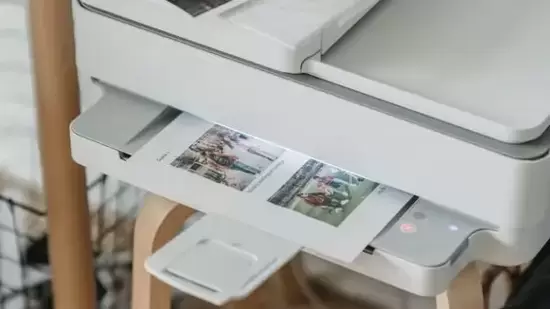
So, if you are looking for the best all-in-one printer for your home at the best price, we have the eight best options. The list below will assist you with a comprehensive review of the top models available on the market and provide you with their specifications and pros and cons.
Best all-in-one printers for your home
1. HP Deskjet 2331 Colour Printer, Scanner and Copier
This is one of the most affordable yet reliable printers you can find for your home. It is easy to set up using the HP Smart app and can be used through high-speed USB 2.0 connectivity. It also features an automatic paper sensor and supports different sizes, including A4, A6, B5, and DL.
Specifications
- Product weight: 4.22 kg
- Operating system: Windows 7 and 10
- Hardware interface: USB 2.0
- Product dimensions: 47.5 cm x 19.1 cm x 35.4 cm
- Max print speed monochrome: 7.5 ppm
- Max print speed colour: 5.5 ppm
- Printer output type: Colour
- Printer media type: Plain paper
- Printing technology: HP Thermal Inkjet
| Pros | Cons |
| Low-cost original HP Ink Cartridges | Complaints of slow speed |
| 2000+ free learning worksheets free | |
| Versatile print and media options |
2. Canon PIXMA MG2577s All-in-One Inkjet Colour Printer
{{/usCountry}}2. Canon PIXMA MG2577s All-in-One Inkjet Colour Printer
{{/usCountry}}TheCanon PIXMA MG2577s All-in-One Inkjet Colour Printer is another compact and multifunctional best all-in-one printer for your home that can be shelved in any small space. It is lightweight, making it easy to carry anywhere. Also, you can easily print, scan and copy papers of different sizes such as A4, A5, B5, letter and legal.
Specifications
- Product weight: 3.5 kg
- Operating system: Windows XP, Windows 7 and Windows 8
- Hardware interface: USB
- Product dimensions: 42.6 cm x 30.6 cm x 14.5 cm
- Max print speed monochrome: 8 ppm
- Max print speed colour: 4 ppm
- Printer output type: Colour
- Printer media type: Plain paper
- Printing technology: Inkjet
| Pros | Cons |
| Auto power ON to detect a print command | Complaints about quick ink consumption |
| Compact and lightweight | |
| Low-cost cartridges |
3. HP DeskJet 4178 All-in-One Wireless Ink Advantage Printer
This HP DeskJet model is one of the best all-in-one printers for home that offers the convenience and technology to print your pages wirelessly. You can easily set up the device using the HP Smart app and the printer’s user-friendly LCD interface. What’s more? You can also operate this printer through Google Assistant and Alexa voice commands.
Specifications
- Product weight: 6.19 kg
- Operating system: Windows 7, Windows 8, Windows 8.1 and Windows 10
- Hardware interface: USB 2.0
- Product dimensions: 47.5 cm x 24.2 cm x 40.5 cm
- Max print speed monochrome: 8.5 ppm
- Max print speed colour: 5.5 ppm
- Printer output type: Colour
- Printer media type: Plain paper
- Printing technology: Inkjet
| Pros | Cons |
| Wireless printing technology | Complaints of slow speed |
| Easy set up with HP Smart app | |
| Automatic document feeder |
4. Canon PIXMA G2020 NV All-in-One Ink Tank Colour Printer
This printer by Canon, again, maybe a little costlier than the one mentioned above, but it is worth every penny. Canon offers a hassle-free printing experience with this best all-in-one printer for home, wherein its ink bottles deliver about 7,600 black and white or 7,700 colour print pages along with an additional black ink bottle.
Specifications
- Product weight: 6.4 kg
- Operating system: Windows 10
- Hardware interface: USB
- Product dimensions: 44.5 cm x 33 cm x 16.7 cm
- Max print speed monochrome: 9.1 ppm
- Max print speed colour: 5 ppm
- Printer output type: Colour
- Printer media type: Paper and envelopes
- Printing technology: Inkjet
| Pros | Cons |
| 5.08 cm LCD | Ink and cartridges are a bit expensive |
| Instant borderless photo printing | |
| Easy and spill-free ink filling |
5. Epson EcoTank L3211 All-in-One Ink Tank Printer
One of the largest computer printer manufacturers in the world, Epson introduces one of the best all-in-one printers for home that can print33 black and white pages and 15 colour print pages in a minute! It is perfect for office use as well as it supports different page sizes, including A4, A5, A6, B5, C6 and DL.
Specifications
- Product weight: 5.6 kg
- Operating system: N/A
- Hardware interface: USB 2.0
- Product dimensions: 43.5 cm x 40.8 cm x 24.4 cm
- Max print speed monochrome: 33 ppm
- Max print speed colour: 15 ppm
- Printer output type: Colour
- Printer media type: Plain and photo papers
- Printing technology: Inkjet
| Pros | Cons |
| Compact integrated tank design | Complaints of poor after-sales service |
| Spill-free and error-free refilling | |
| Heat-free ink ejection technology |
6.Brother DCP-T426W Wi-Fi All-in-One Printer for Home
Featuring a built-in Wi-Fi that maximises productivity and features direct mobile print for utmost convenience, the Brother DCP-T426W Wi-Fi All-in-One Printer for Home is anotherbest all-in-one printer for home that you can consider. It can adjust 150 paper sheets to minimise your effort of refilling, and the refill tank system boasts a transparent cover to ensure minimum leakage and mess.
Specifications
- Product weight: 5.71 kg
- Operating system: Mac, Windows and Linux
- Hardware interface: Wi-Fi and USB
- Product dimensions: 43.5 cm x 35.9 cm x 15.9 cm
- Max print speed monochrome: 28 ppm
- Max print speed colour: 11 ppm
- Printer output type: Colour
- Printer media type: Plain paper and envelopes
- Printing technology: Inkjet
| Pros | Cons |
| Excellent print speed | Difficulty understanding the instruction page |
| Easy and accurate ink refill design | |
| Effortless printing with a Wi-Fi connection |
7. Canon E4570 All-in-One Wi-Fi Ink Efficient Colour Printer
This compact and affordable printer by Canon is another best all-in-one printer for home by the renowned brand. It is perfect for multi-use. This wireless printer comes with auto duplex printing and faxes, allowing you to print, scan and copy conveniently. Connect it with Wi-Fi and experience convenience and high-speed results.
Specifications
- Product weight: 5.8 kg
- Operating system: Mac and Windows
- Hardware interface: USB 2.0
- Product dimensions: 43.5 cm x 29.5 cm x 18.9 cm
- Max print speed monochrome: 8.8 ppm
- Max print speed colour: 4.4 ppm
- Printer output type: Colour
- Printer media type: Paper
- Printing technology: Inkjet
| Pros | Cons |
| Wi-Fi efficient for convenient printing | Complaints of use of extra colour ink |
| Smart speaker compatible | |
| Smartphone compatible |
8. Brother DCP-T525W - Wi-Fi Color Ink Tank Multifunction All-in-One Printer for Home & Office
Boasting an exceptional print speed of up to 30/12 ppm, this all-in-one printer by Brother promises to speed up your tasks. You can print different sizes of paper, including A4 and A6, conveniently. Connect the device with a Wi-Fi or USB and print up to 7,500 black and white pages and about 5,000 colour pages.
Specifications
- Product weight: 7.3 kg
- Operating system: Windows, Mac and Linux
- Hardware interface: USB
- Product dimensions: 43.5 cm x 38 cm x 15.9 cm
- Max print speed monochrome: 28 ppm
- Max print speed colour: 11 ppm
- Printer output type: Colour
- Printer media type: Paper
- Printing technology: Inkjet
| Pros | Cons |
| Built-in Wi-Fi for convenience | Heavyweight |
| Excellent print speed of around 30/12 ppm | |
| Transparent refill tank system for an easy refill |
Three best features of all-in-one printers
| Product | Feature 1 | Feature 2 | Feature 3 |
| HP Deskjet 2331 Colour Printer, Scanner and Copier | 2000+ free learning worksheets free | Versatile print and media options | 1-year warranty |
| Canon PIXMA MG2577s All-in-One Inkjet Colour Printer | Auto power ON for pint command detection | Light in weight | 1-year warranty |
| HP DeskJet 4178 All-in-One Wireless Ink Advantage Printer | Wireless printing technology | Easy HP Smart app set-up | 1-year warranty |
| Canon PIXMA G2020 NV All-in-One Ink Tank Colour Printer | Multiple paper size support | Borderless photo printing technology | 1-year warranty |
| Epson EcoTank L3211 All-in-One Ink Tank Printer | Heat-free ink ejection technology | Spill and error-free refilling | 1-year warranty |
| Brother DCP-T426W Wi-Fi All-in-One Printer for Home | Easy and accurate refilling of ink | Effortless printing with a Wi-Fi connection | 1-year warranty |
| Canon E4570 All-in-One Wi-Fi Ink Efficient Colour Printer | Wi-Fi efficient for easy printing | Smart Speaker and Smartphone Compatible | 1-year warranty |
| Brother DCP-T525W - Wi-Fi Color Ink Tank Multifunction All-in-One Printer for Home & Office | Built-in Wi-Fi for convenience | Excellent print speed of around 30/12 ppm | 1-year warranty |
Best value for money all-in-one printers for home
TheHP Deskjet 2331 Colour Printer, Scanner and Copieris the best value-for-money all-in-one printer for a home. It is pocket-friendly and comes with the latest features, including the HP Smart app for easy set-up. You can connect with high-speed USB 2.0 connectivity, and Canon offers 2000+ free learning worksheets for children.
Overall best all-in-one printer for your home
You can consider the Canon PIXMA G2020 NV All-in-One Ink Tank Colour Printer as the best overall printer. What makes this the best all-in-one printer for your home is its hassle-free printing experience and the availability of its ink bottles that can deliver you up to 7,600 black and white or 7,700 colour pages. Canon also offers an additional black ink bottle for your convenience.
How to find the best all-in-one printer for your home?
Finding thebest all-in-one printer for your homeis easy if you are aware of the best brands and their respective printers. With a bit of research, you can find the best printers for your needs.
It is important to understand your and your family’s requirements before buying a printer to get the results you are looking for in your budget. This helps save a lot of time and money you may spend visiting a print shop nearby.
After you figure out your primary needs, you need to fix the budget and shortlist the models that suit your purpose. You should ensure that you choose models with good after-sales support and that the cartridges are readily available.
Then you should also check the customer reviews of the shortlisted models to find out the customer experience. Once you are content with a particular model, place your order on Amazon and wait for the swift delivery of the product.
Products price list
| S.no | All-in-one printers for home | Price |
| 1. | HP Deskjet 2331 Colour Printer, Scanner and Copier | ₹3,999 |
| 2. | Canon PIXMA MG2577s All-in-One Inkjet Colour Printer | ₹3,499 |
| 3. | HP DeskJet 4178 All-in-One Wireless Ink Advantage Printer | ₹9,092 |
| 4. | Canon PIXMA G2020 NV All-in-One Ink Tank Colour Printer | ₹12,849 |
| 5. | Epson EcoTank L3211 All-in-One Ink Tank Printer | ₹13,499 |
| 6. | Brother DCP-T426W Wi-Fi All-in-One Printer for Home | ₹13,299 |
| 7. | Canon E4570 All-in-One Wi-Fi Ink Efficient Colour Printer | ₹8,349 |
| 8. | Brother DCP-T525W - Wi-Fi Color Ink Tank Multifunction All-in-One Printer for Home & Office | ₹15,039 |
Why should I buy a printer for home?
How to choose the right all-in-one printer for your home?
What does PPM stand for in printers?
Do I need to refill the ink in a printer?
What does the warranty of the printer cover?
“At Hindustan Times, we help you stay up-to-date with the latest trends and products. Hindustan Times has affiliate partnership, so we may get a part of the revenue when you make a purchase.”