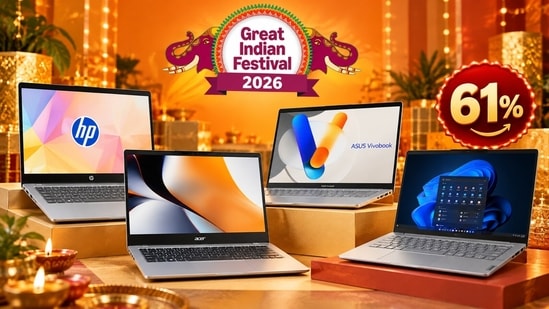
A laptop price drop can make upgrading more appealing, but the biggest discount does not necessarily mean the right machine for your needs. Students may prioritise affordability and battery life, office users may need dependable multitasking and anyone working with demanding applications should pay closer attention to the processor, memory and storage. Amazon Great Indian Festival sale features five laptops from Lenovo, Acer, HP, Dell and Asus, with discounts ranging from 22% to 61%. Their listed prices span ₹22,990 to ₹95,990, covering everything from a Chromebook for everyday online tasks to Windows laptops for productivity. We've compared the prices, additional bank offers and important specifications to help you understand what each model brings to the table before making a purchase.
Factors to consider when buying a laptop
- Processor and intended workload: Match the processor to your daily applications. Basic browsing and documents need less processing power than software development, video editing or other demanding workloads.
- RAM and storage: For comfortable multitasking, 16GB RAM offers more headroom than 8GB. A 512GB SSD is a useful starting point if you store large files or install several applications.
- Operating system: Windows supports a broad range of desktop applications, while ChromeOS is suited to browser-based workflows. Check software compatibility before choosing a Chromebook.
- Display and portability: Consider screen resolution, brightness, size and weight. A 14-inch laptop is easier to carry, while a 15.6-inch screen offers more working space. Battery capacity and the laptop's power requirements also matter if you travel frequently.
Laptop price drop on Amazon: Price and bank offers
| Laptop | Current listed price | Advertised discount | Additional bank offer |
|---|---|---|---|
| Lenovo ThinkBook 14 | ₹95,990 | 58% off | ₹1,000 instant discount on SBI credit card EMI |
| Acer Aspire One | ₹43,990 | 51% off | ₹2,000 instant discount on select bank credit cards |
| HP Chromebook 14 | ₹22,990 | 61% off | ₹1,000 instant discount on SBI debit card |
| Dell 15 | ₹61,990 | 22% off | 5% cashback with Amazon Pay ICICI Bank credit card |
| ASUS Vivobook 15 | ₹66,990 | 58% off | ₹3,000 instant discount on select bank credit cards |
The prices and discount percentages above are the details that were live at the time of writing this article. Bank benefits are additional to the advertised sale prices where applicable. Check the checkout page for eligibility, minimum transaction amounts and offer limits before placing an order.
Choose better. Buy smarter.
NEHA by HT Tech generates recommendations using proprietary AI analysis built on years of editorial expertise.{{#product}}{{/product}}
The Lenovo ThinkBook 14 is positioned for users who need a business-oriented laptop for office work, multitasking and regular video meetings. Its Intel Core 5 210H processor, integrated graphics and 14-inch WUXGA display make it suitable for productivity rather than demanding gaming. The laptop comes with 16GB RAM and a 512GB SSD, although interested buyers should verify the exact model code and included software before ordering.
Best for Office Work: Lenovo ThinkBook 14
Why we picked it: The 16:10 aspect ratio on this display is a massive quality-of-life upgrade for office workers, giving you significantly more vertical screen real estate for reading long PDFs or scrolling through massive Excel spreadsheets. Paired with a generous 16GB of RAM straight out of the box, this machine won't choke when you are running a heavy Zoom call alongside a dozen Chrome tabs.
{{#product}}{{/product}}
Our Principles
Full Transparency
Every product review clearly lists the Pros and Cons, giving you a balanced view.
Brand Confidence
We focus on products from brands with a proven reputation and long-standing market trust.
The Acer Aspire One is a more affordable Windows laptop aimed at students and users handling everyday computing. The official Acer listing for the A114-43 Ryzen 5 40 configuration specifies 8GB RAM, a 512GB SSD and a 14-inch WXGA display. It also includes Windows 11 Home and Microsoft Office in the listed bundle. The relatively modest screen resolution is worth considering if you frequently work with detailed spreadsheets or multiple windows.
Best for Students on a Strict Budget: Acer Smartchoice Aspire One
Why we picked it: While the lower 768p screen resolution shows its budget roots, getting a snappy 512GB SSD and a capable Ryzen 5 processor at this tier is a rare find. It’s an excellent "beater" laptop for college students who just need to type essays, manage emails and carry a lightweight machine across campus without constantly worrying about finding a power outlet.
{{#product}}{{/product}}
The HP Chromebook 14 takes a different route from the Windows laptops in this list. It runs ChromeOS and uses MediaTek's Kompanio 540 processor, making it a candidate for browser-based work, online learning and Google Workspace applications.Its biggest consideration is software compatibility, particularly if you depend on Windows-only applications.
Best for Web-Based Work: HP Chromebook 14
Why we picked it: If 90% of your daily tasks happen inside a web browser (Google Docs, Netflix, web-based email), paying the "Windows tax" for heavy processing power you won't use doesn't make sense. We picked this Chromebook because the MediaTek processor sipping power means you can legitimately leave the charger at home, and the ChromeOS environment is practically immune to the bloatware and slowdowns that plague cheap Windows laptops.
{{#product}}{{/product}}
The Dell 15, previously sold under the Inspiron name, is a conventional Windows laptop for office work, home computing and multitasking. The listed configuration uses Intel's 13th Gen Core i5-1334U processor with integrated graphics. Dell offers several memory, display and battery configurations across the series, so the Amazon variant's RAM, SSD and panel details should be confirmed. Its 15.6-inch screen gives users a familiar layout for documents and spreadsheets.
Best Mainstream Workhorse: Dell 15
Why we picked it: This is your classic, no-nonsense productivity workhorse. The 13th Gen Intel Core i5 processor offers the best raw CPU performance on this list, making it the right choice for home-office setups that require heavy multitasking. The full 15.6-inch screen and traditional keyboard layout provide desktop-level comfort for long working hours.
{{#product}}{{/product}}
The ASUS Vivobook 15 is designed for everyday productivity, with a 15.6-inch Full HD display and Intel Core 5 120U processor. The official configuration listed by ASUS includes 8GB onboard RAM, a 512GB SSD, Windows 11 Home and Office Home 2024. A 180-degree hinge and physical webcam shield are useful everyday touches.
Best for Everyday Privacy & Durability: ASUS Vivobook 15 (2026)
Why we picked it: We love seeing premium practical features trickle down to budget-friendly machines. The physical webcam privacy shield offers absolute peace of mind for remote workers, and the 180-degree lay-flat hinge is surprisingly useful for sharing your screen in study groups or meetings. Crucially, the RAM is easily upgradeable, meaning this laptop can grow with your needs over the next few years.
Top 3 features of laptops
Laptop | Processor | Display | Key differentiator |
|---|---|---|---|
Lenovo ThinkBook 14 | Intel Core 5 210H | 14-inch WUXGA | Business-oriented design |
Acer Aspire One | AMD Ryzen 5 40 | 14-inch WXGA | Compact Windows laptop |
HP Chromebook 14 | MediaTek Kompanio 540 | 14-inch HD/FHD options | ChromeOS and cloud workflows |
Dell 15 | Intel Core i5-1334U | 15.6-inch Full HD | Conventional Windows productivity |
ASUS Vivobook 15 | Intel Core 5 120U | 15.6-inch Full HD | Webcam privacy shield |
Similar articles for you:
Skip Apple: 5 Windows laptops offering better ports, displays, and value than a MacBook
- How much should I spend on a laptop for everyday use?
Your budget should reflect the applications you use and how long you plan to keep the laptop. Compare processor performance, RAM, SSD capacity, display quality and warranty rather than choosing solely by price.
- Is 8GB RAM enough for a laptop?
8GB RAM can handle basic browsing, document editing and light multitasking. If you regularly keep many browser tabs open or use demanding applications, 16GB RAM provides more room to work comfortably.
- Should I choose a Chromebook or a Windows laptop?
A Chromebook is suitable for browser-based tasks, online learning and cloud applications. A Windows laptop is generally more flexible if you need conventional desktop software, specialised applications or a wider range of locally installed programmes.
- Is an SSD important when buying a laptop?
Yes. SSD storage generally provides faster boot times and application loading than a traditional mechanical hard drive. Capacity also matters, particularly if you store photos, videos, large documents or multiple applications locally.
- How can I check whether a laptop discount is genuine?
Compare the current selling price with the model's recent prices and check the exact configuration. Review bank-offer conditions, seller details, warranty coverage and return policies. Remember that an advertised percentage discount does not necessarily indicate the lowest available price.
Disclaimer: At Hindustan Times, we help you stay up-to-date with the latest trends and products. Hindustan Times has an affiliate partnership, so we may get a part of the revenue when you make a purchase. We shall not be liable for any claim under applicable laws, including but not limited to the Consumer Protection Act, 2019, with respect to the products. The products listed in this article are in no particular order of priority.