
 E-Paper



How to install Android 16 Beta on Pixel phones and explore new Material 3 redesign
Google has launched the Android 16 QPR1 Beta, bringing a major redesign to Pixel devices. Here’s how to install and try the new look now.

 Prefer HTon Google


You may be interested in




Google has started rolling out the Android 16 QPR1 Beta 1, introducing the new Material 3 Expressive redesign to several Pixel devices. This release brings a fresh look to the operating system’s interface, including updates to the lock screen, Quick Settings, and other parts of the user experience. Although the full stable version of Android 16 is not yet available, this beta offers an early glimpse of the upcoming visual changes.
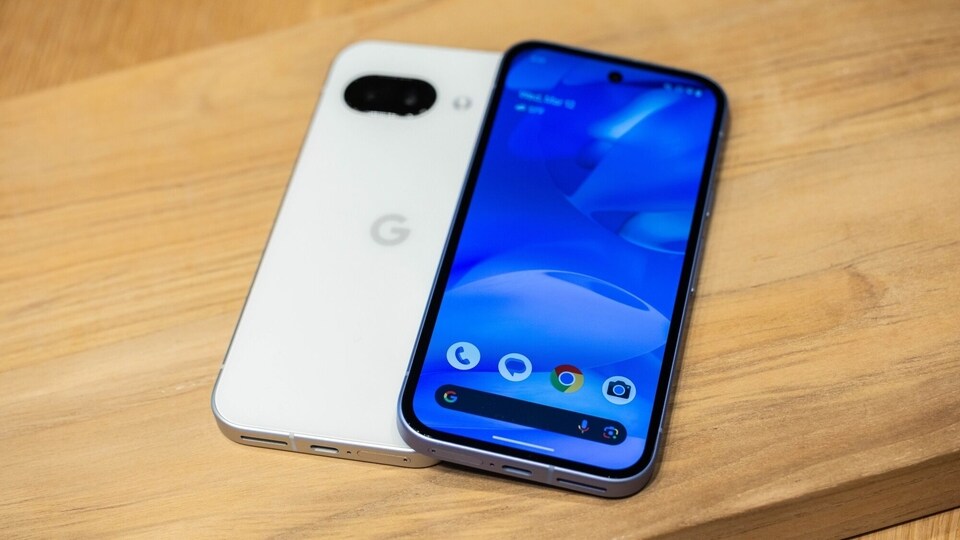

The Android 16 QPR1 Beta 1 focuses mainly on design updates rather than feature additions. The Material 3 Expressive design brings a consistent new style across the entire system. Users can expect a changed lock screen, a redesigned Quick Settings panel, and a broader implementation of the new design language that Google has been working on for months.
Also read: Google I/O 2025: AI Mode rolls out in Search, know how it will benefit users
Android 16 Beta Update: List of Supported Pixel Devices
Currently, the beta supports Pixel devices equipped with the Tensor chip. The eligible devices include:
- Google Pixel 6
- Pixel 6 Pro
- Pixel 6a
- Pixel 7
- Pixel 7 Pro
- Pixel 7a
- Pixel Tablet
- Pixel Fold
- Pixel 8
- Pixel 8 Pro
- Pixel 8a
- Pixel 9
- Pixel 9 Pro
- Pixel 9 Pro XL
- Pixel 9 Pro Fold and Pixel 9a.
Also read: Google I/O 2025: Gemini Live with camera now free for everyone, Veo 3 for AI Ultra and other reveals
How to Install on Pixel Phones
To install Android 16 QPR1 Beta on a compatible Pixel device, users need to join the Android Beta Program. This can be done by visiting google.com/android/beta and opting in with the Google account linked to the device. Once enrolled, the device will receive an update notification, usually within an hour, though it may sometimes take longer. After downloading and installing the update, users can explore the new design elements of Android 16 ahead of the official stable release.
Also read: Oppo Reno 14 Pro confirmed to feature a 50MP ultra-wide lens, 6,200mAh battery, and more
This beta release offers Pixel owners a chance to experience Google's latest redesign before it reaches the wider public. Users interested in testing the update should ensure their devices are eligible and back up any important data before proceeding.


