Samsung is rolling out a new software update that will allow select Galaxy A series smartphones to activate their AI assistant, Gemini, directly through the side button. Previously available on the flagship Galaxy S models, this feature is now extending to more devices, which reflects Samsung's effort to integrate AI capabilities across its product lineup.
Direct Access to Gemini via Side Button
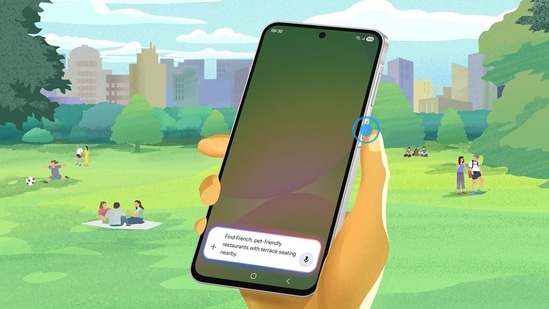
The update brings an enhanced experience to the Galaxy A56 5G, A36 5G, and A26 5G models, enabling users to press and hold the side button to instantly launch Gemini. This update provides quick access to AI tools, making it easier for users to perform tasks such as checking calendars, generating gift ideas, or finding nearby restaurants, all through voice commands.
Also read: Samsung Galaxy S24, S24 Plus, and S24 Ultra get a huge price cut in Amazon Summer Sale
Additionally, Gemini can interact across different apps, which will allow users to, for example, search for a fine-dining cafe on Google Maps and share it through Samsung Messages, all with a single voice prompt. The integration of this AI assistant enhances the user experience without increasing the cost of the device.
Steps to Enable Gemini on Your Galaxy A Series Device
To activate Gemini on compatible devices, follow these steps:
- Ensure your phone is running the latest software version.
- Go to Settings > Advanced Features > Side Key.
- Under "Press and Hold," choose “Launch assistant app.”
- Select Gemini as the default assistant if prompted.
Also read: iPhone 16, iPhone 16 Pro, iPhone 15 get a huge price drop during Amazon Great Summer Sale - Details
Availability and Future Rollout
Jay Kim, Executive Vice President at Samsung's Mobile eXperience division, highlighted that this update is part of a broader initiative with Google to enhance AI functionality across Samsung devices. The software update will begin rolling out globally in early May 2025, with more Galaxy A models expected to receive it in the coming months.
One UI 7 Update
In addition to the Gemini integration, Samsung's One UI software continues to evolve. The release of One UI 7, based on Android 15, is set to enhance the user interface for Galaxy devices. The stable One UI 7 update began rolling out in April 2025, following a beta phase that started in December 2024.
{{/usCountry}}In addition to the Gemini integration, Samsung's One UI software continues to evolve. The release of One UI 7, based on Android 15, is set to enhance the user interface for Galaxy devices. The stable One UI 7 update began rolling out in April 2025, following a beta phase that started in December 2024.
{{/usCountry}}Also read: Best apps that use the NPU on a Snapdragon Windows laptop
Samsung has shared the following release schedule for One UI 7 via a community post:
- May 2025: Galaxy Z Fold 4, Z Flip 4, Tab S9 series, S23 FE, Z Fold 3, Z Flip 3, Galaxy A34, A35, and the Galaxy S22 and S21 series.
- June 2025: Galaxy Tab S9 FE series, Galaxy A73, A53, A33, A25, A24, A15, and Tab A9 models, among others.