
I have espoused the virtue of password managers in many, many columns. Believe it or not, there’s actually another benefit: they offer quick access to all your secrets, not just passwords.
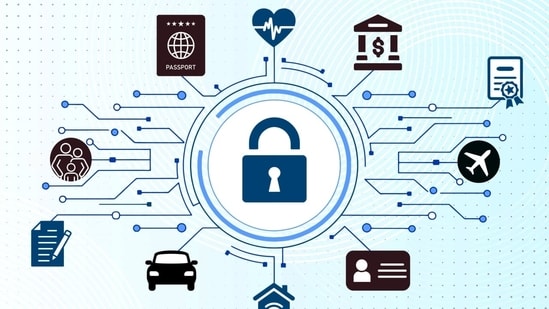
Airline needs your TSA PreCheck info? Just copy and paste from your manager. School enrollment asks for the kid’s medical plan number? Yep, that too. Tax preparer wants your bank details? No problem.
The more information you add, the more convenient your password manager becomes. Many apps
I have espoused the virtue of password managers in many, many columns. Believe it or not, there’s actually another benefit: they offer quick access to all your secrets, not just passwords.
Airline needs your TSA PreCheck info? Just copy and paste from your manager. School enrollment asks for the kid’s medical plan number? Yep, that too. Tax preparer wants your bank details? No problem.
The more information you add, the more convenient your password manager becomes. Many apps also let you securely store files, like a copy of your will. Centralizing these details is also a huge help to heirs when you pass.
I’ll go over your best password manager options, what info to plop in, why this should be a key part of your postdeath plan—and what it means to put all of your most precious eggs in one virtual basket.
Picking a password manager
If you already have a password manager, you can skip to the next section. That is, unless you use Microsoft Authenticator: the company will get rid of stored passwords on Aug. 1. I’ve covered the basics before, but some points are worth reiterating. Cybercrime keeps growing. Americans lost $16 billion to identity theft, data breaches and other crimes last year, according to the Federal Bureau of Investigation. To stay safe, you need a unique password for every account.
That means you need a lot of passwords, about 168 on average, according to a 2024 NordPass study. And 255, with work accounts! A password manager creates, remembers and fills them in for you.
Apple and Google’s free, built-in managers work well within their ecosystems but are mostly limited to logins. Browser autofill handles addresses and credit cards, but that’s about it.
That’s why I recommend third-party password managers instead. They work across platforms. Crucially, they let you save more than just logins, such as passports and driver’s licenses. Here are some of my favorite options.
1Password ($36 a year) has the most category types, from rewards cards to software licenses, and you can add custom fields to any entry.
Dashlane ($60 a year) can store different IDs, including social security and tax numbers.
Bitwarden and Proton Pass offer respectable free tiers, though you need to pay for features such as file attachments or sharing passwords with family.
1Password lets you store a variety of information types, with tailored fields for each.
Saving your secrets
This process takes some work up front. But the investment will pay off as you add to your vault. The next time you need your license plate number, or some other odd bit of info, you can search your manager, click to copy the data to your clipboard and paste.
Remember: you’re doing double duty. You are also relieving the burden on loved ones who would otherwise have to hunt down your info after you die. Set up emergency access or print out login details for your password manager and store it in a safe place alongside a physical copy of your will.
Here’s how to get started. Even if your password manager doesn’t have “garage code” or whatever entry type you want, you can still save it. Add a login, create an easily searchable title and input the data in the password field. You can put other relevant data in the notes section.
Some ideas:
Burner number and emailPhone and computer passcodesBuilding/lockbox codesDriver’s licensePassportTSA PreCheck and Global EntryFrequent flier numbersBanking detailsCredit card detailsCrypto wallet addressTax numbersFamily data (e.g., Social Security numbers)Insurance policy informationBlood type and medicationsRewards memberships (Hotel chains, grocery stores, etc.)Recreational licenses (boating, camping, fishing, etc.)
Many password manager plans include several document storage. Store a copy of these files for safekeeping:
Receipts for big purchasesPermitsMarriage certificateBirth certificatesYour willProperty deedsVehicle titlesVisasLegal agreementsMilitary service records
Securing the vault
You might be thinking: is it really safe to have all of your most sensitive data in one place? What if a hacker hacks the password manager?My recommended password managers are built on what’s called zero-knowledge architecture. Only your master password can decrypt your vault, and it isn’t on company servers—no employee or hacker could get to it.
To quickly access your info, use the password manager’s browser extension, such as Dashlane’s shown here, find the right entry and click to copy the data to your clipboard.
This level of security is also what makes a password manager a better place to keep private data, compared with a cloud storage provider. Or worse: data scattered across several unsecure apps.
Turn on two-factor authentication for more protection. And beware especially of downloading any free software—potential password-stealing malware—from the internet.Ultimately, it isn’t about how many eggs are in the basket, it’s about how well you guard it. A long, strong master password is the best way to protect your vault, and everything inside.
Write to Nicole Nguyen at nicole.nguyen@wsj.com
One Subscription.
Get 360° coverage—from daily headlines
to 100 year archives.
Archives
HT App & Website