Aligarh Muslim University (AMU) has released the admit card of entrance test for admissions to BA (Hons), BSc (H) and BCOm (Hons) programmes in the academic session 2019-20.
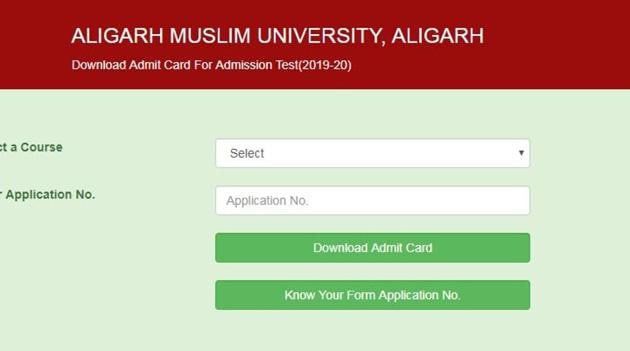
Candidates who have successfully filled their application form for the above mentioned programmes can download their admit card from the AMU website at amucontrollerexams.com. Candidates should select the course and enter application number to download the AMU admit card.
Direct link to download AMU 2019 entrance test admit card
The candidate should carry the admit card to the test centre. The candidate should contact immediately the concerned application form handling Office in case of any discrepancy in the admit card in order to avoid any last minute inconvenience. University takes no responsibility if candidates do not report on the due date and time for appearing in the test.
Candidates are required to paste their recent passport size colour photograph in the space provided on the downloaded admit card (same as affixed on the Application Form).
Candidates should bring one extra photograph (size:2.5X3 cm) to be pasted on the attendance sheet at the space provided for the purpose failure to which you will be deemed to be considered as absent.
The admit cards will not be sent to candidates by post.
{{/usCountry}}The admit cards will not be sent to candidates by post.
{{/usCountry}}AMU Admit Card: Steps to download
Visit the official website of AMU at amu.ac.in
Click on Admissions and exams in the top Nav bar
Click on ‘Download Admit Card For Admission 2019-20’ under ‘Admissions’ section
Select a course
Enter application number
Click on ‘Download Admit Card’
Note: Visit the official website for latest news and updates.