
 E-Paper



How to use iPhone’s advanced privacy tools: App tracking, Passkeys and Lockdown mode
Take advantage of iPhone's advanced privacy tools and safeguard your data from the world. Follow these steps now.

 Prefer HTon Google





Apple’s privacy game has moved far beyond pop-ups and permissions. With iOS 19, the iPhone now operates like a personal security system, shielding users from silent trackers, password leaks, and even digital espionage. Learning to use these built-in tools becomes essential in the growing times of digital footprint.
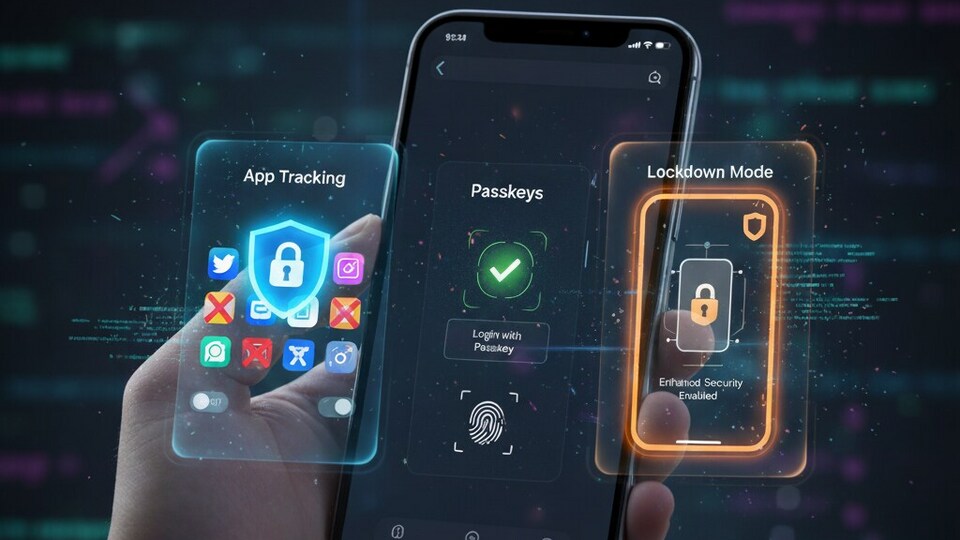

App tracking controls: Stop hidden data trails
App tracking might seem harmless, but it’s how advertisers and analytics firms quietly profile you. Apple’s App Tracking Transparency feature blocks that.
Head to Settings > Privacy & Security > Tracking and toggle off tracking for individual apps, or kill it entirely for all. In iOS 19, Apple adds AI-based activity checks and instant alerts when an app tries sneaky background tracking.
Pro tip: Review permissions for photos, location, and contacts every month. If an app doesn’t need access to something, revoke it. You’ll be surprised how many do.
Passkeys: The end of password anxiety
Passwords are outdated. Passkeys replace them with cryptographic credentials stored safely in your iPhone’s Secure Enclave, unlocked only through Face ID or Touch ID. They can’t be phished, guessed, or reused.
Set them up under Settings > Passwords > Passkeys. Most major platforms, from Apple ID to banking apps already support them. Syncing works through iCloud Keychain, and recovery options ensure you won’t get locked out.
New in iOS 19: Passkeys now work in third-party browsers and even allow family access for shared accounts. Once you use it, going back to passwords feels ancient.
Lockdown Mode: The nuclear option for security
If you’re traveling abroad or suspect targeted hacking, Lockdown Mode turns your iPhone into a digital fortress. It limits message attachments, disables link previews, and blocks most configuration profiles, essentially cutting off every possible exploit path.
Activate it under Settings > Privacy & Security > Lockdown Mode. It’s designed for journalists, activists, and business travellers, but anyone can use it when needed.
In iOS 19, Lockdown Mode gets smarter with AI-triggered threat suggestions and customizable profiles, perfect if you want heightened security without shutting everything down.
Apple’s privacy tools are for anyone who wants control Turn off tracking. Set up passkeys. Test Lockdown Mode before you need it. And above all, keep your software updated, because privacy isn’t a one-time setup. It’s a habit.


