A laptop for students and office users needs to do more than handle basic browsing and documents. It should be portable enough to carry around campus or between meetings, offer enough performance for everyday workloads and last through a reasonable part of the day without constantly searching for a charger.
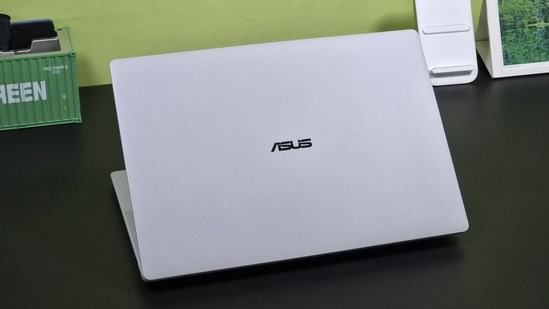
The good news is that you no longer need separate devices for studying and professional work. Many current laptops combine capable processors, sharp displays, comfortable keyboards and useful battery life in a relatively compact design. We have shortlisted options that can handle assignments, presentations, online classes, spreadsheets, video calls and other everyday tasks without feeling limited.
{{#product}}{{/product}}
The Acer Aspire 5 packs a capable Intel Core Ultra 5 125H processor into a compact 14 inch chassis weighing just 1.2kg. It gets 16GB RAM and a 512GB SSD, making it suitable for office work, multitasking and everyday productivity. The WUXGA IPS display offers a taller 16:10 workspace, while the backlit keyboard helps with working in low light. Windows 11 Home, Office 2024 and Microsoft 365 Basic add useful software straight out of the box.
What are buyers saying?
Reviews and user feedback highlight good performance, battery life, comfortable keyboard and fast SSD speeds. Some criticism centres on the basic looking chassis, average display and relatively weak speakers.
Why you should choose this product?
Choose it if portability matters. At 1.2kg, it is considerably easier to carry while still offering a capable processor, 16GB RAM and enough storage for everyday work.
{{#product}}{{/product}}
Our Principles
Full Transparency
Every product review clearly lists the Pros and Cons, giving you a balanced view.
Brand Confidence
We focus on products from brands with a proven reputation and long-standing market trust.
The HP OmniBook 5 OLED combines a Snapdragon X processor with a large 16 inch 2K OLED display, 16GB LPDDR5x RAM and a 1TB SSD. Its 1.59kg weight keeps it relatively portable despite the larger screen. The Snapdragon platform also brings a 45 TOPS NPU for AI workloads and is designed around power efficiency. Windows 11, Office 2024 and Microsoft 365 Basic make it suitable for professionals, students and users looking for long battery endurance.
What are buyers saying?
Buyers particularly praise the sleek design, display, sound quality and battery life. Some users report around eight hours under heavy use, while software compatibility remains a consideration for certain applications.
Why you should choose this product?
Choose it if you want a large OLED screen without carrying a bulky laptop. The Snapdragon platform, 1TB storage and efficient design also make it appealing for mobile professionals.
{{#product}}{{/product}}
The Dell 15 is a straightforward 15.6 inch laptop designed for everyday office work, browsing, streaming and productivity. This configuration pairs a 14th Gen Intel Core 3 100U processor with 16GB DDR4 RAM and a 512GB SSD. Its 120Hz Full HD IPS display offers smoother scrolling than conventional 60Hz panels. The 1.63kg chassis, integrated Intel UHD graphics, Windows 11 and Office 2024 make it a practical option for students, home users and regular office workloads.
What are buyers saying?
Available feedback points to good build quality and satisfactory everyday performance. Users generally view it as a practical machine for browsing, documents and routine tasks rather than demanding workloads.
Why you should choose this product?
Choose it if you need a familiar 15.6 inch laptop for everyday computing. The 120Hz display, 16GB RAM and 512GB SSD give it a useful productivity focused configuration.
{{#product}}{{/product}}
The ASUS Vivobook S14 combines a 14 core Intel Core Ultra 5 225H processor with 16GB RAM and a 512GB PCIe 4.0 SSD in a compact 1.4kg metallic chassis. Its 14 inch FHD+ display uses a 16:10 aspect ratio, giving you more vertical workspace for documents and webpages. The laptop also includes an AI Boost NPU, backlit keyboard, FHD IR camera and 70Wh battery. Office 2024 and Microsoft 365 Basic further suit productivity users.
What are buyers saying?
Buyers frequently praise the premium build, portability and performance. Developers and students have also highlighted its multitasking and coding capabilities, while some feedback points to speaker placement and pricing.
Why you should choose this product?
Choose it if you want desktop class processing in a portable 14 inch machine. Its Core Ultra processor, 16GB DDR5 RAM and metallic design suit demanding productivity users.
{{#product}}{{/product}}
The Lenovo IdeaPad Slim 3 is designed as an everyday productivity laptop with a large 15.6 inch Full HD display and a relatively light 1.6kg body. It uses an AMD Ryzen 5 7520U processor alongside 16GB LPDDR5 RAM and a 512GB SSD. The laptop also includes a backlit keyboard, fingerprint reader and anti glare display. Windows 11 and Office 2024 make it ready for work and study, while the slim chassis keeps it reasonably portable.
What are buyers saying?
The available rating data shows generally positive buyer sentiment, with users responding to its everyday performance, large display, lightweight design and useful features such as the backlit keyboard and fingerprint sensor.
Why you should choose this product?
Choose it if you want a simple 15.6 inch work or study laptop with 16GB RAM, 512GB storage and useful extras without moving into gaming laptop territory.
{{#product}}{{/product}}
The HP 15 combines an Intel Core 5 120U processor with 16GB RAM and a 512GB SSD, giving it enough hardware for everyday office work, browsing and multitasking. The 15.6 inch Full HD anti glare display provides plenty of screen space, while the backlit keyboard and FHD webcam with privacy shutter make it practical for work calls. At 1.59kg, it remains fairly easy to carry despite its larger screen and includes Windows 11, Office 2024 and Microsoft 365 Basic.
What are buyers saying?
Most available reviews praise its performance and overall usability, although some buyers have reported battery heating, short battery life and occasional touchpad issues. Overall feedback remains mixed but largely positive.
Why you should choose this product?
Choose it if you want a conventional 15.6 inch office laptop with a newer Intel processor, 16GB RAM, 512GB SSD, privacy features and a comfortable backlit keyboard.
Factors to consider when buying a laptop for students and office work
- Performance: Choose a modern processor that can comfortably handle browsers, documents, presentations, video calls and multitasking.
- RAM: 16GB RAM is a sensible starting point if you regularly switch between multiple applications and browser tabs.
- Battery life: A laptop with dependable battery backup is useful for long lectures, meetings, travel and work away from a power socket.
- Portability: Consider the laptop's weight, thickness and charger size if you expect to carry it to college or work every day.
- Keyboard and display: A comfortable keyboard and good quality display matter when you spend several hours typing assignments, reports, emails and spreadsheets.
Top 3 features of laptops
| Laptop | Display | Processor | RAM |
|---|---|---|---|
| Acer Aspire 5 | 14 inch WUXGA IPS | Intel Core Ultra 5 125H | 16GB LPDDR5 |
| HP OmniBook 5 OLED | 16 inch 2K OLED | Qualcomm Snapdragon X | 16GB LPDDR5x |
| Dell 15 | 15.6 inch FHD 120Hz IPS | Intel Core 3 100U | 16GB DDR4 |
| ASUS Vivobook S14 | 14 inch FHD+ | Intel Core Ultra 5 225H | 16GB DDR5 |
| Lenovo IdeaPad Slim 3 | 15.6 inch FHD IPS | AMD Ryzen 5 7520U | 16GB LPDDR5 |
| HP 15 | 15.6 inch FHD anti glare | Intel Core 5 120U | 16GB DDR4 |
Similar articles for you
Working with heavy apps? These are the best laptops built for demanding workloads and multitasking
These everyday laptops are built to handle work, study and streaming without breaking the bank
Battery anxiety ruining your workday? Best laptops with day long battery life to buy now
- What should students look for in a laptop?
Look for good battery life, a comfortable keyboard, sufficient RAM, SSD storage and a portable design.
- Can one laptop handle both college and office work?
A laptop with a capable modern processor and at least 16GB RAM can handle most everyday student and office workloads.
- How much RAM is enough for students and office users?
16GB RAM is a practical choice for multitasking across browsers, documents, meetings and other everyday applications.
- Is a lightweight laptop better for students?
A lighter laptop is easier to carry between classes, libraries, home and office, especially when used throughout the day.
- Should you prioritise battery life or performance?
For most students and office users, a balance of both is more useful than choosing a laptop focused heavily on only one aspect.
Disclaimer: At Hindustan Times, we help you stay up-to-date with the latest trends and products. Hindustan Times has an affiliate partnership, so we may get a part of the revenue when you make a purchase. We shall not be liable for any claim under applicable laws, including but not limited to the Consumer Protection Act, 2019, with respect to the products. The products listed in this article are in no particular order of priority.