Union Public Service Commission on March 14 released UPSC National Defence Academy (NDA) and Naval Academy Examination (I) 2022. candidates can download their admit card from the official website at upsconline.nic.in.
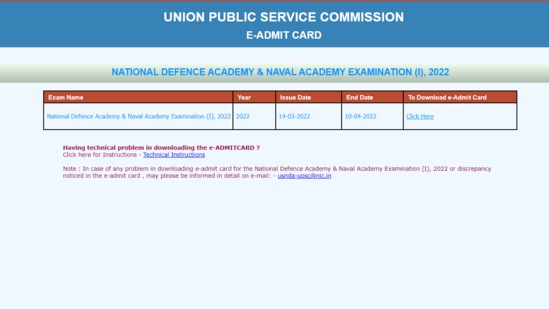
Candidates can download the admit cards till April 10, 2022 till 4 pm.
Here is the direct link to downloads the admit card
UPSC NDA exam 2022 admit card: How to download
Step 1: Visit the official website at upsconline.nic.in.
Step 2: On the homepage, click on the link that reads, ‘e-Admit Cards for VARIOUS EXAMINATIONS OF UPSC’
Step 3: A new window will appear on your screen
Step 4: Click on the e -admit card link.
Step 5: Login with either registration ID or roll number and your admit card will appear on the screen.
Step 6: Download and save for future reference.
Step 7: Keep the hard copy of the same for future reference.
To ensure entry to the Examination Hall, bring this e-Admit card (print out) along with the (original) Photo Identity Card, whose number is mentioned on the e-Admit Card, to each session. The E-Admit Card must be kept until the final result is announced because it must be presented to the Service Selection Board.
{{/usCountry}}To ensure entry to the Examination Hall, bring this e-Admit card (print out) along with the (original) Photo Identity Card, whose number is mentioned on the e-Admit Card, to each session. The E-Admit Card must be kept until the final result is announced because it must be presented to the Service Selection Board.
{{/usCountry}}