GPSC Prelims results out: Gujarat Public Service Commission (GPSC) has declared the results of preliminary exams conducted for the recruitment of deputy section officer/ deputy malatdar class 3. Candidates can check the result on the official website of GPSC at gpsc.gujarat.gov.in or find a direct link below.
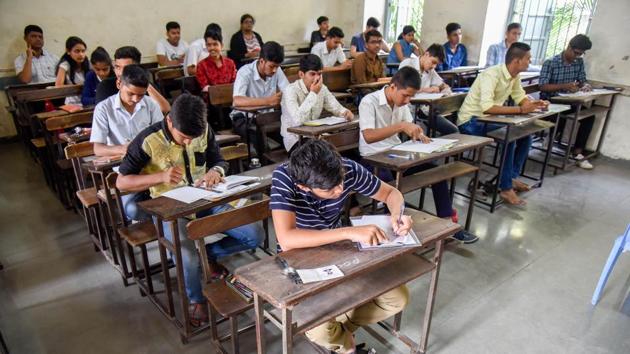
A total of 3257 candidates have qualified for the main exam. Candidates can also check their category wise cut-off marks in the notification. The candidates who have cleared the prelims exam will have to apply again for the main written exam online. A public advertisement will be issued regarding the main exam very soon.
“All qualified candidates shall apply through online Application Form prescribed and upload the prescribed documents online on web application : https://gpsc‐iass.gujarat.gov.in for admission to the Main Written Examination proposed to be conducted on 18 & 19 May, 2019 at Ahmedabad/Gandhinagar Centre,” the notification read.
Candidates can check the marks obtained by them on the official website as well. The mark sheet will be uploaded on February 26.
The official notification says, “All candidates can view their obtained marks from 26.02.2019, 16:00 hours onwards by using his/her credentials on web-link to be displayed on Commission’s website : https://gpsc.gujarat.gov.in”
{{/usCountry}}The official notification says, “All candidates can view their obtained marks from 26.02.2019, 16:00 hours onwards by using his/her credentials on web-link to be displayed on Commission’s website : https://gpsc.gujarat.gov.in”
{{/usCountry}}GPSC prelims result: How to check
Visit the GPSC website at gpsc.gujarat.gov.in
Under Latest News and Events section, click on the link that reads ‘Result (Prelim) 55/2018-19 Deputy Section Officer / Deputy Mamlatdar, Class-3 Class-3 View attachment)’
Click on ‘View Attachment’.
A PDF will open with the roll numbers of qualified candidates.
Find your roll number
Press CTRL+ F on your keyboard and enter your roll number. If you are qualified your roll number will be highlighted.
On mobile- At the top right of your browser click on the options button; chose ‘Find in page’ option and key in your roll number.
Here’s the direct link to check GPSC Prelims result