Amazon on Monday announced it was introducing support for passkeys, enabling customers to log into their accounts without the need to enter a password or use the 2-factor authentication (2FA) system. Instead, buyers can now access their Amazon accounts simply through the same biometrics (face/fingerprint scan or PIN) with which they unlock their device.
Also Read: WhatsApp introduces Passkeys for password-less logins
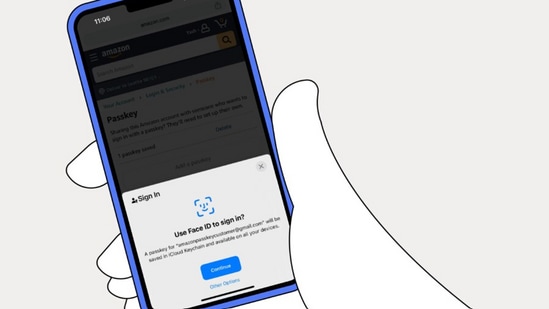
“This is about giving customers ease-of-use and security, simultaneously, in their Amazon experience…this is an exciting step in the right direction. We are thrilled to be an early adopter of this new authentication method, helping to realise our vision for a more secure, passwordless internet,” Dave Treadwell, Senior VP of e-commerce, Amazon, said in a company press release.
Treadwell, however, stressed that ‘passwords will still be around in the foreseeable future.’
How to set up Amazon passkeys
The passkey support is immediately available for those opening the e-commerce platform on web browsers, while for the shopping app, the feature will be rolled out gradually on iOS devices, and ‘soon’ for Android smartphones.
To set up a passkey, open Amazon on browser/shopping app. Then, go to ‘Your Account,’ choose ‘Login & security,’ select ‘Set up’ next to passkeys, and follow the step-by-step instructions.
What are passkeys?
A new and easy-to-use way to log into apps and websites, these offer a safe and convenient alternative to passwords, as, unlike the latter, these cannot be written down or guessed. An individual's physical presence is needed to unlock an account through passkeys, proving that it is the owner only who is using that device.
{{/usCountry}}A new and easy-to-use way to log into apps and websites, these offer a safe and convenient alternative to passwords, as, unlike the latter, these cannot be written down or guessed. An individual's physical presence is needed to unlock an account through passkeys, proving that it is the owner only who is using that device.
{{/usCountry}}