The Staff Selection Commission (SSC) has released the final answer key and question papers of Multi Tasking (Non-Technical) Staff Examination 2020. Candidates who took the examination can download the answer keys from the official website at ssc.nic.in. Candidates can check their answer key through their examination roll number and password.
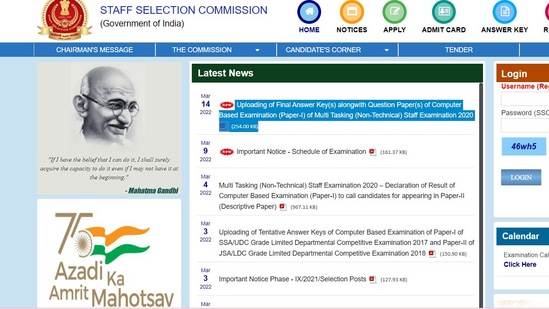
Computer Based Examination (Paper-I) of Multi Tasking (Non-Technical) Staff Examination 2020 was conducted on March 4. From March 14 to April 13, till 4 p.m., the answer key download option will be available.
Direct link to check the <strong>answer key</strong>
SSC MTS 2020 final answer key: How to download
Step 1: Visit the official website at ssc.nic.in
Step 2: On the homepage, Click on the link that reads, ‘Uploading of Final Answer Key(s) alongwith Question Paper(s) of Computer Based Examination (Paper-I) of Multi Tasking (Non-Technical) Staff Examination 2020 (254.00 KB)’
Step 3: A pdf will appear on your screen
Step 4: Click on the answer key link given on the pdf
Step 4: Enter your credentials
Step 5: Click on submit to access answer key
{{/usCountry}}Step 5: Click on submit to access answer key
{{/usCountry}}Step 6: Your answer key will be displayed don the screen.