
 E-Paper



Google adds AI Inbox and Help me write to Gmail: Here is how they work
Google has introduced new Gemini AI features for Gmail, including AI Inbox, AI Overview and Help me write to make email management easier.

 Prefer HTon Google


Google recently released a bunch of new Gemini powered AI features for Gmail. A few notable features from this update are AI Inbox, AI Overview and Help me write. Out of these features, Help me write is one of the most exciting as it lets you instantly create a draft email using a prompt right in the editor window. These features are free to use and are available to Google AI Pro and Ultra subscribers, as well as Google Workspace users.

AI Overview: Gemini can now answer questions about your emails
The AI Overview feature is perfect for people like me who always forget to mark important emails, and now they are buried under newer ones. Now, you can just ask Gemini in Gmail any question about that email, and it will find it for you while giving you an overview of the conversation in that email thread.
AI Inbox: AI will help organise your inbox
AI Inbox summarises your whole inbox with a single click. You don't need to open each email. It automatically reads and summarises all the unread emails you receive when you start your day, so you don't have to waste time reading through each and every one.
It is a separate page in Gmail and only appears when you click the AI Inbox option in the left pane, keeping your main inbox clutter free. This feature will be really helpful for Workspace accounts.
Help me write
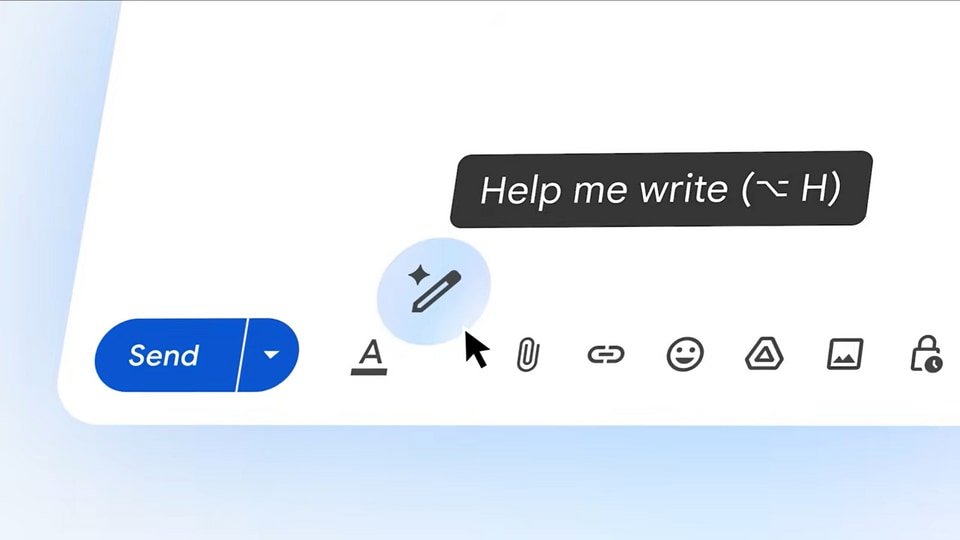
This feature is self explanatory. You get a Gemini powered writing feature that quickly drafts an email right in the editor window. There is no need to switch to other tabs to use Gemini to get help writing an email. Since the Help me write feature is already available for eligible accounts, here is a quick guide on how to use it.
- Open Gmail and click the Compose button to start writing a new email.
- Click the Help me write option to bring up the Gemini prompt bar.
- Enter your prompt, including the style and tone for the draft. It will create a draft instantly in the editor.
- Now, you can easily fill in your details and hit Send.
Please note that the Help me write feature will only appear on supported Gmail accounts.
Availability
Google says the new Gemini features will roll out gradually over the coming weeks and months, so users may not see everything at once. Availability will also depend on the type of Google account you use, with some features arriving first for Google Workspace customers and users with eligible Gemini plans. Google is expected to share a broader rollout timeline as more AI capabilities become available.


