
 E-Paper



Google Photos to soon let you ‘one-tap advanced’ editing for faster, smarter photo fixes
Google Photos is set to simplify photo editing by introducing one-tap suggestions through a redesigned editor that identifies and enhances specific image areas.

 Prefer HTon Google


You may be interested in

79% OFF

Aristocrat Oasis Plus Set of 2 Cabin & Large Size (Check in) Soft Luggage (59 cm & 79 cm) | Spacious Polyester Trolley with 4 Wheels and Combination Lock | Dazzling Blue | Unisex| 5 Year Warranty

₹3,699
₹17,800Check Details
74% OFF

Aristocrat Polyester Oasis Plus Large Size Soft Check in Spinner Luggage (79 Cm)|Spacious Polyeste Trolley with 4 Wheels and Combination Lock|Dazzling Red|Unisex| 5 Year Warranty
₹2,833
₹11,000Check Details
55% OFF

Lenovo V15 AMD Ryzen 7 7730U 15.6" (39.62cm) FHD 250 Nits Antiglare Thin and Light Laptop (Free MS Office) Lifetime (16GB/512GB SSD/Windows 11/Iron Grey/1.65 Kg) 1 Year Brand Warranty, 83CRA01SIN
₹44,990
₹99,999Check Details


Google Photos is set to introduce a redesigned image editor that will offer advanced editing suggestions with a single tap. The updated editor maintains the current ability to select objects by tapping, circling, or brushing over them. Once selected, the app will suggest one-tap edits tailored to that specific subject or area.
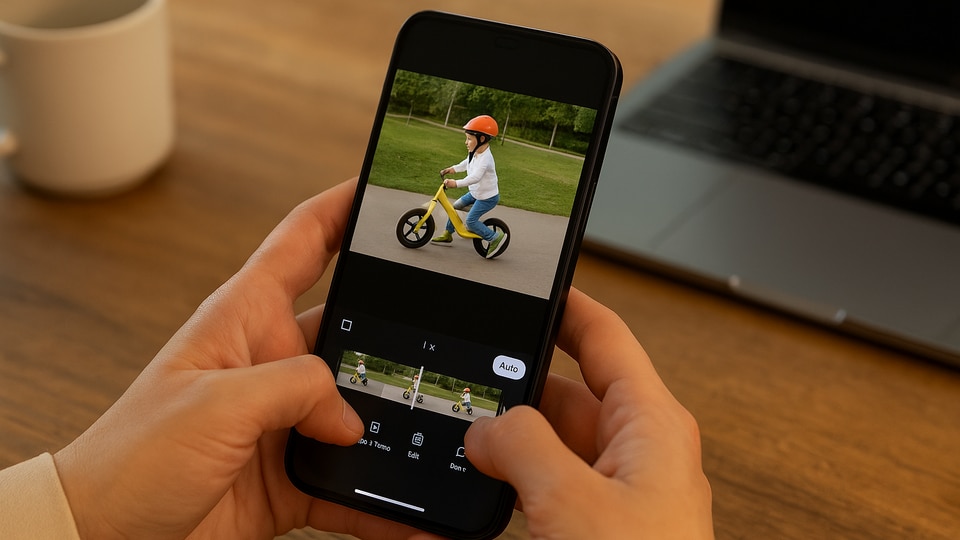

For example, tapping on a person in the background will bring up options to move, erase, or “reimagine” them, similar to existing Magic Editor features. Selecting someone in the foreground will unlock more options, including focus adjustment, sharpening, adding light, moving the subject, and reimagining the image.
Also read: Google I/O 2025: Gemini Live with camera now free for everyone, Veo 3 for AI Ultra and other reveals
Quick Access to Editing Tools
The editing tools become accessible immediately after the Edit button is pressed, which simplifies the process. Additional features available in the editor include Auto Frame for cropping or expanding the image, an aspect ratio tool, rotation, and a before/after comparison function. Google says this new editor will arrive soon, aiming to make photo editing faster and more intuitive by reducing the need to navigate through multiple menus.
Also read: Google I/O 2025: AI Mode rolls out in Search, know how it will benefit users
Albums Redesign with Material 3 Expressive
In related news, Google Photos has rolled out a redesign for its albums on Android. The new albums view replaces the previous interface, which featured an “Add description” field and buttons under the album cover. These are now consolidated into a floating toolbar based on Google’s Material 3 Expressive design language.
This toolbar allows users to share albums, add photos, and edit album details. The Sort photos option has been moved to the top bar for easier access. When editing an album, a docked toolbar appears at the bottom, letting users add photos, text, and locations. Users can also add descriptions and edit album highlights and cover photos.
Also read: Google pauses 'Ask Photos' AI Feature to address performance issues
While the full cover design update has not been implemented yet, the redesign offers a cleaner and more streamlined experience, making it easier to manage albums.
QR Code Sharing Now Available
Google Photos has also added a new QR code sharing option for albums. This feature, available in version 7.30 on Android, allows users to generate a QR code with the Google Photos logo at the centre, making it simple to share albums with others quickly.


