
 E-Paper



Pixel 9a and other Pixels to get this Android 16 feature long available on Samsung phones
With Android 16 Developer Preview 3, Pixel 6 and newer devices can be unlocked using the fingerprint scanner, even when the screen is off.

 Prefer HTon Google


If you own a Pixel 9 series or any other recent Pixel device (or plan on buying the latest Pixel 9a), you would know that most Pixels these days come with in-display fingerprint scanners. However, in order to unlock them, your screen needs to be on. This requirement creates a minor inconvenience because, unless you activate the screen, the fingerprint scanner area does not get illuminated. This has been the case since the Pixel 6 series when Google first introduced in-display fingerprint scanners. But now, this is all set to change with Android 16, as reported by Android Authority.
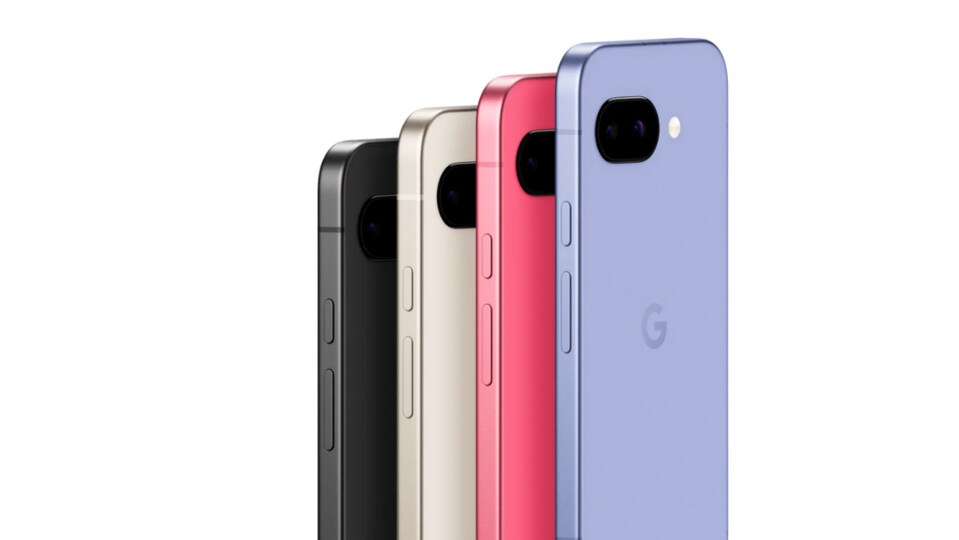

Notably, Samsung’s flagship Galaxy phones have had this feature for multiple generations now, and you need not have the screen on to unlock them.
Also Read: Samsung confirms One UI 7 update for US Galaxy users, resumes April 10 rollout plan- Details
Pixel 9 series and older Pixel devices will now get display-off unlocking
Android 16's latest beta, the Android 16 Developer Preview 3, brings screen-off fingerprint unlocking to all Pixel devices since the Pixel 6. Previously, this feature was limited to just the Pixel 9 series, as noted by Android Authority.
Now, when you navigate to Settings > Security & Privacy > Device Unlock > Face & Fingerprint Unlock > Fingerprint Unlock, you will find a new section called ‘When Using Fingerprint Unlock.’ Here, you need to enable the ‘Screen-Off Fingerprint Unlock’ toggle.
Once enabled, whenever your screen is off, you can simply tap the fingerprint scanner area with your registered fingerprint, and your phone will unlock.
Android Authority has confirmed testing this feature on the Pixel 6a, while another user tested it on the Pixel 7 Pro. Of course, it works on the Pixel 9 series and will also be available on the upcoming Pixel 9a (running Android 16, of course).
Why is this important?
Currently, if you want to unlock a Pixel phone with an in-display fingerprint scanner, you have multiple options: Enable Always-On Display to keep the fingerprint scanner icon visible, or enable Tap to Check Phone Gesture, which allows you to tap the screen to check various details like time, notifications, and more. Alternatively, you can enable the Lift to Check Phone gesture, which turns on the screen when you lift the device, after which you can tap the fingerprint scanner.
However, with this new feature in Android 16 Developer Preview 3, you won’t need to enable any of these options. That said, you should be aware of where your fingerprint scanner is located, as you will need to tap precisely in the right spot.


