
 E-Paper



The Android Show I/O Edition: From Gemini Intelligence to Googlebook, 7 things Google announced ahead of I/O 2026
Google hosted the Android Show ahead of Google I/O 2026 wherein it announced Googlebook, Gemini Intelligence and new features for creators.

 Prefer HTon Google


It’s that time of the year again! Google is about to host I/O 2026. Ahead of its yearly affair, the company just dropped a Gemini-sized bomb for Android users. In case you’re wondering, no, it didn’t launch Android 17 (yet). Instead, it did something better. It announced a bouquet of new features and products that will be available to Android users later this year. These are the kind of announcements that change the way we use our phones but have a higher chance of getting lost in the long list of announcements at Google I/O.

So, what’s on the menu? Well, the list is long. There is Gemini Intelligence, which is a slightly smarter version of Gemini available on Android phones, Googlebook that replaces Chromebook, a smarter Android Auto and features that bring Android and iOS closer, to name a few. Let’s dive into these developments!

Say hello to Googlebook
Googlebook replaces Chromebook and it brings the best of Android and ChromeOS in one single interface. The core, however, remains AI (Gemini in this case) and how it can improve productivity. Google says that Googlebook are designed for Gemini Intelligence. We'll talk about Gemini Intelligence in a minute. Here are the key things you need to know about Googlebooks:
- It gets a Magic Pointer, which is built by the Google DeepMind team, and it can be accessed simply by wiggling the cursor on screen.
- You can point at a date in an email to set up a meeting or select two images to visualize them together using Magic Pointer.
- There's a Create your Widget feature that lets you create custom widgets using prompting.
- Google is working with Acer, ASUS, Dell, HP and Lenovo to bring the first set of Googlebooks later this year.
Meet Gemini Intelligence
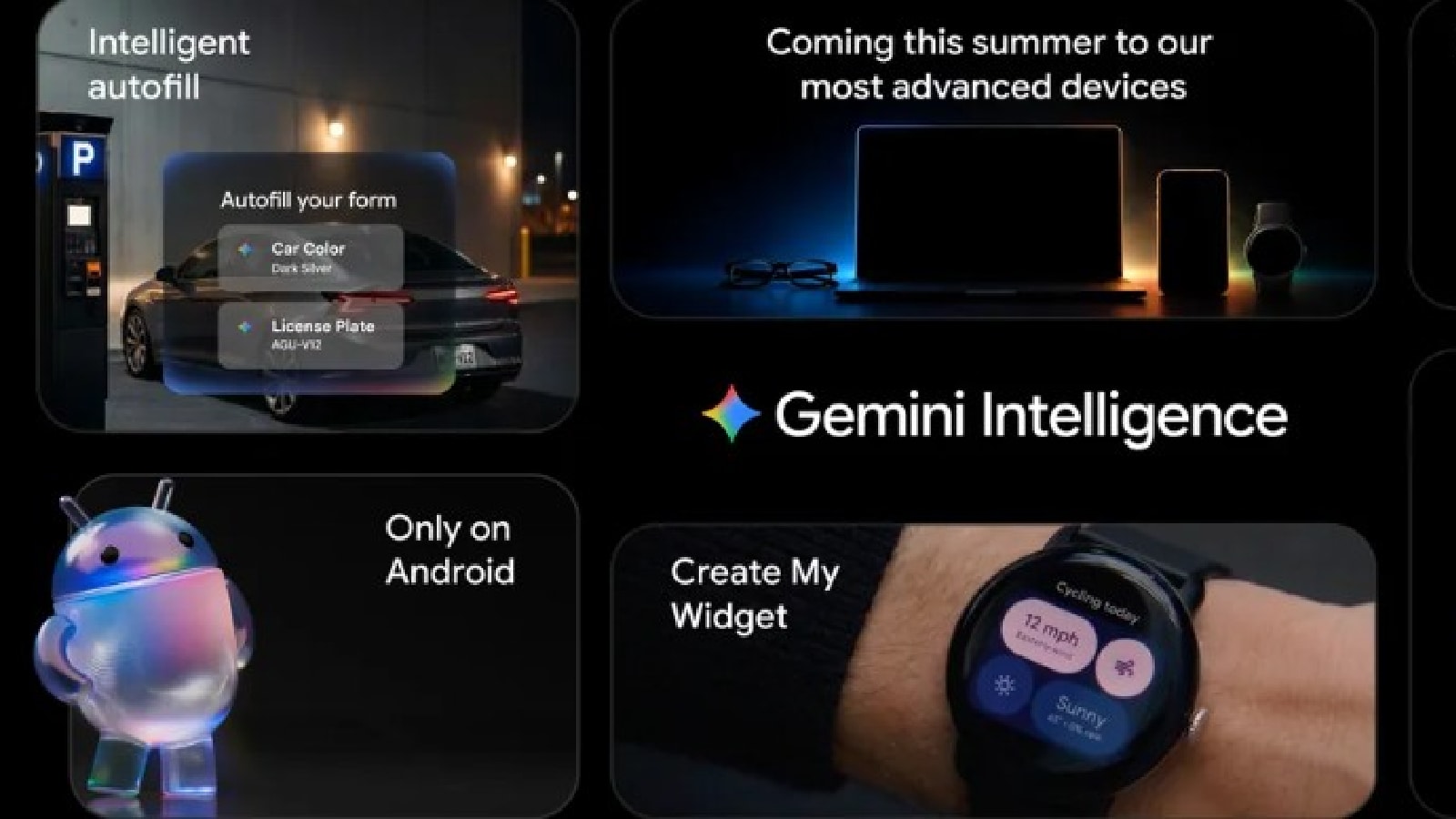
Gemini Intelligence is a smarter version of Gemini that is already available on Android phones. It brings features like automated tasks and app automation -- something Google always aspired Google Assistant would do but could not. Here are the key things you need to know about Gemini Intelligence:
- Gemini Intelligence helps you automate tedious tasks, which includes multi-step automation capabilities.
- It will also bring app automation to your phone letting you complete tasks such as switch between apps, copy data, and shop for groceries based on a list you created in the notes app, simply using conversational voice commands.
- You will also be able to fill out forms in a single tap and search, summarise and compare content online with Gemini Intelligence.
- These features will first be available on the Samsung Galaxy S26 series and the Google Pixel 10 series later this year.
- Rambler lets you convert speech to text but with a catch. It takes important parts from your speech and then stitches them together into a concise message skipping on natural conversational gaps like 'ums' and 'ahs' in the process. It supports Gemini's advanced multi-lingual model and it can seamlessly switch between languages in a single message.
Gemini, Create my Widget!
Technically, this is a part of the Google Intelligence announcement but I feel it deserves separate space as lets users build widgets on their Android phones to tackle tasks that are unique to them.
With this feature, you can build a new widget for managing all your incoming deliveries from online shopping platforms or a weekly meal chart with low-carb recipes by describing what you want using natural language. Best part? It will be available on your Android phone and on your Wear OS-powered smartwatch.
Android Auto goes 3D...and (Gemini) Intelligent!
2026 is an important year for Android Auto as it's not only getting a refreshed interface but also some responsible driving features and the power of...well, Gemini Intelligence. Here's how your driving experience will change this year:
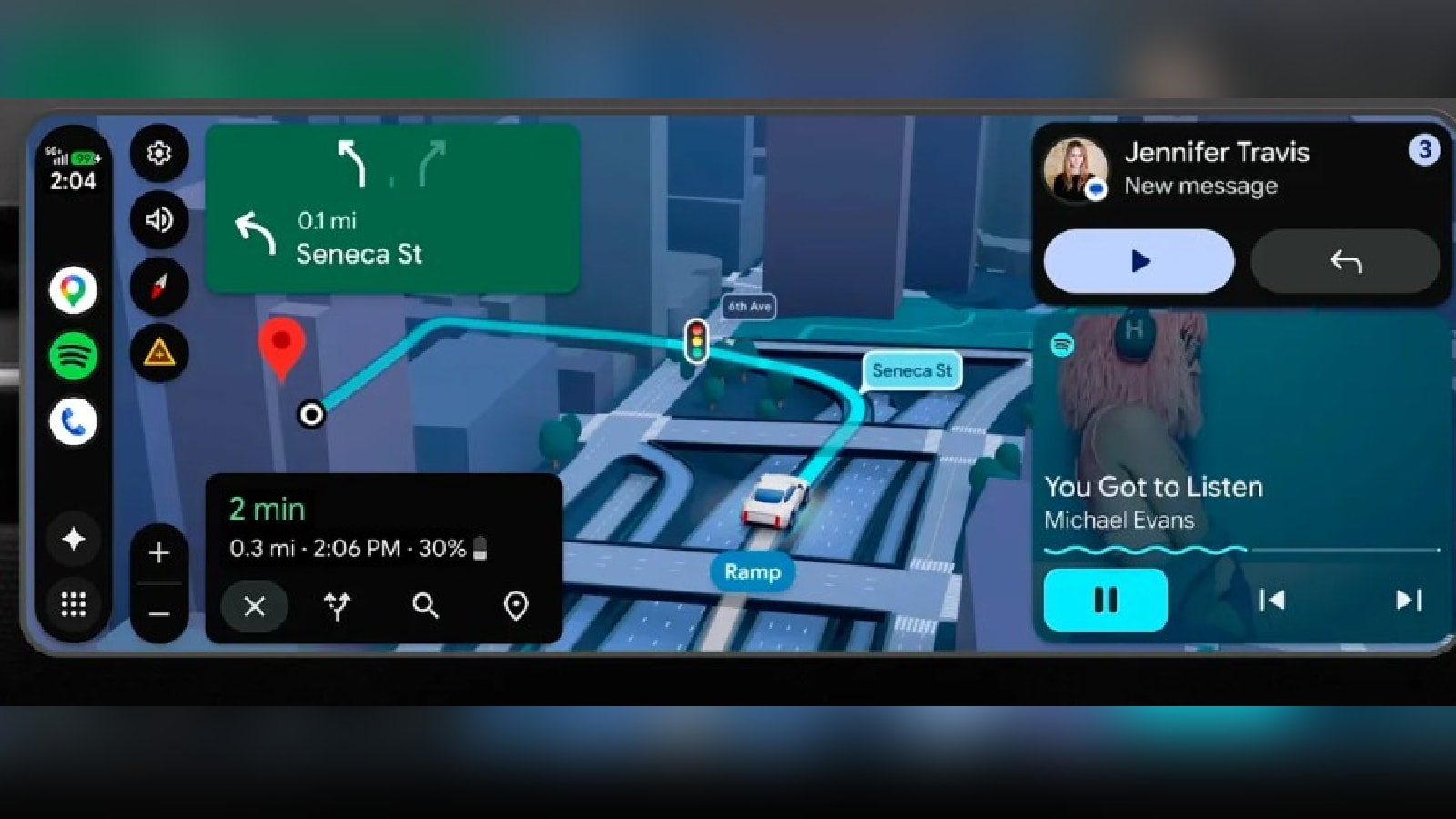
- Android Auto's UI is getting an overhaul. It brings personal design touches, widgets you can see at a glance and edge-to-edge Google Maps to your car's screen.
- Android Auto's UI will now be tailored to the shape of your car's display - circle, rectangle or anything else.
- You can also customize the UI by adding relevant widgets to the screen.
- Google Maps is also getting a 3D view of buildings, overpasses, lanes and even stop signs in a way that gives you a better lay of the land.
- Android Auto will also let you watch movies in 60fps full HD mode (depending on your car's display) in your car till the time it's parked. This feature will be available in cars by BMW, Ford, Genesis, Hyundai, Kia, Mahindra, Mercedes-Benz, Renault, Skoda, Tata and Volvo later this year.
- Android Auto will also support Dolby Atmos-based spatial sound in cars by BMW, Genesis, Mahindra, Mercedes-Benz, Renault, Skoda, Tata and Volvo.
- Gemini Intelligence will be available in Android Auto through supported smartphones later this year.
Android and iOS sign a peace treaty - FINALLY!
Okay, there are two parts to this announcement. In the first part, Google and Apple, after years of animosity, are finally letting their users share information -- files, documents, images and videos -- in a way that doesn't involve a separate app.
- What Google and Apple are doing is that they are making Quick Share and AirDrop compatible, which would make data transfer a whole lot easier.
- This feature is being rolled out to Pixel users and it will be available to Samsung, OPPO, OnePlus, Vivo, Xiaomi and HONOR later this year.
- Those who don't have a compatible device, can use Quick Share on any Android phone to generate a QR code, which will let them instantly share files with iOS devices via the cloud.
- Google has started rolling out this feature to all Android phones and it will be fully available to all users next month.
- Google will also make QuickShare available inside popular apps like WhatsApp soon.
In the second part, Google and Apple are making it easier to transfer all, and I mean ALL, of your phone's data from an iPhone to an Android phone.
- Earlier, iPhone users could transfer contacts, photos, videos, calendar events, messages, SMS and free apps to their new Android phones.
- Now, they can also transfer their home screen layout and even eSIM wirelessly. This functionality will be available on Samsung Galaxy and Google Pixel devices later this year.
Android gets Creator friendly
If you are a content creator who creates gripping videos on Instagram, Google has announced a bunch of new features, some even in partnership with Meta, to make your job easier. Here's what Google announced:
- Android is getting a Screen Reactions feature that lets you record yourself and your screen at the same time, which in turn will let you overlay your authentic response to a video directly onto trending clips. This will be first be available on Pixel phones later this year.
- Google has joined forced with Meta, to bring popular Instagram features like Ultra HDR capture and playback, built-in video stabalisation and night sight integrations directly into Android devices.
- Instagram is now fully optimised for Android tablets.
- Adobe Premier will soon be available on Android phones. Earlier it was available only on iOS.
In addition to this, Google is brining two new features to Instagram's Edits app exclusively on Android. First is the Smart Enhance feature that lets you upscale your photos and videos with advanced on-device AI with a single tap. The second feature is Sound Separation that identifies and separates audio tracks to boost the sound that you want and remove that you don't.
Google lets you Pause Point!
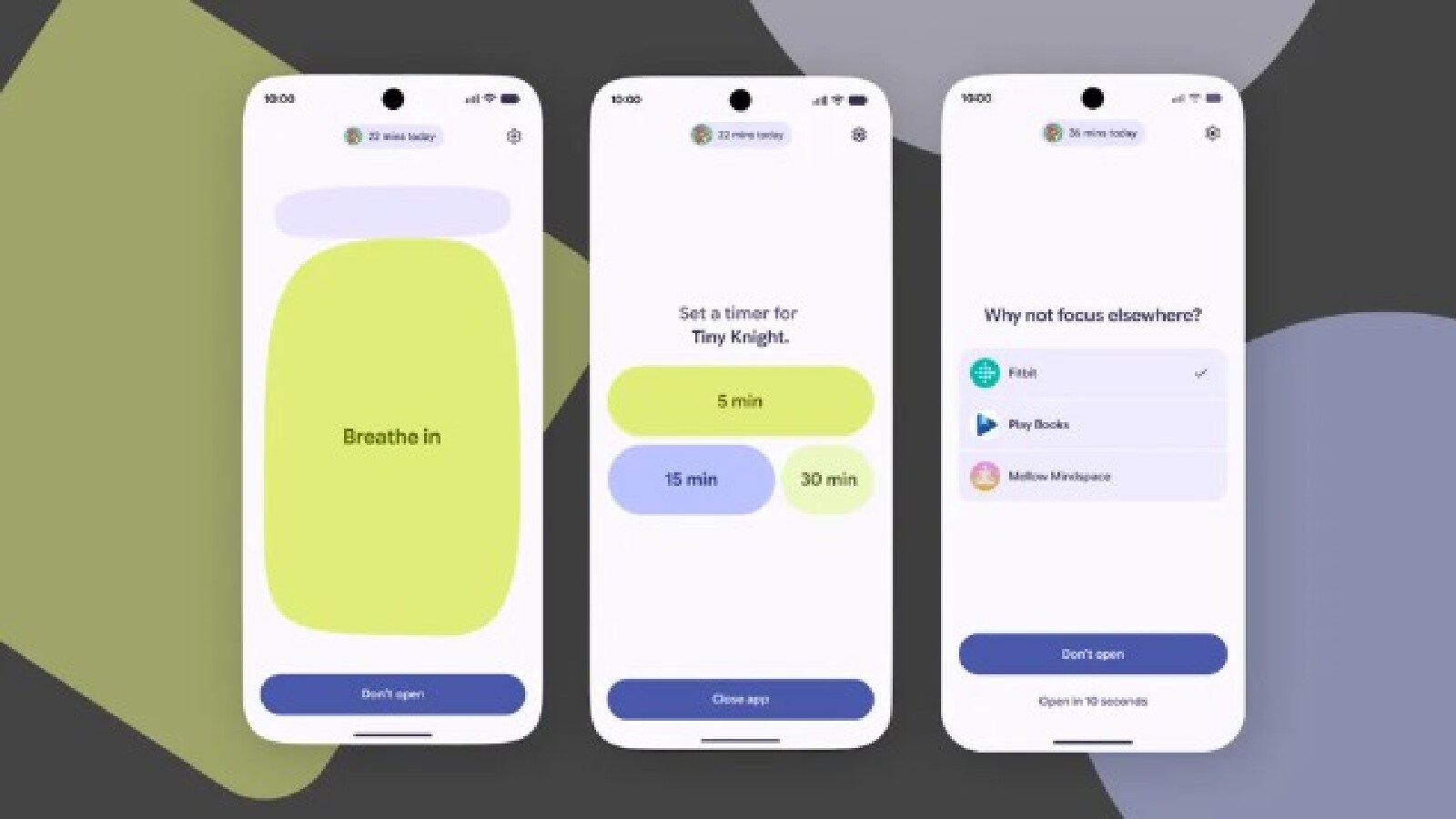
Google is concerned about your wellbeing. No, it’s true! It has a set of features baked in your android under the banner of Google Wellbeing that gives you tools to manage your screen-time. This year, Google has upgraded these tools and introduced a feature called Pause Point that is aimed at curbed doom scrolling.
What it does is that it gives you a 10-second breather to ask, “Why am I here?”. During that pause, you can do a breathing exercise or set a timer so you don’t spend too much time scrolling. You can also look at some favorite photos or jump to alternative app suggestions, like an audiobook.


