Working from home has reshaped how many people use their computers. A typical day may involve spreadsheets, presentations, video calls, dozens of browser tabs, and even editing high-resolution photos and videos. As workloads become more demanding, a laptop screen can quickly feel limiting.
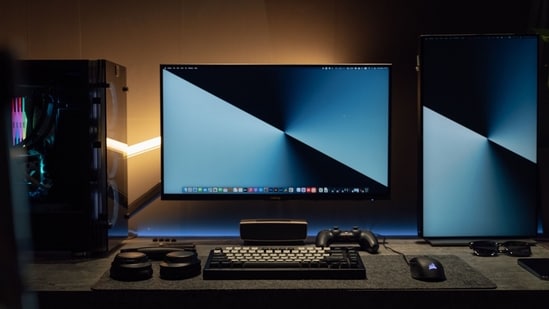
That is where a dedicated monitor makes a noticeable difference. It provides the extra screen space needed to work more comfortably and efficiently. Higher resolutions improve text clarity, while ultrawide displays simplify multitasking. For photographers, video editors, and designers, display quality matters just as much as performance. Accurate colour reproduction, OLED or Mini LED panels, and wide colour gamut coverage help ensure that what you see on screen closely matches the final output. Ergonomics and connectivity are equally important for long work sessions.
Whether you are building a home office or a creative workspace, these 10 monitors cater to different workflows and budgets.
Choose better. Buy smarter.
NEHA by HT Tech generates recommendations using proprietary AI analysis built on years of editorial expertise.{{#product}}{{/product}}
The MSI Modern MD272QXP is designed to make long workdays more comfortable. Its crisp WQHD display offers ample space for multitasking, while the ergonomic stand helps you find the ideal viewing position. With USB-C connectivity and a built-in KVM switch, it becomes a practical choice for professionals juggling multiple devices.
What are buyers saying on Amazon?
Buyers praise the monitor's sharp WQHD resolution and vibrant colours. Many also appreciate the slim bezels, which give it a premium look. The built-in KVM switch is another highlight, allowing users to control two computers with a single keyboard and mouse. However, a few buyers have reported backlight bleeding around the corners of the screen.
Why should you consider buying this monitor?
If your work involves juggling multiple devices and long hours of document editing, coding, or content creation, the MSI Modern MD272QXP is an excellent choice. Its ergonomic design, USB-C connectivity, built-in KVM, and productivity-focused software help create a cleaner, more efficient workspace without compromising image quality.
{{#product}}{{/product}}
Our Principles
Full Transparency
Every product review clearly lists the Pros and Cons, giving you a balanced view.
Brand Confidence
We focus on products from brands with a proven reputation and long-standing market trust.
The MSI Modern MD271UL is an excellent choice for professionals and creators who prioritise image quality over refresh rate. Its sharp 4K IPS panel delivers crisp visuals and accurate colours, while USB-C with 65W Power Delivery keeps your desk clutter-free. It's equally suited to productivity, photo editing, and content creation.
What are buyers saying on Amazon?
Buyers praise the monitor's excellent screen quality and sharp 4K visuals. Many also note that it supports 10-bit colour depth when connected via DisplayPort or USB-C. However, some users found it difficult to match the colour profile of a Mac, particularly in black-and-white tones. Others were disappointed by the lack of VESA mount support and the stand's limited tilt-only adjustment.
Why should you consider buying this monitor?
If your work revolves around detailed visuals, the MSI Modern MD271UL is well worth considering. The 4K IPS panel delivers excellent clarity, while the wide colour gamut makes it suitable for photo editing, graphic design, and video editing. USB-C with 65W Power Delivery adds further convenience for modern laptop users.
{{#product}}{{/product}}
Whether you're editing photos, grading video, or designing graphics, the BenQ Creative Pro PD2706QN helps you work with confidence. Its colour-accurate IPS panel faithfully reproduces content, while thoughtful features such as USB-C, Daisy Chain support, and a fully adjustable stand simplify everyday workflows.
What are buyers saying on Amazon?
Buyers consistently praise the monitor's excellent colour accuracy and factory calibration, saying it's well suited for photo editing, graphic design, and other creative work. Many also appreciate the ergonomic stand and wide range of connectivity options. However, some users wish it had a 4K panel instead of QHD, while others feel the built-in speakers could be better
Why should you consider buying this monitor?
If your work involves photo editing, graphic design, video editing, or colour grading, the PD2706QN is a strong choice. Its factory calibration, wide colour gamut, and Pantone and Calman certifications ensure reliable colour accuracy. Features such as 90W USB-C, Daisy Chain, and an ergonomic stand further enhance day-to-day productivity.
{{#product}}{{/product}}
The LG 34U530A gives you more room to work without stepping into the premium price bracket. Its 34-inch ultrawide IPS display lets you keep multiple windows open side by side, while USB-C connectivity, HDR support, and an ergonomic stand make it a practical choice for work, study, and entertainment.
What are buyers saying on Amazon?
Buyers appreciate the spacious 34-inch ultrawide display, saying it makes multitasking much easier. Many also praise the sharp picture quality, simple setup, and overall value for money. However, some users feel the WFHD resolution could look sharper on a screen this large, while a few experienced issues with USB-C connectivity.
Why should you consider buying this monitor?
If you're constantly juggling spreadsheets, documents, browser tabs, or editing timelines, the extra horizontal screen space makes a noticeable difference. The ergonomic stand also helps you stay comfortable during long work sessions, while USB-C connectivity simplifies cable management for compatible laptops.
{{#product}}{{/product}}
The LG 34U511A is a practical ultrawide monitor for users who multitask throughout the day. Its 34-inch IPS panel provides ample space to work with multiple windows open, while the 21:9 aspect ratio makes spreadsheets, documents, and creative projects easier to manage without constantly switching between tabs.
What are buyers saying on Amazon?
Buyers like the monitor's large screen, vibrant colours, and extra workspace for productivity. Many say it's a worthwhile upgrade from a standard 16:9 monitor and offers good value for money. On the downside, some users feel the WFHD resolution makes text appear softer than on QHD or 4K displays.
Why should you consider buying this monitor?
If you spend your day working with multiple applications, the 21:9 ultrawide display can significantly boost productivity. The IPS panel also delivers vibrant colours, making it suitable for light photo editing, content consumption, and everyday office work. It's a solid option for anyone looking to upgrade from a standard 16:9 monitor without overspending.
{{#product}}{{/product}}
The Dell S3425DW blends productivity with premium entertainment. Its curved UWQHD display wraps more naturally around your field of view, while the 120Hz refresh rate keeps everything feeling smooth. With USB-C connectivity and rich colour reproduction, you get a monitor that's equally suited to work and unwinding after hours.
What are buyers saying on Amazon?
Buyers appreciate the monitor's immersive, curved, ultrawide display and sharp UWQHD resolution. Many also praise the smooth 120Hz refresh rate, USB-C connectivity, and built-in speakers for everyday productivity. However, some users feel the VA panel doesn't offer viewing angles as wide as IPS displays, and its HDR performance is considered fairly basic.
Why should you consider buying this monitor?
If you frequently work with multiple windows, spreadsheets, timelines, or browser tabs, the ultrawide display can significantly improve your workflow. The 120Hz refresh rate also makes everyday interactions feel smoother, while USB-C connectivity reduces cable clutter by carrying video, data, and power over a single cable.
{{#product}}{{/product}}
The Acer Nitro XV275K P5 is built for users who want one monitor for everything. Its Mini LED backlight delivers deeper contrast than conventional IPS panels. Moreover, its 4K resolution and 160Hz refresh rate make it equally well-suited to competitive gaming, HDR entertainment, and colour-sensitive creative work.
What are buyers saying on Amazon?
Buyers praise the monitor's impressive Mini LED HDR performance, vibrant colours, and sharp 4K visuals. Gamers also appreciate the smooth 160Hz refresh rate and responsive performance. On the downside, some users report occasional blooming in high-contrast scenes and feel the on-screen menu takes time to get used to.
Why should you consider buying this monitor?
If you're looking for a display that can handle daytime work and high-end gaming at night, the XV275K P5 is a compelling option. Its Mini LED backlighting gives HDR content far more impact than a standard IPS monitor, while the 4K 160Hz panel, USB-C connectivity, and KVM support make it equally practical for creators and professionals.
{{#product}}{{/product}}
The Samsung Odyssey OLED G6 proves that gaming monitors can excel beyond gaming. Its QD-OLED panel delivers exceptional contrast and vibrant colours, while the 240Hz refresh rate ensures incredibly smooth motion. Whether you're editing videos, creating content, or playing competitive titles, it delivers a premium viewing experience throughout.
What are buyers saying on Amazon?
Buyers praise the monitor's deep blacks, vibrant colours, and ultra-smooth gaming performance. Many also appreciate the glare-free coating and the Pantone-validated display, which suits both gaming and creative work. However, some users feel the default colour profile needs tweaking, while others remain cautious about the long-term burn-in risk associated with OLED panels.
Why should you consider buying this monitor?
If you want a display that delivers stunning image quality without compromising speed, the Odyssey OLED G6 is a compelling choice. The QD-OLED panel offers richer contrast than conventional IPS or VA displays, while the 240Hz refresh rate and near-instant response time make it equally well suited to competitive gaming, content creation, and everyday productivity.
{{#product}}{{/product}}
Whether you're editing photos by day or gaming at night, the Alienware AW2726DM adapts effortlessly. The QD-OLED panel brings every scene to life with incredible contrast, while the high refresh rate keeps interactions smooth and responsive across all workloads.
What are buyers saying on Amazon?
Buyers praise the monitor's deep blacks, punchy colours, and exceptionally smooth gaming performance. Many also feel it offers excellent value compared with other QD-OLED monitors. On the downside, some users note that the screen isn't particularly bright in well-lit rooms, and a few wish it included USB-C connectivity.
Why should you consider buying this monitor?
If you've been waiting for a more affordable entry into QD-OLED gaming, the AW2726DM is an easy recommendation. It delivers the picture quality and responsiveness OLED is known for, while keeping the price lower than many competing models. The ergonomic stand and wide colour gamut also make it a capable display for creative work and gaming.
{{#product}}{{/product}}
The MSI MAG 341CQP is the kind of monitor that makes you rethink a dual-screen setup. Its 34-inch QD-OLED ultrawide panel combines exceptional colour accuracy with infinite contrast, while the curved display keeps everything comfortably within view. Whether you're editing videos, multitasking, or gaming, it delivers a truly premium experience.
What are buyers saying on Amazon?
Buyers love the monitor's stunning QD-OLED panel, praising its deep blacks, vibrant colours, and immersive ultrawide experience. Many also appreciate the built-in KVM switch and premium build quality. However, some users note that the glossy OLED panel needs careful handling to avoid scratches, while others feel HDR performance requires some tweaking to look its best.
Why should you consider buying this monitor?
If you're looking for a monitor that excels at both productivity and entertainment, the MAG 341CQP is a compelling choice. The ultrawide QD-OLED panel offers ample room for multitasking, while its accurate colours and infinite contrast make it equally suitable for creative work. Features like USB-C, KVM, and a 175Hz refresh rate further enhance its versatility.
How Do These Monitors Stack Up?
Monitor | Display size and type | Resolution | Ports |
|---|---|---|---|
| MSI Modern MD272QXP | 27-inch IPS | 2560 × 1440 (QHD) | USB-C (65W PD), HDMI, DisplayPort, USB-A, Headphone-out |
| MSI Modern MD271UL | 27-inch IPS | 3840 × 2160 (4K UHD) | USB-C (65W PD), 2 × HDMI 2.0b, DisplayPort 1.2a, Headphone-out |
| BenQ Creative Pro PD2706QN | 27-inch IPS | 2560 × 1440 (QHD) | USB-C (90W PD), HDMI 2.0, DisplayPort 1.4, DisplayPort Out (Daisy Chain), USB-A, USB-C (downstream), Headphone-out |
| LG 34U530A | 34-inch IPS | 2560 × 1080 (WFHD) | USB-C, HDMI, DisplayPort, Headphone-out |
| LG 34U511A | 34-inch IPS | 2560 × 1080 (WFHD) | HDMI, DisplayPort, Headphone-out |
| Dell S3425DW | 34-inch Curved VA | 3440 × 1440 (UWQHD) | USB-C (65W PD), 2 × HDMI 2.1, USB-A, USB-C (downstream), Audio-out |
| Acer Nitro XV275K P5 | 27-inch IPS Mini LED | 3840 × 2160 (4K UHD) | USB-C (90W PD), 2 × HDMI 2.1, DisplayPort 1.4, USB 3.2, USB-B, Audio-out |
| Samsung Odyssey OLED G6 | 27-inch QD-OLED | 2560 × 1440 (QHD) | 2 × HDMI 2.1, DisplayPort 1.4, USB-A, Headphone-out |
| Alienware AW2726DM | 26.5-inch QD-OLED | 2560 × 1440 (QHD) | 2 × HDMI 2.1, DisplayPort 1.4, Headphone-out |
| MSI MAG 341CQP QD-OLED | 34-inch Curved QD-OLED | 3440 × 1440 (UWQHD) | USB Type-C (DP Alt Mode), 2 × HDMI 2.1, DisplayPort 1.4a, USB Hub, Audio-out |
Also Read:
Tired of carrying your charger? These laptops deliver the battery life most people actually need
Still paying for cloud storage? Here's when an SSD is the better buy in 2026
- Should I buy a colour-accurate IPS monitor or spend more on an OLED monitor?
It depends on your needs and budget. A good IPS monitor with wide colour coverage is more than enough for office work, photo editing, and casual content creation. An OLED monitor offers deeper blacks, better contrast, and more vibrant colours, making it ideal for professionals and enthusiasts. If your work doesn't demand the best possible image quality, a premium IPS monitor delivers excellent value.
- How can I maintain my monitor to make it last longer?
Wipe the screen with a microfiber cloth and avoid harsh cleaning chemicals. Keep the monitor away from direct sunlight and ensure there's enough ventilation around it. If you own an OLED monitor, enable features such as pixel refresh and screen protection to reduce the risk of image retention over time.
- Is an ultrawide monitor better than a dual-monitor setup?
An ultrawide monitor provides one continuous workspace, making it easier to multitask without bezels breaking up your view. It also takes up less desk space and requires fewer cables. However, a dual-monitor setup may be a better fit if you prefer separate displays for different applications or frequently work across multiple systems.
Disclaimer: At Hindustan Times, we help you stay up-to-date with the latest trends and products. Hindustan Times has an affiliate partnership, so we may get a part of the revenue when you make a purchase. We shall not be liable for any claim under applicable laws, including but not limited to the Consumer Protection Act, 2019, with respect to the products. The products listed in this article are in no particular order of priority.