
 E-Paper



I thought AI on smartphones was a gimmick—Now I can’t live without these 4 features
After going through multiple phones with built-in AI features, these are the four that really stood out to me—and the ones I find myself using every day.

 Prefer HTon Google






Most smartphones currently being launched, whether mid-range or top-end flagships, place a major emphasis on artificial intelligence, with smartphone makers heavily marketing these features. As it turns out, some of these features are actually quite useful, while others are simply marketing gimmicks you may never use after the first try. They rely on novelty. That being said, some features in operating systems across Android and iOS are genuinely quite useful, and I’ve come to the conclusion that I can’t live without some of them moving forward.
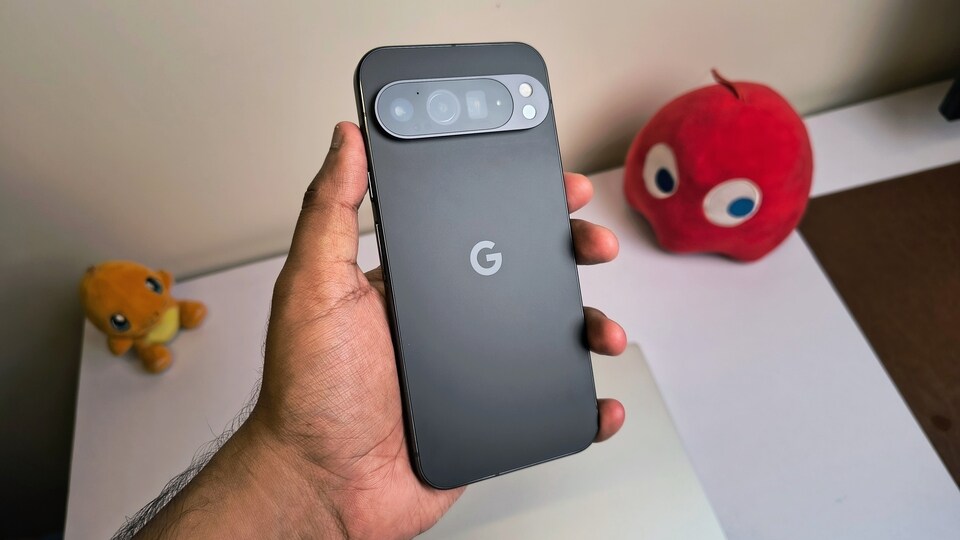

Here, I have curated a list of four AI features across various smartphones that I believe are quite underrated and serve niche use cases. Let’s take a look.
Also Read: Nintendo Switch 2: Release date, expected price, games, key features and more
1. Google Pixel Recorder App
This app is a godsend for journalists and anyone working with information-heavy content. There have been countless times when I’ve conducted an interview and needed to get a copy out quickly. On more than one occasion, I’ve used the Recorder app on my Google Pixel 9 Pro XL to record the entire interview and then quickly obtain a transcript with every word captured. The best part is its accuracy—it barely misses anything. I usually just have to edit the text slightly before using it in my articles. It has saved me countless hours, and I’ve been genuinely impressed by how accurate it is. If you haven’t tried it yet, you definitely should if you have a recent Pixel model.
2. Priority Notifications on iOS 18.4
We have all seen how flashy AI tools like Genmoji and Image Playground appear as part of Apple’s Intelligence suite of features. But if you ask me, it’s really the Priority Notifications feature that Apple rolled out with iOS 18.4 that takes the crown as the most underrated—and arguably most useful—feature I’ve found on iOS 18 so far.
It’s intelligent enough to identify which notifications are truly important. Since using it, I haven’t forgotten a missed call or overlooked an important text—whether it’s something urgent or a credit update. If you’re using an iPhone 16 series or iPhone 15 Pro model, you can enable it by going into Settings > Notifications and turning on Priority Notifications.
3. Audio Eraser on Google Pixel and Samsung Galaxy Phones
How many times have you recorded an audio clip only to find it ruined by distracting background noise: wind, traffic, people shouting? I remember a recent trip where I was recording a peaceful camping scene by a flowing stream using my Pixel 9 Pro XL Unfortunately, a friend shouted and ruined the moment.
I simply opened the Google Photos app, tapped on Edit, and used the Audio Eraser feature. It identified the various sound categories—speech, nature, noise—and allowed me to reduce the speech element to -100. Just like that, the shouting was gone, and only the soothing sound of the stream remained. You can now do the same on Samsung Galaxy phones with One UI 7.
Also Read: CMF Phone 2 Pro by Nothing confirmed to launch in India on April 28: Know what’s more coming
4. ‘Add Me’ on the Pixel
On several recent trips, there was no one available to take a group photo of us. We wanted everyone in the frame, but it wasn’t possible to capture all of us at once. Thankfully, the Pixel 9 Pro’s Add Me feature always came to the rescue.
I would carefully frame the scene with two friends in place, leaving space for myself. After taking the first shot, I’d call my friend to take the second shot with me in it. The Pixel then magically merged both photos, producing a seamless image with all three of us. Initially, I was sceptical about whether I’d ever use this feature, but after a few months of travelling with the Pixel 9 Pro XL, I’ve come to realise that while you may not need it all the time, when you do, it can feel absolutely priceless.


