
 E-Paper



Minecraft: Bedrock preview is now live: Here’s how to install it on any platform
Wanted to try Minecraft’s latest beta features? Here’s how you can download and explore version 1.21.110.20 on any device.

 Prefer HTon Google


Minecraft Bedrock players, a fresh beta update version 1.21.110.20 is now available across all platforms. This update introduces new gameplay features and bug fixes, giving players the opportunity to try out exciting new content before its official release. Whether you play on console, PC, or mobile, you can access this update now and dive into its additions.
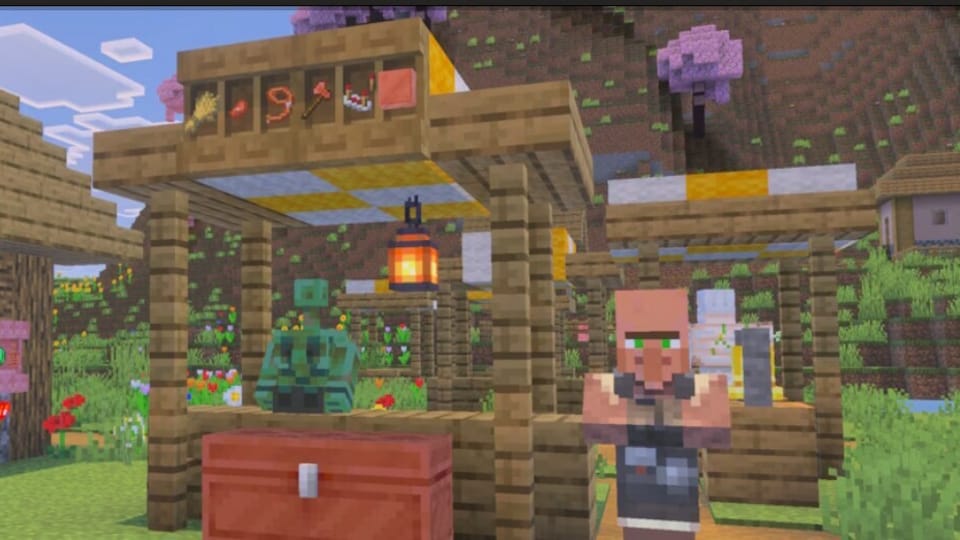

This latest Minecraft Preview is already rolling out to testers. It includes a new functional block for decoration and enhances the behaviour of Copper Golems, which makes them more interactive and unique. If you want to try out this beta, here’s an easy-to-follow guide on how to download Minecraft Bedrock 1.21.110.20 beta on various devices.
How to Download Minecraft Bedrock Beta on Different Platforms
Xbox (Xbox One, Series X/S)
To access the beta on Xbox consoles:
- Ensure you have Minecraft Bedrock installed or an active Xbox Game Pass subscription.
- Go to the game library and search for Minecraft Preview.
- Select it and hit Install.
- Launch the preview to begin testing the new content.
Also read: Microsoft launches Xbox Copilot beta on Android app to assist gamers with real-time support
Windows 10/11
For current Minecraft Preview users:
- Open Microsoft Store.
- Locate Minecraft Preview in your library.
- Tap Update or select Get Updates if no update appears.
For new users:
- Install the Minecraft Launcher from the Microsoft Store.
- Log in with your credentials.
- Select the Bedrock Edition, then open the dropdown next to Play.
- Then select the Latest Preview to begin the installation.
Also read: Mafia: The Old Country releasing on 8 August, 2025: Here’s everything you need to know
Android Devices
To access the beta version on Android devices:
- Open the Google Play Store and search for Minecraft.
- Scroll down to find the Join the Beta option.
- Tap to enrol.
- Once enrolled, update or install the game to get the preview version.
iOS (iPhone/iPad)
For iPhone and iPad users:
- Download and install TestFlight from the App Store.
- Register for the Minecraft beta via the official preview link.
- If spots are open, you will receive an invitation email with the download link.
Also read: Apple Arcade to add UNO: Arcade edition, What the Car? and more in June game lineup
PlayStation 4 and 5
To access the preview on PS4 and PS5:
- Open Minecraft on your PlayStation console.
- From the main menu sidebar, select Preview.
- Pick the version for your console (PS4 or PS5) and tap Download.
What’s New in This Preview Update
Two key additions headline the 1.21.110.20 preview: functional shelves and updated Copper Golem behaviour.


