
 E-Paper



Want to know how long you really sleep? Apple Health has the answer
Your iPhone and Apple Watch can quietly record your nights. Here is how to set up sleep tracking and check your sleep data step by step.

 Prefer HTon Google


You may be interested in





Sleep habits often go unnoticed until fatigue sets in. Apple Health offers a way to record and review sleep patterns using an iPhone and an Apple Watch, placing nightly rest data in one dashboard. Once enabled, the system records sleep duration, schedule consistency and time spent in different sleep stages. Here is how users can set it up and read the results.
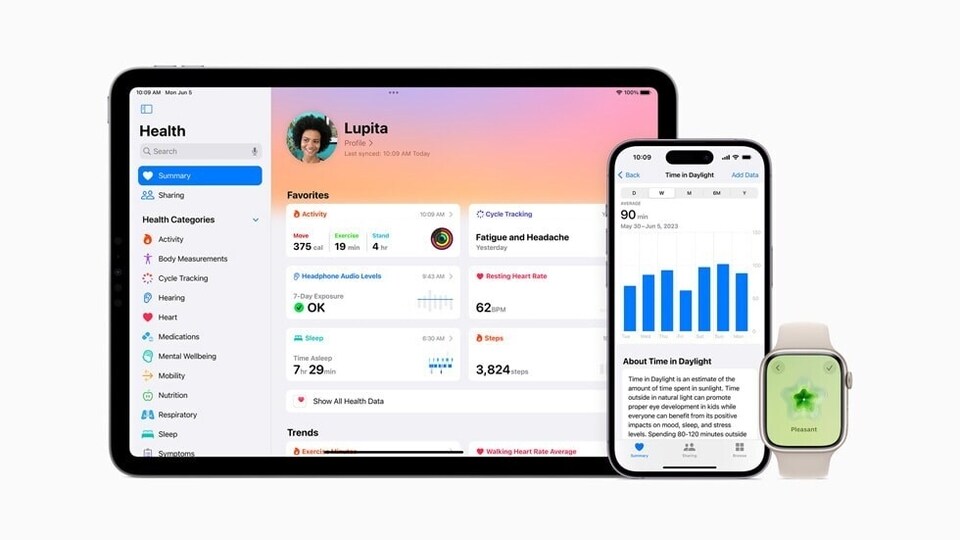

Apple Health needs two things to track sleep. Users must turn on Sleep in the Health app on an iPhone and wear a compatible Apple Watch to bed. While the iPhone can manage schedules on its own, detailed sleep data only appears when an Apple Watch collects it overnight.
Also read: iPhone 17e set to launch soon with new chip, MagSafe, and no price hike: Report
How to Set Up Sleep in Apple Health
Setup begins in the Health app on the iPhone. Open Health, tap Browse, then select Sleep. First-time users will see a setup option. The app walks users through choosing a sleep goal, setting bedtime and wake-up times, and deciding whether to follow one schedule every day or separate plans for weekdays and weekends.
During setup, users can also turn on reminders and a wind-down period. Wind Down activates features such as Focus mode before bedtime to limit interruptions. These options are not required, but they help keep sleep times regular, which improves long-term tracking. Once completed, the iPhone sends these settings to the Apple Watch. Users can edit schedules later under Full Schedule and Options in the Sleep section.
Also read: I spent weeks with the Realme 16 Pro Plus, and here's why it left me surprisingly conflicted
How to Prepare the Apple Watch
To record sleep, the Apple Watch must stay on the wrist overnight and have enough battery power. If the battery level drops too low, the watch asks for charging before bedtime. Sleep Focus activates automatically based on the schedule. In the Watch settings, users should confirm that sleep tracking is turned on. After that, the watch tracks sleep on its own each night.
How sleep data is recorded
When Sleep Focus runs, the Apple Watch uses movement and heart rate to detect sleep and wake periods. Newer models also identify sleep stages. Apple Health compiles this information into a nightly record. Users do not need to start or stop tracking. The system adjusts data if bedtime or wake time changes.
Also read: iPhone tip: How to turn multiple live photos into a single video
How to View Sleep Data
To review results, open Health, tap Browse, then Sleep. A chart shows the previous night’s sleep duration. Tapping it reveals details such as time asleep, time in bed and sleep stages. Users can switch between daily, weekly or longer views to spot trends. Apple Health also shows progress toward sleep goals and updates summaries as more data is collected.


