
 E-Paper



Asus Vivobook 14 X1404MA review: I pushed Intel's new Wildcat Lake processor, and here's what happened
Intel's new Wildcat Lake processor makes a strong debut, delivering smooth everyday performance in a lightweight and practical laptop.


Our Picks
Our Picks
| Product | Rating | Price |
|---|---|---|
ASUS Vivobook 14 (2025), (i5-14th Gen) Intel Core 5 120U,Fingerprint Sensor,8GB RAM,512GB SSD,FHD, 14", (35.5 cm),Win11,M365 Basic(1Y) Office 24, Silver, 1.4 Kg, X1404VAP-EB1521WS, Thin & Light LaptopView Details  | ₹58,990 | |
 | ||
ASUS Vivobook 14, (i5 14th Gen) Intel Core 5 120U, Thin & Light Laptop(16GB RAM/512GB SSD/FHD/14/60Hz/Fingerprint Reader/M365 Basic (1Year)*/Office Home 2024/Quiet Blue/1.4 Kg) X1404VAP-EB1542WSView Details | ₹68,899 | |
| ||
Unlock Personalized ₹9,832x 6 months₹58,990  100% Secure 100% Secure Flexible EMI Tenure Flexible EMI Tenure | ||
ASUS Vivobook 14,Smartchoice,AMD Ryzen AI 5 330,16GB RAM,512GB SSD(Upgradeable),FHD+ 14",Win11,Office24,M365 Basic (1Y), Blue,1.46Kg,M1407KA-LY132WS,AMD Radeon iGPU,50 Tops,Next-Gen AI Laptop,Copilot+View Details | ₹70,990 | |
| ||
ASUS Vivobook Go 14 (2026),AMD Ryzen 3 30 Processor,AMD Radeon iGPU,8GB RAM,512GB SSD,FHD,14" (35.5 cm),Windows 11,M365 Basic(1Y)* Office 2024,Mixed Black,1.38 Kg,E1404FA-EB1414WS,Thin & Light LaptopView Details | ₹44,990 | |
| ||
ASUS Vivobook 14 (2026),Intel Core Ultra 5 225H, Intel iGPU,16GB RAM,1TB SSD,FHD+,14"(35.5 cm),Windows 11,M365 Basic(1 Year)* Office 2024, Platinum Gold, 1.46 Kg, X1407CA-LY1581WS,Thin & Light LaptopView Details | ₹84,650 | |
| ||

Research-Backed Choices
Every product we recommend is chosen through a combination of Primary Research and Secondary Research.
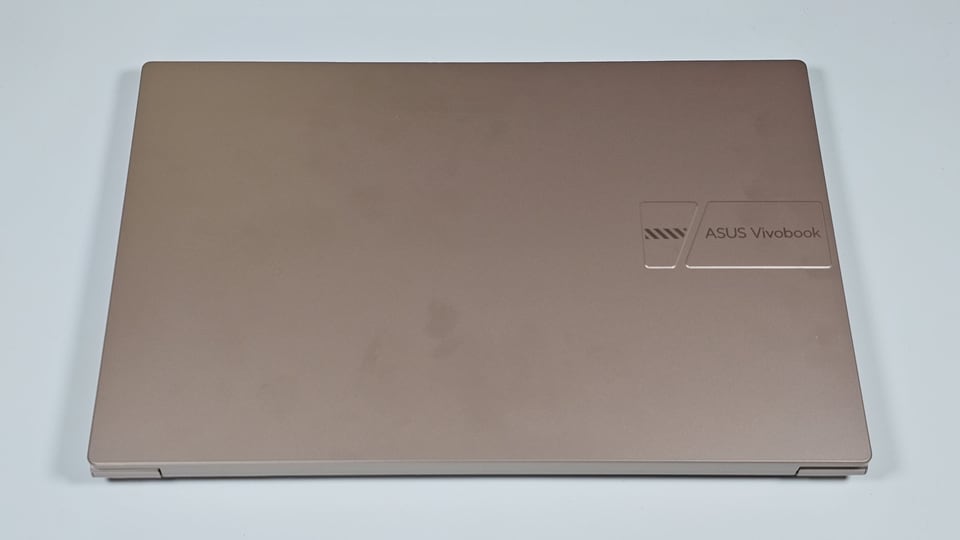

Intel recently introduced its new Wildcat Lake processors for budget laptops, and the Asus Vivobook 14 is among the first machines to launch with one. Looking at the specifications, I honestly wasn't expecting much. A Core 3 processor with only 5 cores, 5 threads and 8GB RAM doesn't exactly scream performance. But then I thought, how many people buying a laptop like this actually care about benchmark scores?
So, instead of opening Geekbench and Cinebench, I decided to use it the way I normally use my work laptop. I ended up being more impressed than I anticipated after spending some time with it.
Asus Vivobook 14 specifications
Specification | Details |
|---|---|
| Processor | Intel Core 3 304 (Wildcat Lake) |
| Graphics | Intel Integrated Graphics |
| RAM | 8GB DDR5 |
| Storage | 512GB NVMe SSD |
| Display | 14-inch Full HD IPS LCD, 16:9, Matte finish |
| Battery | 42Wh |
| Weight | 1.4kg |
| Charger | 45W Barrel Charger |
| Operating System | Windows 11 Home |
| Price | ₹73,990 |
Asus Vivobook 14: Design and build
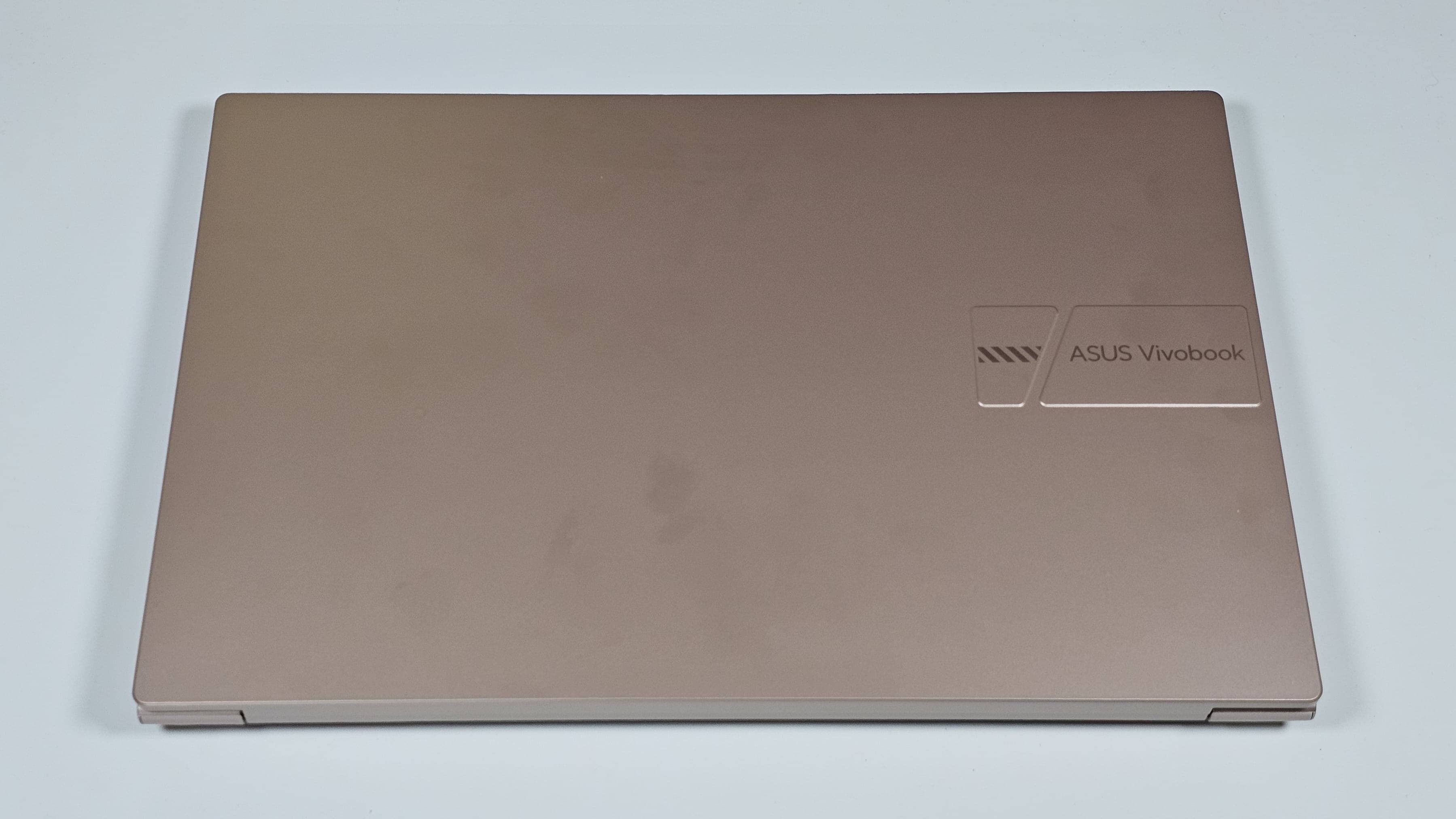
The Asus Vivobook 14 is a budget laptop, and you can easily tell that by taking one good look at it. The entire body is made of polycarbonate which you mostly get at this price and its not bad at all. It keeps the laptop lightweight and compact, which is something I really appreciated while carrying it around in my backpack. I never felt like I was carrying extra weight just because I had my laptop with me.
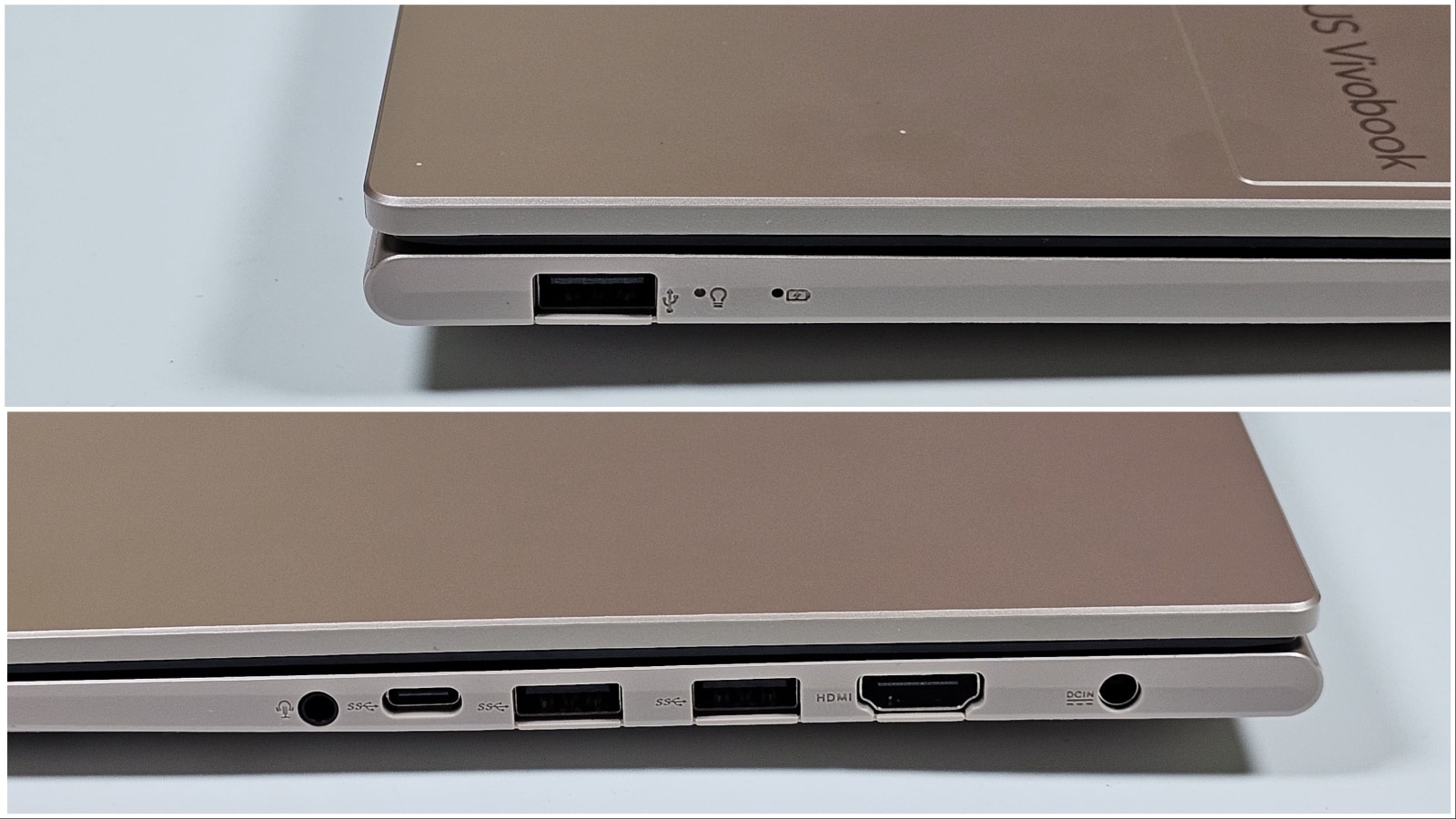
The port selection is surprisingly good as well. You get a dedicated charging port, three USB Type A ports, one USB Type C, HDMI and a headphone and microphone combo jack. Honestly, I don't think most people will ever complain about not having enough ports here.
The moment I opened the lid, I was somehow reminded of my old 2015 MacBook Air. I don't know why, but the keyboard layout and the overall deck design gave me the same vibe. Of course, that's where the similarities end, but it was the first thing that came to my mind.
The display has fairly thin bezels, which helps keep the laptop compact, and the matte finish does a good job cutting down reflections while working near windows or outdoors.
Asus Vivobook 14: Keybaord and trackpad
The keyboard is decent and simply gets the job done. Personally, I prefer keyboards with slightly shorter key travel, so this one took me a little while to get used to. Once I did, typing long articles wasn't really an issue.
The trackpad, however, was a bit disappointing. Asus says it's a glass trackpad, but the finish almost made me feel like there was a protective film on top. I actually tried removing it before realising that's simply how it's made. It tracks well enough, but it never felt as smooth as I expected.
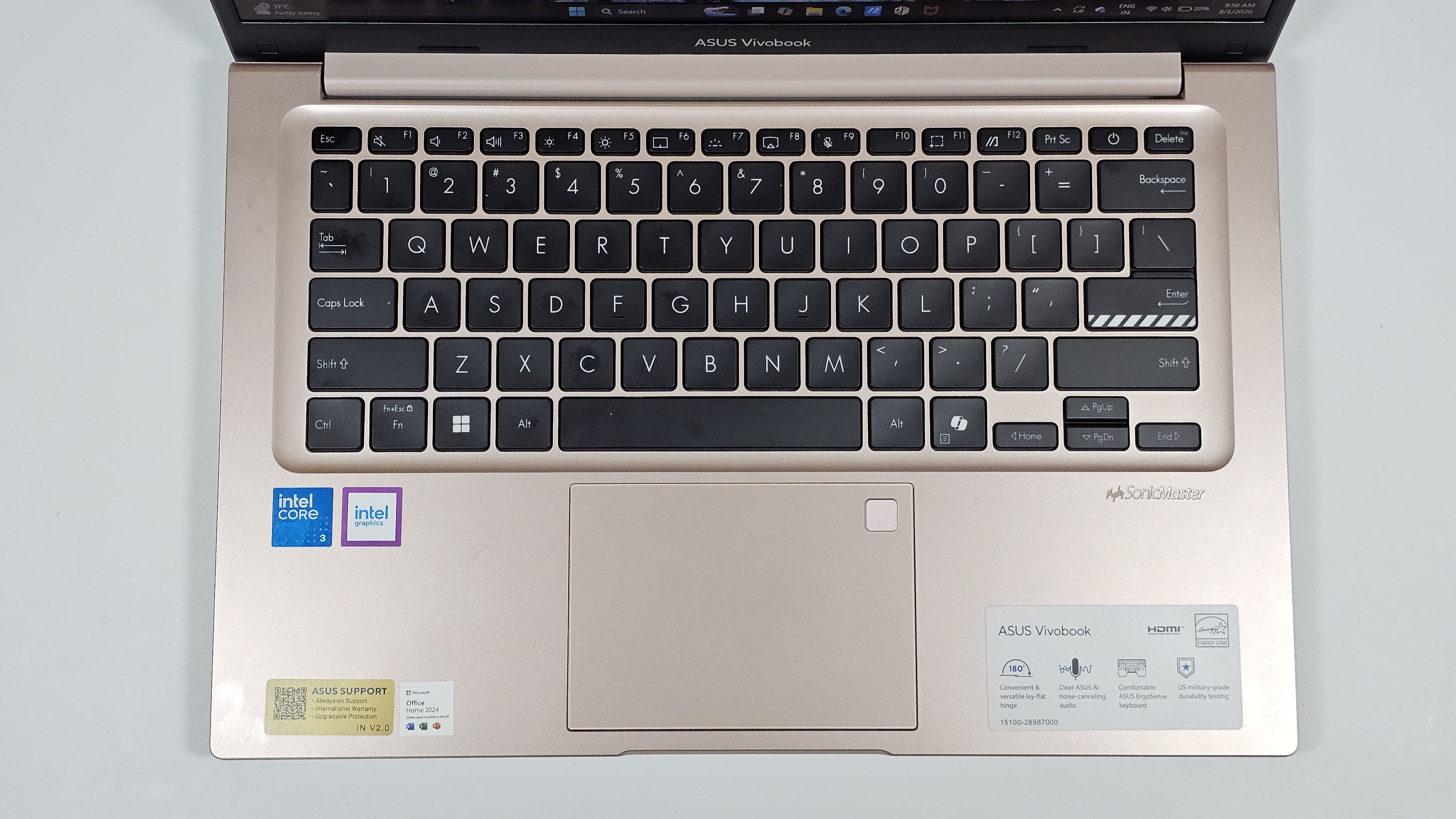
And putting the fingerprint sensor inside the trackpad is so 2016. Almost every laptop has moved it to the power button now, which is simply more convenient.
One thing I also didn't like was the charger. Asus includes a 45W barrel connector charger that charges the laptop fairly quickly, but I honestly think it's time to move on. USB Type C charging has become common even on budget laptops, and carrying one charger for everything just makes life easier.
Now, I know I sound a little harsh in this section, but that's mainly because this laptop starts at ₹73,990. At this price, buyers naturally start looking at alternatives that offer a more premium build like a MacBook Neo, so these small things become more noticeable.
Asus Vivobook 14: Display
The Vivobook 14 comes with a 14-inch Full HD LCD display with a matte finish and 250 nits of brightness. Let's just say it does its job pretty well. The matte finish ended up becoming one of the many positive things about this display. It cuts reflections really well, and I never found myself struggling to work in cafes or other brightly lit places. The 250 nits of brightness won't blow you away, but paired with the anti glare coating, it is good enough for everyday use.
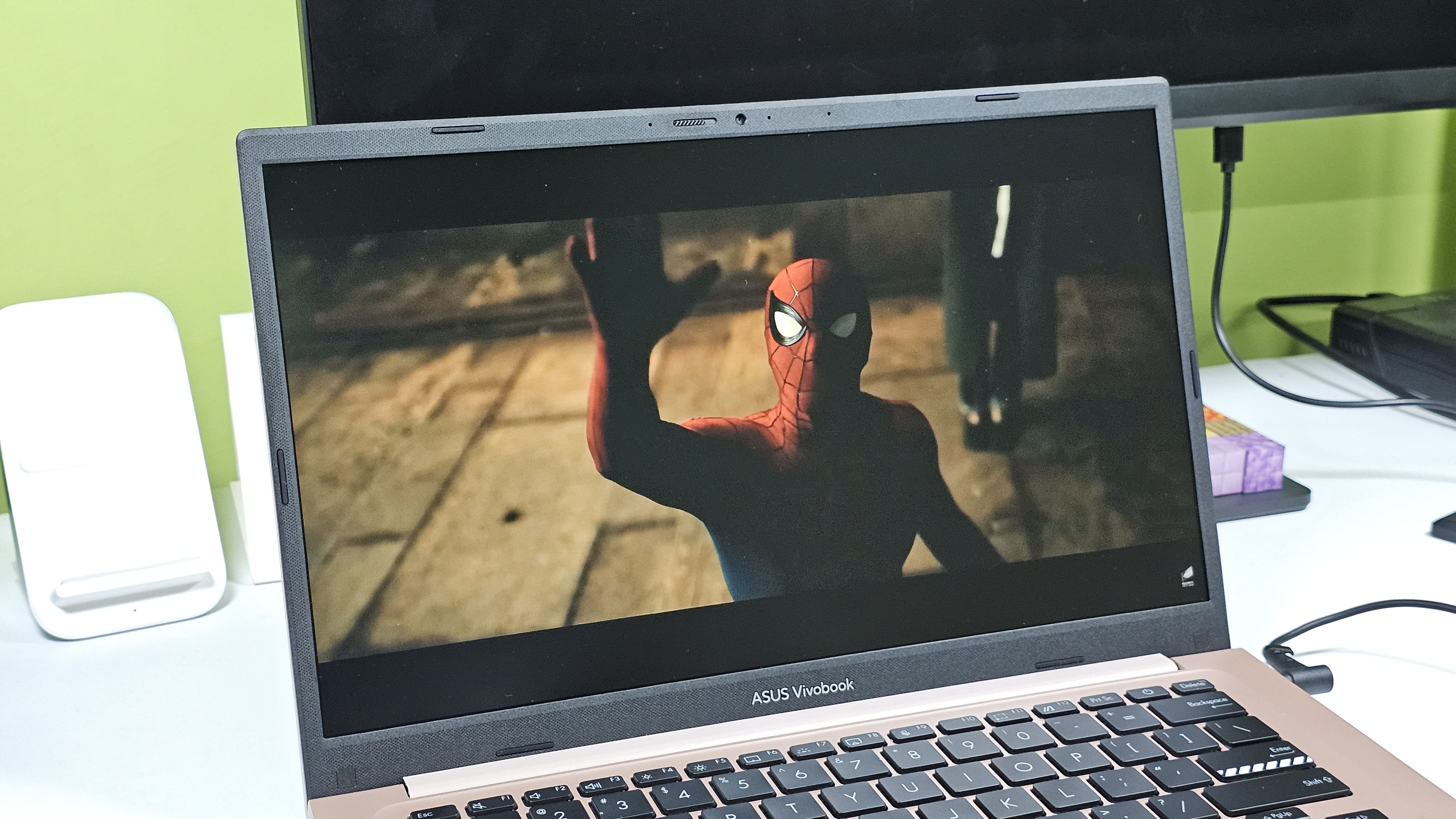
The thin bezels are another nice touch because they help fit a 14-inch display into a fairly compact body. The speakers, on the other hand, are just average. They're perfectly fine for YouTube videos, online meetings or casual Netflix sessions, but don't expect much depth. If you're planning to watch a movie or listen to music, you'll probably reach for your headphones instead.
Performance: Forget the benchmarks, I wanted to see when it would actually struggle
Since this is one of the first laptops powered by Intel's new Wildcat Lake processor, I could've easily filled this section with benchmark numbers. But I don't think that's how most people judge a laptop like this.
If you're buying a machine in this category, you're probably wondering how many Chrome tabs it can handle, how smoothly it switches between apps, or if it'll slow down halfway through your workday. So that's exactly what I tested.
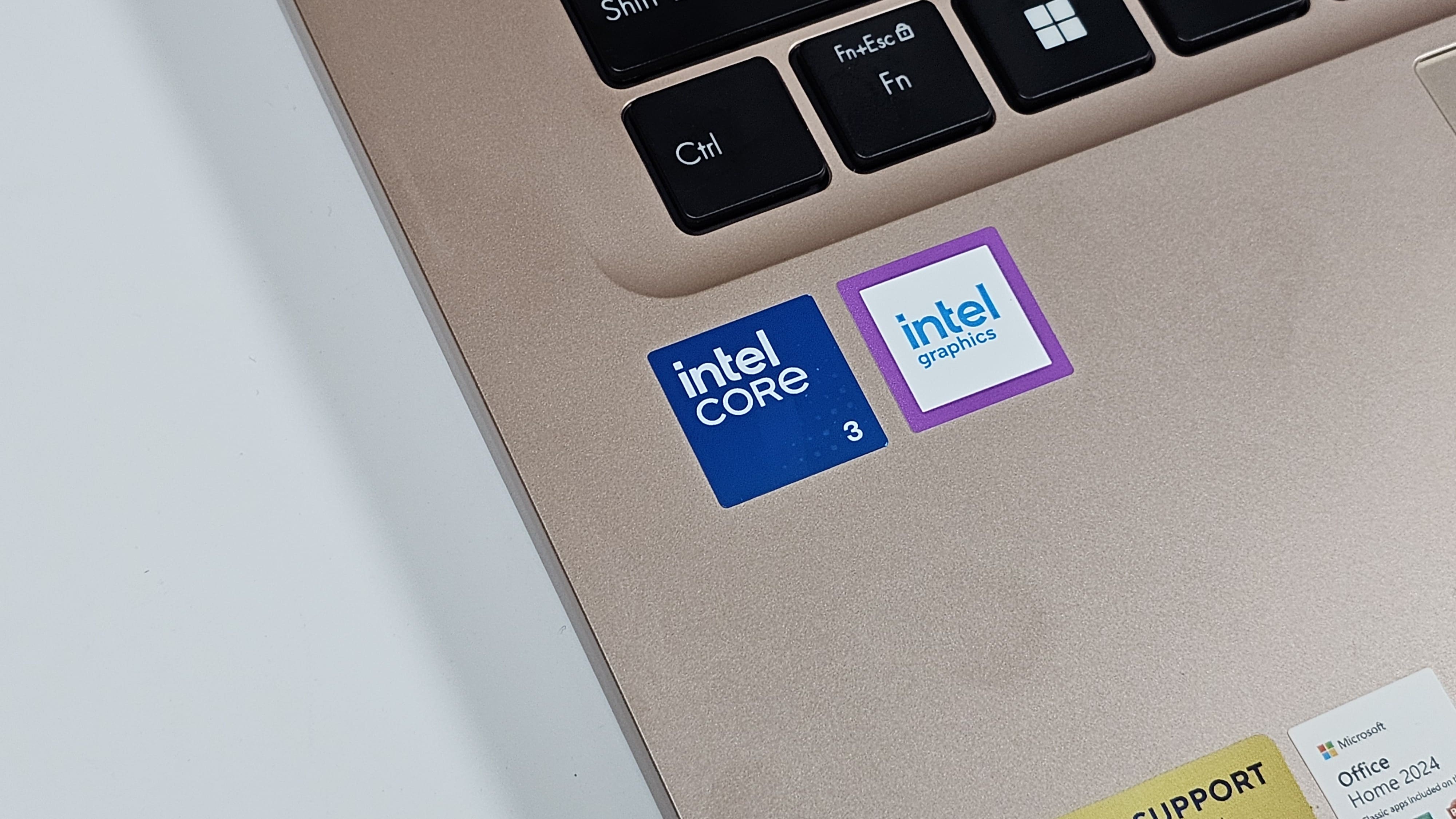
I opened Chrome and simply started opening new tabs to see how long it will take to slow down this machine. YouTube, Google Maps, Google Earth, Gmail, Google Docs, news websites, AI Search Mode and multiple 1080p YouTube videos all running together. Every few tabs, I kept expecting the laptop to struggle.
The Vivobook 14 finally started showing signs of slowing down at around 35 Chrome tabs, which genuinely surprised me. I've tested laptops that begin struggling after 25 or 30 tabs, so this was a really good result. Even with RAM usage sitting close to its limit, switching between tabs remained smooth and all the YouTube videos continued playing without any issues.
The only thing I noticed was the battery draining a bit faster, but that's hardly surprising considering I was pushing the laptop much harder than most people ever will.
I also tried a quick download test by downloading a 5GB file over my 100Mbps Wi-Fi connection. The file finished downloading in under 10 minutes, which is pretty much what I expected. More importantly, the connection stayed stable throughout.
What impressed me just as much was how quiet the laptop remained. Even after all this, fan noise was almost non existent. Unless you're sitting in a completely silent room, you're probably not going to notice it.
For students, office work, browsing, online classes and a bit of multitasking, Intel's new Wildcat Lake processor with just 5 cores made a much better first impression than I was expecting.
Asus Vivobook 14: Battery
The Vivobook 14 packs a 42Wh battery, and honestly, I thought I'd have to keep the charger nearby. It comfortably lasted me through a full workday, which is all I really ask from a laptop like this. I also ran a quick battery test by playing a 1080p YouTube video on Chrome for 30 minutes, and the battery dropped by just 5%. That works out to roughly 10 hours of video playback, which is exactly where I'd expect a laptop like this to land.
The included charger is fairly quick as well, so topping it up doesn't take very long. I just wish Asus had gone with USB Type C instead of the older barrel connector.
Asus Vivobook 14: Pros and cons
Pros
- Real world performance is genuinely impressive
- Lightweight and easy to carry
- Plenty of ports
- Matte display reduces reflections well
- Quiet even under heavy workloads
- Good battery life
Cons
- Plastic build doesn't feel premium
- Trackpad finish could have been better
- Barrel charging instead of USB Type C
- Average speakers
Should you buy it?
The Asus Vivobook 14 isn't the kind of laptop that wins you over with premium materials or flashy features. Instead, it impressed me in a much simpler way. It successfully handled a real-world workload more demanding than anything a typical student is likely to require. The new Intel Wildcat Lake processor turned out to be far more capable than I expected, especially for the kind of work most people actually do every day.
At ₹73,990, there are laptops with better build quality and more premium finishes, so if that's high on your priority list, it's worth looking around. But if what you want is a lightweight Windows laptop with dependable everyday performance, good battery life and enough ports to avoid carrying dongles everywhere, the Vivobook 14 is an easy recommendation. Just know what you're buying, and more importantly, what you're not. That way, I don't think you'll be disappointed.
More laptop reviews to check out
Samsung Galaxy Book6 Pro Review: A creator’s dream that finally matches the MacBook’s efficiency?
Asus ExpertBook Ultra 2026 review: Asus have solved the premium business laptop equation
Asus ROG Flow Z13 KJP review: A gaming tablet straight out of the Death Stranding universe
Dell XPS 16 (2026) review: The signature XPS is back but creators may want more
Disclaimer: At Hindustan Times, we help you stay up-to-date with the latest trends and products. Hindustan Times has an affiliate partnership, so we may get a part of the revenue when you make a purchase. We shall not be liable for any claim under applicable laws, including but not limited to the Consumer Protection Act, 2019, with respect to the products. The products listed in this article are in no particular order of priority.



