
 E-Paper



CAT 2019 admit card to be released today at iimcat.ac.in, here’s how to download
The online registration process for CAT 2019 started from August 7 to September 18, 2019. The computer-based examination of CAT 2019 will be conducted on November 24, 2019, in two shifts spread across 156 cities.


Admit card for the Common admission test (CAT) 2019 will be released on Wednesday, October 23, 2019. Candidates appearing in the examination can download their admit card online at, iimcat.ac.in today after 5 pm.
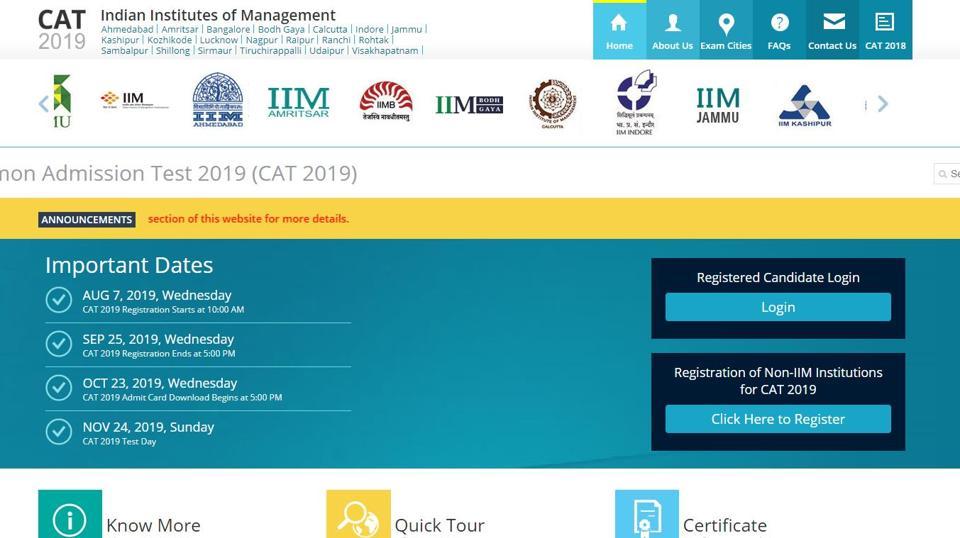
The online registration process for CAT 2019 started from August 7 to September 18, 2019. The computer-based examination of CAT 2019 will be conducted on November 24, 2019, in two shifts spread across 156 cities. The result for CAT 2019 is scheduled to be released in the second week of January 2020.
Exam Pattern:
The exam will be of three-hour duration and will be divided into the following sections:
1.Verbal Ability and Reading Comprehension
2.Data Interpretation and Logical Reasoning
3.Quantitative Ability
Candidates will get sixty minutes of time for answering questions in each section mentioned above. However, candidates will be allowed the use of a basic on-screen calculator for computation during the exam.
The CAT 2019 selection process includes a Written Ability Test (WAT), Group Discussion (GD) and a Personal Interview (PI). Performance in the CAT 2019 examination is an important component in the admission process.
How to download the admit card:
1.Visit the official website
2.On the homepage, click on the log provided to download the admit card
3.A new page will appear on the display screen
4.Key in your credentials and login
5.Admit card will appear on the display screen
6.Download the admit card and take its print out for future use.


