
 E-Paper



SSC MTS 2019 application status link activated, here’s how to check
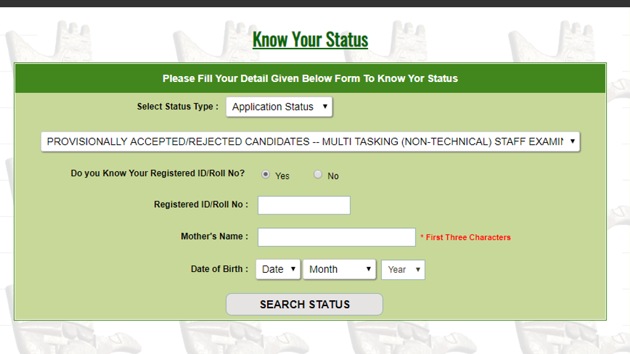
Staff Selection Commission (SSC) has activated the application status link for multi-tasking staff (MTS) recruitment 2019. Candidates can visit the official website of SSC regional website to check their application status.


Staff Selection Commission (SSC) has activated the application status link for multi-tasking staff (MTS) recruitment 2019. Candidates can visit the official website of SSC regional website to check their application status.
The registration process for SSC MTS 2019 had commenced from April 22 and concluded on May 29.
Currently, SSC has not revealed the total number of vacancies for MTS recruitment 2019. The tier 1 CBT will be conducted between August 2 and September 6. Candidates who clear the tier 1 exam will have to appear for tier 2 exam that is a descriptive paper.
How to check SSC MTS Application status:
Visit the official website of regional SSC for example www.sscnwr.org for north western region
Under the notice section, click on multi tasking non-technical staff examination 2019 link
Click on ‘Know your status’
A new page will appear
Click on select status type and from the drop down list, click on application status
Chose the exam MTS.
Click on registration number/ roll number
Key in your login credentials and submit
Your application status will appear on the screen.


