Smart monitors have evolved well beyond serving as a second screen for your laptop. Many now combine the features of a traditional monitor with the convenience of a smart TV.
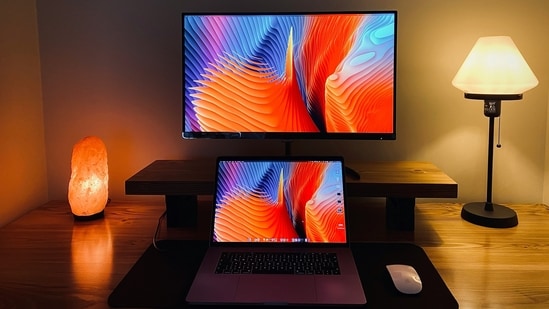
You can stream movies, browse the web, join video calls, or access cloud apps without turning on your PC. Built-in speakers, Wi-Fi, Bluetooth, screen mirroring, and platforms such as webOS or Samsung's One UI-based Smart Hub further expand what these displays can do, making them suitable for both work and entertainment.
If you are planning to buy one, Flipkart currently offers discounts across multiple categories. This roundup highlights some notable options. Whether you are looking for a compact monitor for your desk or a large 4K display for work and entertainment, the options below are worth a closer look:
Choose better. Buy smarter.
NEHA by HT Tech generates recommendations using proprietary AI analysis built on years of editorial expertise.{{#product}}{{/product}}
The LG 32SR50F-W is designed for users who want a single display for both work and entertainment. Alongside a spacious IPS panel for everyday tasks, it features webOS, built-in speakers, and Apple AirPlay 2, allowing you to stream your favourite content or mirror your devices without additional hardware.
What are buyers saying about this monitor on Flipkart?
Buyers appreciate the LG 32SR50F-W for its clean design, good display quality, and versatility. Several users bought it as a compact alternative to a bedroom TV and valued its ability to double as a desktop monitor. However, opinions on the speakers are mixed, with many describing the audio as average. Some users also report occasional lag when navigating webOS and notice delays during wireless screen casting, making a wired connection the more reliable option.
Why should you consider buying this monitor?
The LG 32SR50F-W is an excellent choice if you want a display that functions as both a monitor and a smart TV. With built-in webOS, wireless casting, streaming apps, and stereo speakers, it eliminates the need for external devices, making it ideal for home offices, study rooms, and entertainment setups.z
{{#product}}{{/product}}
Our Principles
Full Transparency
Every product review clearly lists the Pros and Cons, giving you a balanced view.
Brand Confidence
We focus on products from brands with a proven reputation and long-standing market trust.
The Samsung M5 is designed for users who want a compact display without sacrificing smart features. Its 27-inch Full HD IPS panel delivers sharp visuals and accurate colours for everyday work, while Adaptive Sound automatically adjusts the audio to match what you're watching. Samsung TV Plus offers free live TV channels, and built-in Wi-Fi, Bluetooth, and screen mirroring make it easy to switch between your laptop, smartphone, and streaming apps without extra hardware.
What are buyers saying about this monitor on Flipkart?
Buyers appreciate the Samsung M5 for its comfortable viewing experience, noting that the 27-inch display provides ample screen space for productivity and multitasking. Many also find the built-in smart features useful for everyday streaming and casual use. However, some users have reported occasional sluggishness when navigating the interface or switching between menus and apps.
Why should you consider buying this monitor?
The Samsung M5 is worth considering if you want a single display for work and entertainment. It features a sharp IPS panel, built-in speakers, Smart TV apps, Samsung TV Plus, and wireless casting, enabling you to stream content, mirror your devices, or work without additional accessories.
{{#product}}{{/product}}
The Samsung M5 is a versatile display that transitions seamlessly from work to entertainment. Its 32-inch VA panel delivers deeper contrast for movies and videos, while Samsung's Tizen OS provides access to streaming apps, free live TV channels, and wireless connectivity, reducing your reliance on a PC or external streaming device.
What are buyers saying about this monitor on Flipkart?
Buyers praise the Samsung M5 for its sharp picture quality, useful smart features, and enjoyable viewing experience for both work and entertainment. However, some users note that the Tizen interface can occasionally feel sluggish when navigating menus or switching between apps. A few buyers have also reported display quality issues.
Why should you consider buying this monitor?
The Samsung M5 is worth considering if you want a single display for work, streaming, and casual entertainment. Its high-contrast VA panel enhances movies and TV shows, while Tizen OS, Samsung TV Plus, and wireless connectivity eliminate the need for separate streaming devices, resulting in a cleaner, more versatile desk setup.
{{#product}}{{/product}}
The LG 25SR50F-W is a practical choice for compact workspaces and bedrooms. Its Full HD IPS panel delivers vibrant colours and wide viewing angles, while the built-in stereo speakers eliminate the need for external speakers during casual entertainment. Paired with webOS and AirPlay 2, it offers a complete smart monitor experience without a PC.
Why should you consider buying this monitor?
The LG 25SR50F-W is worth considering if you want a space-saving monitor that doubles as a smart entertainment hub. It pairs a colour-accurate IPS panel with webOS, wireless casting, and built-in speakers, making it well-suited for students, home offices, and compact rooms where a separate TV may not be needed.
{{#product}}{{/product}}
The LG 32SR75U-W is designed for users who want premium picture quality without compromising smart functionality. Its 32-inch 4K VA display delivers sharper visuals and deeper contrast, while HDR10 enhances supported content. Built-in speakers, webOS, and USB Type-C connectivity further enhance its capabilities as an all-in-one display for work and entertainment.
Why should you consider buying this monitor?
The LG 32SR75U-W is a strong choice for professionals and content consumers seeking a single display for work and entertainment. Its 4K resolution, USB Type-C with 65W charging, ergonomic stand, and webOS-powered smart features eliminate the need for multiple devices, keeping your workspace clean and productive.
{{#product}}{{/product}}
The Samsung M7 blurs the line between a smart monitor and a 4K television. Its expansive 43-inch display delivers an immersive viewing experience for movies, multitasking, and creative work, while the built-in speakers provide room-filling sound. Samsung's Vision AI and smart TV platform further personalise content and eliminate the need for a separate streaming device.
Why should you consider buying this monitor?
The Samsung M7 is an excellent choice if you want a monitor that can comfortably replace both a traditional display and a smart TV. Its expansive 4K screen, built-in speakers, Vision AI features, USB-C connectivity, and comprehensive smart platform make it well suited to professionals, students, and home entertainment setups.
How Do These Monitors Stack Up?
Product | Display | Resolution | Refresh Rate | Response Time | Ports | Software / Smart Features |
|---|---|---|---|---|---|---|
| LG 32SR50F-W | 32-inch IPS | Full HD (1920 × 1080) | 60Hz | 5ms | 2 × HDMI, 2 × USB-A | webOS 23, ThinQ Home Dashboard, AirPlay 2, Apple HomeKit, Screen Share, Bluetooth, Magic Remote support |
| Samsung M5 27 (LS27FM501EWXXL) | 27-inch IPS | Full HD (1920 × 1080) | 60Hz | 5ms | 2 × HDMI 1.4, 2 × USB-A | Tizen OS, Samsung TV Plus, Smart TV Apps, SmartThings, Multi View, Workspace, Adaptive Sound, Screen Mirroring, Wi-Fi, Bluetooth |
| Samsung M5 32 (LS32FM501EWXXL) | 32-inch VA | Full HD (1920 × 1080) | 60Hz | 4ms | 2 × HDMI 1.4, 2 × USB-A | Tizen OS, Samsung TV Plus, Smart TV Apps, SmartThings, Multi View, Workspace, Adaptive Picture, Adaptive Sound, AirPlay, Screen Mirroring, Wi-Fi, Bluetooth |
| LG 25SR50F-W | 24.5-inch IPS | Full HD (1920 × 1080) | 60Hz | 5ms | 2 × HDMI, 2 × USB-A, 3.5mm Audio Out | webOS 23, ThinQ Home Dashboard, ThinQ App, AirPlay 2, Screen Share, Bluetooth, Magic Remote support |
| LG 32SR75U-W | 31.5-inch VA | 4K UHD (3840 × 2160) | 60Hz | 5ms | USB Type-C (65W PD), 2 × HDMI, 2 × USB-A | webOS 23, ThinQ Home Dashboard, AirPlay 2, Screen Share, Bluetooth, Magic Remote support |
| Samsung M7 43 (LS43FM701UWXXL) | 43-inch VA | 4K UHD (3840 × 2160) | 60Hz | 4ms | USB Type-C, 2 × HDMI 2.0, USB-A | Tizen OS with Vision AI, Samsung TV Plus, Smart TV Apps, Gaming Hub, SmartThings, Multi View, AirPlay, Wireless Display, Wi-Fi, Bluetooth |
Also Read:
Your refrigerator runs 24/7. If it's old, it could be costing you more than you think
- What is a smart monitor, and how is it different from a regular monitor?
A smart monitor comes with a built-in operating system, allowing you to stream content, browse the web, or use productivity apps without connecting a PC. Unlike a regular monitor, it also offers Wi-Fi, Bluetooth, screen mirroring, and built-in speakers.
- Can I use a smart monitor as a TV?
Yes. Most smart monitors from LG and Samsung support popular streaming apps, wireless connectivity, and built-in speakers, making them suitable for watching movies, TV shows, and live content without requiring a separate streaming device.
- Which smart monitor size is right for you?
Your ideal monitor size depends on how you plan to use it. A 25-inch or 27-inch model is well-suited for compact desks and everyday productivity. A 32-inch monitor offers more room for multitasking and media consumption, while a 43-inch 4K smart monitor is best for users who want an immersive, TV-like experience for both work and entertainment.
- Is a 4K smart monitor worth buying over a Full HD model?
A 4K smart monitor offers sharper visuals, more workspace, and better clarity for content creation, media consumption, and multitasking. However, a Full HD model remains a cost-effective option for everyday office work, online classes, and casual streaming.
Disclaimer: At Hindustan Times, we help you stay up-to-date with the latest trends and products. Hindustan Times has an affiliate partnership, so we may get a part of the revenue when you make a purchase. We shall not be liable for any claim under applicable laws, including but not limited to the Consumer Protection Act, 2019, with respect to the products. The products listed in this article are in no particular order of priority.