
 E-Paper



These HP LaserJet printers are optimal for quick printing at home and office
Explore HP LaserJet printers designed for quick, reliable printing at home and office, offering sharp text output, fast speeds and dependable performance for everyday document needs.


Our Picks
FAQs
Our Picks
| Product | Rating | Price |
|---|---|---|
HP Laser MFP 1188w, Wireless, Print, Copy, Scan, Ethernet, Hi-Speed USB 2.0, Up to 21 ppm, 150-sheet Input Tray, 100-sheet Output Tray, 10,000-page Duty Cycle, 1-Year Warranty, Black and WhiteView Details  | ₹17,499 | |
 | ||
HP Laserjet Tank MFP 2606sdw, Wireless, Print, Copy, Scan, 40-Sheet ADF, Hi-Speed USB 2.0, Ethernet, Bluetooth LE, Up to 22 ppm, 250-sheet Input Tray, 1-Year Warranty, Black and White, 381U2AView Details | ₹20,990 | |
| ||
Unlock Personalized ₹2,917x 6 months₹17,499  100% Secure 100% Secure Flexible EMI Tenure Flexible EMI Tenure | ||
HP Laser 1008a Printer, Single Function, Print, Hi-Speed USB 2.0, Up to 21 ppm, 150-sheet Input Tray, 100-sheet Output Tray, 10,000-page Duty Cycle, 1-Year Warranty, Black and White, 714Z8AView Details | ₹11,299 | |
| ||
HP LaserJet Pro P1108 Plus Single Function Monochrome Laser PrinterView Details | ₹13,999 | |
| ||
HP Laserjet Pro Mfp M329Dw Wireless Monochrome Laser Printers(W1A24A),WhiteView Details | ₹29,688 | |
| ||

Research-Backed Choices
Every product we recommend is chosen through a combination of Primary Research and Secondary Research.
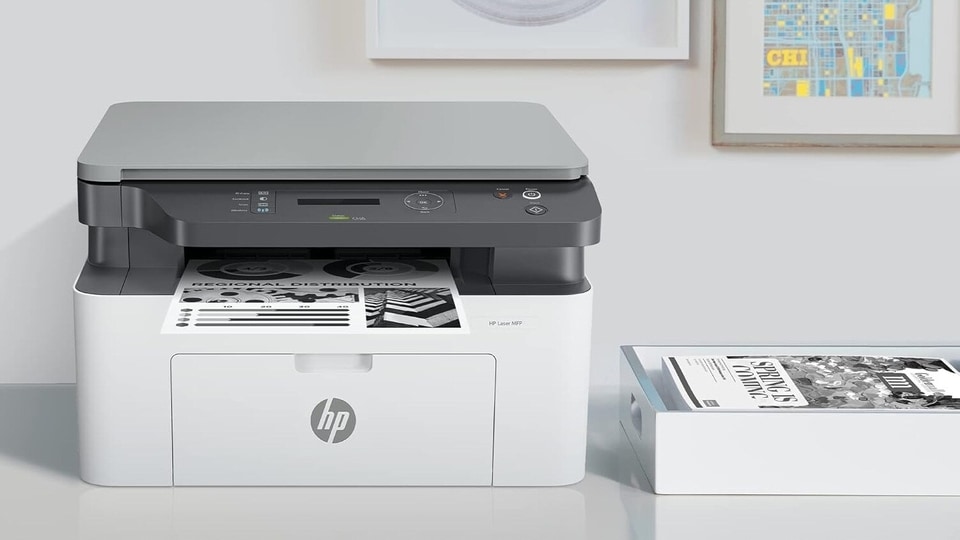

Fast, dependable printing still matters at home and in office settings, especially when documents need to be ready without delay. HP LaserJet printers have built a reputation around speed, consistency and low fuss operation. Text prints come out sharp, pages move quickly and maintenance stays predictable, which explains their continued popularity.
These printers suit workdays filled with reports, invoices and forms where waiting around feels frustrating. Choosing the right LaserJet model can quietly improve daily efficiency, cutting down interruptions and keeping workflows smooth across shared or personal workspaces.
1. HP Laser MFP 1188w, Wireless, Print, Copy, Scan, Ethernet, Hi-Speed USB 2.0, Up to 21 ppm, 150-sheet Input Tray, 100-sheet Output Tray, 10,000-page Duty Cycle, 1-Year Warranty, Black and White
HP Laser MFP 1188w suits homes and small offices that need fast monochrome printing with scanning and copying in one compact unit. Wireless printing keeps cables off desks, while consistent text quality supports daily paperwork. Print speeds feel adequate for regular workloads, though paper capacity remains modest. This printer works best for users who value simplicity, steady output and basic multifunction features without chasing advanced automation.
Specifications
Reasons to buy

Reliable monochrome print quality
Wireless connectivity included
Compact multifunction design
Reason to avoid

No automatic duplex
Modest paper capacity
Basic control interface
2. HP Laserjet Tank MFP 2606sdw, Wireless, Print, Copy, Scan, 40-Sheet ADF, Hi-Speed USB 2.0, Ethernet, Bluetooth LE, Up to 22 ppm, 250-sheet Input Tray, 1-Year Warranty, Black and White, 381U2A

Our Principles
Full Transparency
Every product review clearly lists the Pros and Cons, giving you a balanced view.
Brand Confidence
We focus on products from brands with a proven reputation and long-standing market trust.
LaserJet Tank MFP 2606sdw stands out for high volume efficiency. The refillable toner system lowers long term running costs, while automatic duplex and ADF streamline office workflows. Wireless and Bluetooth support add flexibility across devices. Print speeds remain strong for busy environments. This model suits offices that print frequently and want predictable costs with minimal cartridge dependency.
Specifications
Reasons to buy
Low running cost toner system
Automatic duplex printing
Built-in ADF
Reason to avoid
Larger footprint
Higher upfront price
Monochrome only
3. HP Laser 1008a Printer, Single Function, Print, Hi-Speed USB 2.0, Up to 21 ppm, 150-sheet Input Tray, 100-sheet Output Tray, 10,000-page Duty Cycle, 1-Year Warranty, Black and White, 714Z8A
HP Laser 1008a keeps things refreshingly simple. This single function printer focuses purely on fast, sharp document printing. USB connectivity ensures stable performance, while compact dimensions suit tight desks. It lacks wireless features, though reliability stays consistent. This printer fits users who print occasionally, prefer plug and play operation and want dependable output without multifunction extras.
Specifications
Reasons to buy
Sharp text printing
Compact and lightweight
Simple operation
Reason to avoid
No wireless printing
Single function only
Manual duplex
4. HP LaserJet Pro P1108 Plus Single Function Monochrome Laser Printer
LaserJet Pro P1108 Plus remains a popular choice for basic home and office needs. It delivers clean monochrome prints with minimal maintenance and predictable performance. Setup stays straightforward and running costs remain manageable. Lack of wireless support limits flexibility, though reliability compensates. This printer suits users who prioritise consistency, speed and no-nonsense printing over modern connectivity features.
Specifications
Reasons to buy
Reliable print quality
Compact design
Easy setup
Reason to avoid
No WiFi support
Single function
Manual duplex
5. HP Laserjet Pro Mfp M329Dw Wireless Monochrome Laser Printers(W1A24A),White
LaserJet Pro MFP M329dw feels built for productivity driven offices. Automatic duplex, wireless printing and fast output make daily document handling smoother. The control panel remains intuitive, and print quality stays consistently sharp. It handles moderate office volumes comfortably. This model suits professionals who need speed, scanning and duplex features in one dependable monochrome printer.
Specifications
Reasons to buy
Fast printing performance
Automatic duplex support
Wireless connectivity
Reason to avoid
Higher cost than basic models
Monochrome only
Larger desk footprint
1. Should you choose a multifunction LaserJet or print-only model
Multifunction printers suit scanning and copying needs. Print-only models cost less, take less space and work well for users who only need fast document printing daily.
2. Is wireless printing essential for your setup
Wireless printing adds flexibility for multiple devices and shared spaces. USB-only printers feel more stable and simpler for single desk or fixed workstation usage.
3. Does automatic duplex printing really matter
Automatic duplex saves paper and time during frequent printing. Occasional users may manage manual duplex, though regular office work benefits greatly from automation.
4. How important is running cost versus upfront price
Lower upfront cost suits light users. High volume users save more long term with efficient toner systems and higher duty cycles despite higher initial investment.
Top 3 features of the best LaserJet printer
Printer | Functions | Duplex | Connectivity |
|---|---|---|---|
| HP Laser MFP 1188w | Print, Scan, Copy | No | WiFi, USB, Ethernet |
| HP LaserJet Tank MFP 2606sdw | Print, Scan, Copy | Yes | WiFi, USB, Ethernet, Bluetooth |
| HP Laser 1008a | Print only | Manual | USB |
| HP LaserJet Pro P1108 Plus | Print only | Manual | USB |
| HP LaserJet Pro MFP M329dw | Print, Scan, Copy | Yes | WiFi, USB |
Top ink tank printers in India for fast printing and cost efficient performance for all users
5 best printers for home in 2025 for easy printing, scanning and reliability
Best HP printers of 2025: Top laser, inkjet and all-in-one picks for every need
Disclaimer: At Hindustan Times, we help you stay up-to-date with the latest trends and products. Hindustan Times has an affiliate partnership, so we may get a part of the revenue when you make a purchase. We shall not be liable for any claim under applicable laws, including but not limited to the Consumer Protection Act, 2019, with respect to the products. The products listed in this article are in no particular order of priority.



