E-Paper



Top ink tank printers in India for fast printing and cost efficient performance for all users
Ink tank printers are becoming a top choice for homes and offices due to their low running cost, clean refills and dependable print quality. Here are top picks.

 Prefer HTon Google


Our Picks
Best ink tank printer
Best value for money
High print speed
FAQs
Our Picks
| Product | Rating | Price |
|---|---|---|
Best ink tank printer Canon PIXMA MegaTank G3000 All in One WiFi Inktank Colour Printer with 2 Additional Black Ink Bottles for Home and OfficeView Details | ₹12,999 | |
 | ||
Best value for money Brother Ink Tank DCP-T535DW New Launch (Print Scan Copy) WiFi Auto Duplex Printer, 128MB Memory, Print Pages Upto 15K in Black & 5K in Color Each (CMY) Get an Extra Black Ink Bottle, Free InstallationView Details | ₹16,499 | |
| ||
HP Smart Tank 589 All-in-One WiFi Colour Printer – 30 Ppm Speed, High Capacity Ink Tank, Wireless, Ideal for Home & Office Printing, MagentaView Details | ₹12,999 | |
| ||
Epson Colour Ecotank L3210 A4 All-in-One Ink Tank Printer, BlackView Details | ₹10,799 | |
| ||
Brother Ink Tank DCP-T226 All in One (Print Scan Copy) Color Printer Best for Home, 64 MB, 150 Sheet Paper Tray, USB, Print Up to 7.5 K Pages in Black and 5 K in Color Each for (CMY),Free InstallationView Details | ₹11,799 | |
| ||

Research-Backed Choices
Every product we recommend is chosen through a combination of Primary Research and Secondary Research.
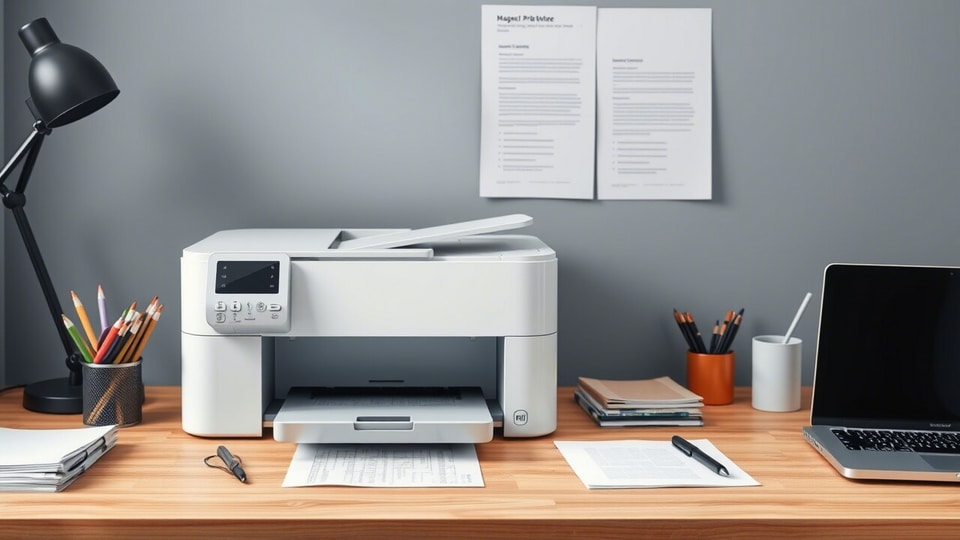

Ink tank printers have quickly become the preferred choice for homes, students and small offices because they offer consistent print quality at a very low cost per page. Instead of using small cartridges that finish quickly, these printers come with large refillable tanks that hold enough ink for thousands of prints.
Apart from low printing expenses, ink tank printers are also known for their smooth operation and long lasting parts. You do not have to deal with constant cartridge replacements, spills or recurring error messages. Most models also support wireless printing, allowing you to print documents, photos and projects directly from your phone or laptop.
If you are planning to buy a printer that offers convenience, consistent results and long term value, ink tank printers are a sensible pick.
BEST INK TANK PRINTER
1. Canon PIXMA MegaTank G3000 All in One WiFi Inktank Colour Printer with 2 Additional Black Ink Bottles for Home and Office
The Canon PIXMA G3000 is a reliable all in one ink tank printer designed for students who print assignments, notes and coloured projects frequently. It offers print, scan and copy functions along with WiFi support, making it perfect for shared use at home or in hostels.
With high page yields of up to 6000 black and 7000 colour prints, it keeps printing costs extremely low. Its compact body, smooth mobile printing and borderless photo output make it ideal for school and college students.
Specifications
Reasons to buy

Very low printing cost due to high ink yield
Stable wireless printing for phones and laptops
Reason to avoid

No automatic duplex printing
Print speed is moderate compared to newer models
What are buyers saying on Amazon?
Buyers share mixed experiences. Many praise its sharp print quality, long-lasting ink, and ability to handle both photos and documents with ease. One user said they printed over 2,000 pages and still had 50% ink left. However, another buyer criticised its unreliable wireless connectivity and frequent malfunctions.
Why choose this product?
Choose this printer if you want dependable performance, extremely low running costs and the ease of mobile printing. It suits students who need regular colour and text prints without frequent refills or maintenance hassles.
BEST VALUE FOR MONEY
2. Brother Ink Tank DCP-T535DW New Launch (Print Scan Copy) WiFi Auto Duplex Printer, 128MB Memory, Print Pages Upto 15K in Black & 5K in Color Each (CMY) Get an Extra Black Ink Bottle, Free Installation

Our Principles
Full Transparency
Every product review clearly lists the Pros and Cons, giving you a balanced view.
Brand Confidence
We focus on products from brands with a proven reputation and long-standing market trust.
The Brother DCP-T535DW is a fast, feature rich ink tank printer designed for students who handle frequent assignments, project submissions and bulk printing. Its standout features include auto duplex printing, a flatbed scanner, dual band WiFi and high yield ink bottles that print up to 15,000 black and 5,000 colour pages.
With spill-free refill technology, fast speeds of 27 ppm (mono) and 11 ppm (colour), and mobile app support, it is ideal for college students, design students and distance learners who print regularly.
Specifications
Reasons to buy
Auto duplex printing saves paper and time
High page yield suitable for heavy student usage
Reason to avoid
Slightly higher price than basic ink tank models
No automatic document feeder for batch scanning
What are buyers saying on Amazon?
Buyers say the printer is easy to set up, connects smoothly to laptops and mobiles, and delivers clean, fast prints after the first page. Many praise its compact size, clear menu, and helpful customer support, though a few mention average photo quality and modest build.
Why choose this product?
Choose this printer if you want fast speeds, auto duplex printing and very high ink yield for long term savings. It is perfect for students who print in bulk and want reliable wireless use without frequent refills.
3. HP Smart Tank 589 All-in-One WiFi Colour Printer – 30 Ppm Speed, High Capacity Ink Tank, Wireless, Ideal for Home & Office Printing, Magenta
The HP Smart Tank 589 is a fast, dependable all-in-one printer built for students who print regularly and need sharp text along with clean colour output. With print speeds of 30 ppm (black) and 24 ppm (colour), it easily handles assignments, study notes and project charts.
The guided buttons, ink sensors and a clear 1.2 inch display make it simple for beginners. With WiFi, USB connectivity, a 100-sheet tray and high capacity ink bottles, it suits school students, engineering students and WFH learners.
Specifications
Reasons to buy
Very fast print speeds for both colour and mono
Easy-to-use guided buttons and low ink sensors
Reason to avoid
No auto duplex printing
Output tray capacity is limited to 30 sheets
What are buyers saying on Amazon?
Buyers say the printer delivers excellent print quality, is budget-friendly, and easy to set up. Some mention initial problems with the HP Smart app and Wi-Fi setup, while others note slower colour prints and manual duplexing, but overall they find it reliable and value for money.
Why choose this product?
Choose this printer if you want fast, consistent prints for daily study work along with easy controls and smart ink monitoring. It is ideal for students who want smooth wireless printing in a simple, beginner-friendly design.
4. Epson Colour Ecotank L3210 A4 All-in-One Ink Tank Printer, Black
The Epson EcoTank L3210 is a compact and economical all-in-one printer built for students who need regular colour prints, worksheets and project work. Its heat-free technology delivers fast output while using very little power, making it suitable for home setups.
With a high print resolution of 5760 × 1440 dpi, it produces sharp text and bright colours. Spill-free refilling, low running cost and page yields of up to 4,500 black and 7,500 colour pages make it a dependable daily printer for students.
Specifications
Reasons to buy
Very low running cost with high page yield
Heat-free technology uses less power and reduces maintenance
Reason to avoid
No WiFi connectivity
No auto duplex printing
What are buyers saying on Amazon?
Buyers share mixed experiences: while some praise the printer for being user-friendly, efficient and value for money for both colour and B/W prints, others report frequent power connection issues and multiple service complaints, saying they struggled to use it even with an extended warranty.
Why choose this product?
Choose this if you want an affordable, low-maintenance printer for regular school or college prints. It gives sharp colour output, spill-free refilling and long-lasting ink bottles, making it ideal for light to moderate home use.
The Brother DCP-T226 is a reliable ink tank printer built for home users who need regular black-and-white and colour prints. It offers fast printing speeds of up to 16 ppm (mono) and 9 ppm (colour), making it ideal for school projects and home documents. The transparent front-access refill tank reduces spillage and makes refilling easy.
With page yields of 7,500 pages in black and 5,000 pages in colour, it keeps printing costs extremely low, making it a budget-friendly and long-lasting option.
Specifications
Reasons to buy
Very economical running cost with high page yield
Easy front-refill system helps avoid ink spills
Reason to avoid
No WiFi connectivity
No automatic duplex printing
What are buyers saying on Amazon?
Buyers say the printer works well with smooth print, scan and copy functions, easy installation and better performance than some Epson models. While a few faced minor setup issues, most find it reliable over months of use. One buyer, however, complained about careless delivery.
Why choose this product?
Choose this if you need an affordable, dependable home printer with excellent print yield. It’s easy to maintain, offers sharp text quality, and handles daily print, scan and copy needs without increasing your monthly printing cost.
HIGH PRINT SPEED
6. Epson EcoTank L3252 Wi-Fi All-in-One Ink Tank Printer (Black)
The Epson EcoTank L3252 is a smart, Wi-Fi-enabled ink tank printer designed for homes and small offices that need frequent colour and text printing. Its Heat-Free Technology helps reduce electricity use while delivering sharp text and vibrant photos. With spill-free integrated tanks and app-based controls, it offers a smooth user experience.
Its high page yield of 4,500 pages in black and 7,500 in colour keeps printing costs low, making it ideal for regular daily documents, school work and photo prints.
Specifications
Reasons to buy
Wireless printing with app support
Low power use due to Heat-Free Technology
Reason to avoid
No automatic duplex printing
Slower colour print speed compared to mono
What are buyers saying on Amazon?
Buyers say the printer delivers sharp document and photo prints, easy Wi-Fi setup and smooth mobile printing. Many appreciate its lightweight design and reliable home performance. Some mention the Wi-Fi range, paper feeder and app setup could be better, but overall satisfaction remains high.
Why choose this product?
Pick this if you want a Wi-Fi printer that works smoothly with phones and laptops. It is affordable to run, prints sharp text and bright colours and uses less electricity, making it practical for home and small office use.
7. Canon PIXMA MegaTank G4780 All-in-one Inktank Colour Printer with Duplex and ADF with 2 Years Standard Warranty
The Canon PIXMA G4780 is a premium ink tank printer designed for home offices that need advanced features like auto-duplex printing and a 20-sheet ADF. It delivers crisp documents and colourful prints with low running costs. With Wi-Fi, USB and Direct Wireless printing, it easily connects to laptops and mobiles.
Its 2.7-inch LCD screen simplifies navigation, while the 100-sheet tray and high-capacity ink bottles support heavy monthly workloads. Ideal for those who want automation, convenience and high efficiency.
Specifications
Reasons to buy
Includes auto-duplex and ADF for smooth workflows
2-year warranty with print head coverage
Reason to avoid
Slower colour print speed
Slightly higher upfront cost
What are buyers saying on Amazon?
Buyers praise the printer’s colour display, easy LCD-guided setup, auto-duplex printing and strong print quality. Many say it offers better value than other brands. However, a few users reported noise, slow colour prints and unstable mobile connectivity, calling the overall experience mixed.
Why should you choose this?
Choose this printer if you need an all-rounder with ADF and duplex printing for home office tasks. It cuts manual effort, runs economically and offers smooth wireless printing, making it ideal for everyday and heavy workloads.
The Brother DCP-T436W is a Wi-Fi-enabled ink tank printer designed for homes and small offices that need fast monochrome printing and reliable colour output. With speeds of up to 27 ppm for black and 11 ppm for colour, it handles routine documents smoothly.
It supports borderless printing, mobile printing through Brother Mobile Connect and offers a 150-sheet tray that fits varied paper sizes. The refillable tank system keeps ink costs low, making it ideal for everyday school, home and office tasks.
Specifications
Reasons to buy
Fast monochrome printing suitable for daily workloads
Borderless printing for photos and creative projects
Reason to avoid
No auto-duplex printing
Slower colour print speed compared to mono
What are buyers saying on Amazon?
Buyers share mixed experiences. Some praise the printer for being maintenance-free, offering good print quality, speed and strong value as an entry-level Wi-Fi model. However, others complain about poor connectivity, unreadable print quality and difficulty getting replacements, calling it a frustrating purchase.
Why should you choose this?
Choose this printer if you need quick black-and-white prints, easy mobile connectivity and low-cost refills. It is reliable for home use, supports many paper sizes and is great for school projects and office documents.
Are ink tank printers good for home use?
Yes, they are a strong choice for home use because they offer low printing costs, clean refills and reliable performance for daily tasks. Families who print school projects, recipes, assignments or documents find them very convenient. The large ink tanks last for months, so you do not need frequent refills. They also print quietly and support mobile printing, making them suitable for compact home setups.
Do ink tank printers print good quality photos?
Most ink tank printers produce sharp documents and vibrant photos. They use pigment or dye based inks that capture fine details well. While they may not match premium photo printers, the output is impressive for everyday albums, school projects and social media prints. Using good quality photo paper improves the final result. For mid range home photo printing, the quality is more than satisfactory.
Is an ink tank printer expensive to maintain?
Ink tank printers are actually known for low maintenance. The bottles are affordable and one refill lasts for thousands of pages. There are fewer parts to replace and clogs are rare if the printer is used regularly. Cleaning cycles are simple and can be done with one tap. Compared to cartridge based printers, the long term running cost is far lower, making them budget friendly for frequent printing.
Factors to consider before buying ink tank printers
1. Print Volume: Check how many pages you print each month. Ink tank printers are ideal for moderate to high usage, offering low cost per page and long lasting ink capacity.
2. Print Quality: Look for printers with good resolution for sharp text and clear images. If you print photos, choose a model with strong colour accuracy and smooth gradients.
3. Connectivity Options: Ensure the printer supports Wi Fi, mobile printing and USB. Wireless connectivity allows easy printing from laptops, phones and tablets without dealing with cables.
4. Maintenance Needs: Choose a printer with easy cleaning cycles, accessible printheads and reliable ink flow. Regular use keeps the printer in good shape and prevents clogging issues.
5. Cost of Ink: Compare ink bottle prices and page yield. Ink tank models save money long term, but checking refill cost and availability ensures consistent and affordable printing.
Top 3 features of the best ink tank printers
| Best Ink Tank Printer | Print Speed Mono | Print Speed Colour | Input Capacity |
|---|---|---|---|
| Epson EcoTank L3250 | 33 ppm | 15 ppm | 100 sheets |
| Canon Pixma G3020 | 9.1 ipm | 5 ipm | 100 sheets |
| HP Smart Tank 589 | 12 ppm | 7 ppm | 150 sheets |
| Brother DCP-T426W | 28 ppm | 11 ppm | 150 sheets |
| Epson EcoTank L3210 | 33 ppm | 15 ppm | 100 sheets |
| Canon Pixma G2020 | 9.1 ipm | 5 ipm | 100 sheets |
| HP Smart Tank 529 | 12 ppm | 5 ppm | 100 sheets |
| Brother DCP-T220 | 28 ppm | 11 ppm | 150 sheets |
Similar stories for you
Best portable printers for last-minute printing: Top picks for students and businesses
Disclaimer: At Hindustan Times, we help you stay up-to-date with the latest trends and products. Hindustan Times has an affiliate partnership, so we may get a part of the revenue when you make a purchase. We shall not be liable for any claim under applicable laws, including but not limited to the Consumer Protection Act, 2019, with respect to the products. The products listed in this article are in no particular order of priority.