
 E-Paper



Xbox Cloud Gaming now available on select Amazon Fire TV sticks: How to set it up
Xbox Cloud Gaming is now available on select Fire TV devices in India. Here’s how you can set it up and start playing your favourite games.

 Prefer HTon Google


You may be interested in

80% OFF

marman® Compatible Voice Remote Control L5B83H for Amazon 1st & 2nd Generation Cube, 2nd Gen, 4K and Amazon Stick TV Pendant Design (3rd GEN)
 marman® Compatible Voice Remote Control L5B83H for Amazon 1st & 2nd Generation Cube
- 2nd Gen
- 4K and Amazon Stick TV Pendant Design (3rd GEN)

₹299
₹1,499Check Details
7% OFF

Amazon Fire TV Stick 4K Plus (newest model), Alexa Voice Search, Cinematic 4K streaming with HDR10+, Wi-Fi 6, Dolby Vision/Atmos
- Amazon Fire TV Stick 4K Plus (newest model)
- Alexa Voice Search
- Cinematic 4K streaming with HDR10+
₹6,499
₹6,999Check Details


Amazon has started rolling out Xbox Cloud Gaming support on select Fire TV devices in India. The move follows Microsoft’s recent launch of Xbox Cloud Gaming in the country on November 11, which lets players stream a broad lineup of games without a console.
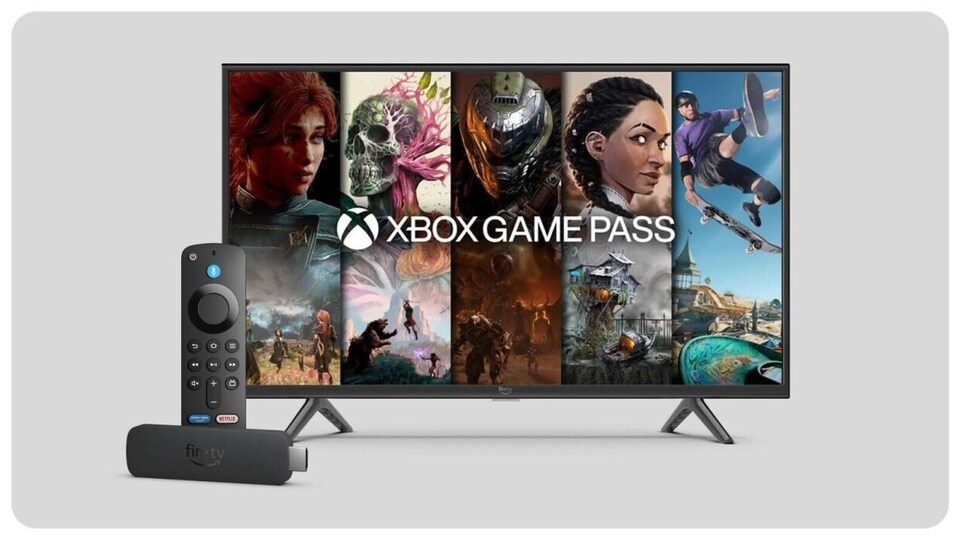

The rollout gives Xbox Game Pass subscribers another way to access cloud-enabled titles through the Xbox app on supported Fire TV devices. Users can stream games available under Game Pass Essential, Premium, or Ultimate, based on their plan and region.
The service works on the Fire TV Stick 4K (2nd Generation), Fire TV Stick 4K Plus, and the Fire TV Cube (3rd Generation). These devices start at Rs. 6,499 and function as media players that can now support cloud gaming through the dedicated app.
Also read: Red Dead Redemption coming to mobile phones, to Netflix and next-gen consoles on this date…
How to Set Up Xbox Cloud Gaming on Fire TV
Step 1: Download the Xbox app from the Amazon Appstore on a supported Fire TV device.
Step 2: Open the app and sign in with a Microsoft account. Users with an active Game Pass subscription can directly begin streaming supported titles from the cloud.
Step 3: Pair a Bluetooth controller with the Fire TV device. The controller must be purchased separately. Once paired, users can start streaming games from the Game Pass library.
Also read: OnePlus 15R teased to launch soon in India: Here’s what’s coming next month
With this setup, players can access several cloud-supported titles, including new releases and India-focused games such as Raji: An Ancient Epic. The app streams games from Microsoft’s servers, removing the need for a gaming console.
How Cloud Gaming Works
Xbox Cloud Gaming streams games from remote servers, which allows users to play without downloading files or owning an Xbox console. A Game Pass subscription or a supported free-to-play title is required to access the service through the cloud.
Also read: OnePlus 15 vs iPhone 17: The key differences buyers should know before upgrading
Users must maintain a stable high-speed internet connection to stream games smoothly. Microsoft recommends a minimum download speed of 10 Mbps for consistent performance. The service supports only single-player access per account and does not offer local multiplayer options.
For just Rs. 499 per month, subscribers get access to a catalogue of cloud-compatible games that work across phones, tablets, PCs, and select Fire TV devices.


