
 E-Paper



Your old Apple Watch can now alert you about hypertension: Here’s how to set it up
Apple Watch users can now get alerts for potential high blood pressure. watchOS 26 adds hypertension notifications on select models for early monitoring.

 Prefer HTon Google


You may be interested in

50% OFF

VEMIGON Compatible with Apple Watch Straps 38mm 40mm 41mm 42mm 44mm 45mm 46mm 49mm, Solo Loop Nylon Braided Sport Band for iWatch Series 11 10 9 8 7 6 SE2 SE 5 4 3 2 1 Ultra (Watch is Not Included)
 VEMIGON Compatible with Apple Watch Straps 38mm 40mm 41mm 42mm 44mm 45mm 46mm 49mm
- Solo Loop Nylon Braided Sport Band for iWatch Series 11 10 9 8 7 6 SE2 SE 5 4 3 2 1 Ultra (Watch is Not Included)

₹450
₹897Check Details
50% OFF

3 Pack Sport Bands Compatible with Apple Watch Band 44mm 45mm 46mm 42mm 41mm 40mm 38mm 49mm for Men Women, Soft Silicone Breathable Wristband for iWatch Series 11 10 9 8 7 6 5 4 3 2 1 SE3 SE Ultra 3 2
- 3 Pack Sport Bands Compatible with Apple Watch Band 44mm 45mm 46mm 42mm 41mm 40mm 38mm 49mm for Men Women
- Soft Silicone Breathable Wristband for iWatch Series 11 10 9 8 7 6 5 4 3 2 1 SE3 SE Ultra 3 2
₹499
₹999Check Details
35% OFF

Nylon Loop Sport Band Compatible with Apple Watch Series 11/10/9/8/7/6/5/4/3/2/1 SE Ultra, 38mm 40mm 41mm 42mm 44mm 45mm 46mm 49mm, Soft Adjustable Fabric Velcro Replacement Strap
- Nylon Loop Sport Band Compatible with Apple Watch Series 11/10/9/8/7/6/5/4/3/2/1 SE Ultra
- 38mm 40mm 41mm 42mm 44mm 45mm 46mm 49mm
- Soft Adjustable Fabric Velcro Replacement Strap
₹649
₹999Check Details
Apple has expanded its hypertension notification feature in watchOS 26, making it available on select older Apple Watch models, not just the latest releases. Users can now receive alerts if their heart data indicates a pattern of elevated blood pressure. Let’s take a look at this guide to know compatible devices, requirements, and the setup process.
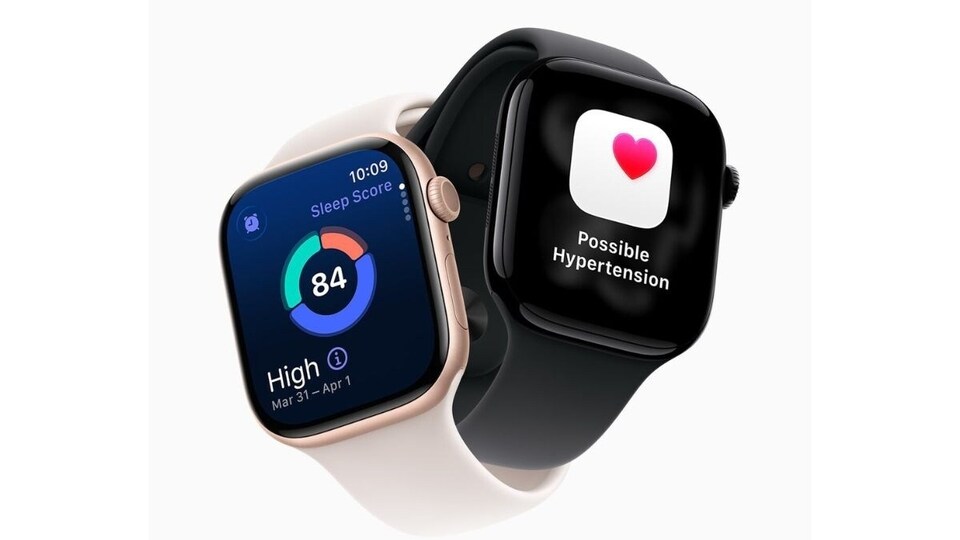

Compatible Devices and Requirements
The hypertension alert feature in watchOS 26 works on:
- Apple Watch Series 11, 10, and 9
- Apple Watch Ultra 3 and 2
You also need an iPhone 11 or later running iOS 26. Additional requirements include:
- Wrist Detection is enabled on your Apple Watch
- Age 22 or older, not pregnant, and no prior diagnosis of hypertension
Apple asks users to confirm these details during the setup process.
Also read: OnePlus 13 price hits record low on Flipkart ahead of OnePlus 15 launch: Check how to grab the deal
How to Enable Hypertension Notifications
After meeting all requirements, follow these steps to activate the feature:
- Open the Health app on your iPhone.
- Tap your profile icon in the upper corner.
- Select Health Checklist under Features.
- Tap Hypertension Notifications.
- Confirm your age and medical history, then tap Continue.
- Follow the on-screen prompts to understand how the notifications work.
- Tap Done to complete the setup.
Also read: Realme GT 8 Pro vs Realme GT 7 Pro: Design, performance, camera, and price compared
How It Works
Hypertension notifications do not start immediately. Apple Watch requires 30 days to gather initial heart data before detecting any patterns. Using the optical heart sensor, the watch evaluates your readings over this period and alerts you if it identifies signs of potential hypertension.
This feature allows Apple Watch users to monitor blood pressure trends and receive timely notifications based on long-term data rather than single measurements.


