
 E-Paper



Meta launches ‘Avatars’ for WhatsApp: All you need to know about the feature
Now, you can create your own digital version and use it as your profile photo.

 Prefer HTon Google


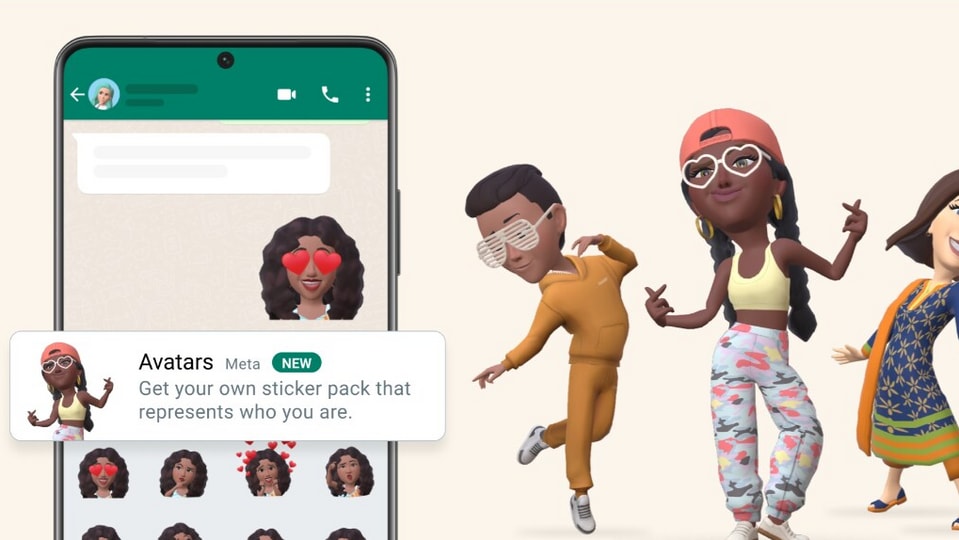
Now, you can express yourself as a ‘digital avatar’ on WhatsApp. Yes, WhatsApp's parent company Meta has officially announced ‘Avatars’ feature for the instant messaging platform.
Also Read | Soon, you can emote digitally via Avatars as your WhatsApp display pic: Report
“Say more with Avatars. More than a selfie than an emoji, it's a digital you. Bring emotion, personality, and a little more YOU to every chat with Avatars,” tweeted WhatsApp.
Meanwhile, announcing the feature on Meta's official blog, the tech giant described it as a ‘personalised way to express yourself.’
What is ‘Avatars’?
According to Meta, a user's avatar is his/her digital version, and can be created from a combination of diverse hair styles, facial features, and outfits. You can use your avatar as your profile photo, or choose from 36 custom stickers reflecting emotions and reactions.
How to create an avatar?
(1.) Open ‘Settings’ on WhatsApp and click on ‘Avatar’ at the top.
(2.) Next, tap ‘Create your Avatar’ and follow the instructions to create your digital self.
(3.) Tap ‘Done’ once completed.
(4.) Now, you can use it as your profile photo
(5.) To set as profile photo, again go to ‘Settings’ and tap your name.
(6.) Now, tap the profile photo and choose ‘Use Avatar.’
Please note that for now, the option seems to be available only for the mobile version of WhatsApp.


