
 E-Paper



How to install Android 16 QPR1 Beta 2 on your Pixel devices and experience the new Material 3 design
Want to try Android 16’s latest features early? Here's how to install the QPR1 Beta on your Google Pixel device now.


You may be interested in






Google has started rolling out the Android 16 QPR1 Beta 2 update for Pixel devices. This update follows last month’s release of the initial Android 16 beta, which introduced the Material 3 Expressive design overhaul. Although the stable version of Android 16 is not yet available, the QPR1 beta brings significant changes in the user interface and experience.
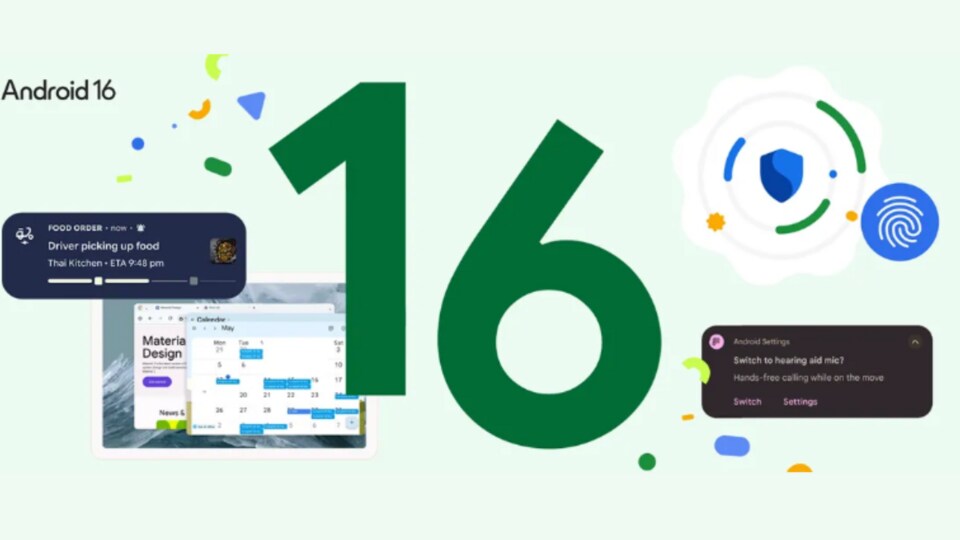

The Android 16 QPR1 update focuses mainly on design improvements. Google has worked on Material 3 Expressive, a new design language that changes the appearance of the lock screen, Quick Settings, and other system elements. These changes offer a new look and feel across the entire operating system. The current version, Beta 2, was released on June 10, and Google is expected to release additional beta versions before the final update. Here’s a step-by-step guide on how to install the Android 16 QPR1 Beta on supported Google Pixel phones.
Also read: Android 16 Beta 4 update set to release soon: Upcoming features
Android 16 QPR1 Beta Update: Compatible Pixel Devices
At present, Google supports all Pixel models powered by the Tensor chipset for the Android 16 beta. Eligible devices include:
- Pixel 6, 6 Pro, and 6a
- Pixel 7, 7 Pro, and 7a
- Pixel Tablet
- Pixel Fold
- Pixel 8, 8 Pro, and 8a
- Pixel 9, 9 Pro, 9 Pro XL, 9 Pro Fold, and 9a
Also read: Google to let users test Android 16 desktop mode on phones with external display support, here’s how
How to Join the Android Beta Program and Install Android 16 QPR1
To install the Android 16 QPR1 Beta, users need to join the Android Beta Program. Visit google.com/android/beta and sign in with the Google account linked to the Pixel device. Then, select the device from the list and opt into the beta program. After opting in, check for system updates on the Pixel device. The beta update should appear within an hour, though sometimes it may take longer.
Also read: Google I/O 2025: Gemini Live with camera now free for everyone, Veo 3 for AI Ultra and other reveals
Currently, Android 16 QPR1 Beta 2 is available through the Beta Program’s over-the-air (OTA) update. However, OTA files for manual sideloading have not been released yet. Users who want to try the new redesign should enrol in the Beta Program to receive the update automatically.


