
 E-Paper



OLED laptop battery running low? Try these 3 easy fixes to save battery power
If you use an OLED laptop and often worry about battery drain, a few simple setting changes can help extend daily usage time.

 Prefer HTon Google


You may be interested in

29% OFF

HP 15, AMD Ryzen 3 7320U (8GB DDR4, 512GB SSD) FHD, Anti-Glare, Micro-Edge, 15.6''/39.6cm, Win11, M365 Basic(1yr)* Office24, Silver, 1.59kg, fc0500AU, FHD Camera w/Privacy Shutter Laptop
 HP 15
HP 15- AMD Ryzen 3 7320U (8GB DDR4
- 512GB SSD) FHD

₹31,990
₹44,783Check Details
12% OFF
HP 14s Intel Celeron Dual Core N4500 Laptop (8GB/512GB SSD/Win 11) 14.0" HD Display, MSO 24, Black, 1.46kg, DQ3149TU Thin and Light Business Laptop
- HP 14s Intel Celeron Dual Core N4500 Laptop (8GB/512GB SSD/Win 11) 14.0" HD Display
- MSO 24
- Black
₹26,599
₹30,299Check Details
18% OFF
HP Victus, AMD Ryzen 7 7445HS, 4GB RTX 2050, 16GB DDR5(Upgradable) 512GB SSD, FHD, 144Hz, 300 nits, IPS, 15.6''/39.6cm, Win11, M365* Office24, Mica Silver, 2.29kg, fb3123AX, Backlit, Gaming Laptop
- HP Victus
- AMD Ryzen 7 7445HS
- 4GB RTX 2050
₹60,990
₹74,026Check Details
19% OFF
HP 15 Laptop, AMD Ryzen 7 7730U (16GB DDR4,512GB SSD) Anti-Glare, Micro-Edge,15.6''/39.6cm, FHD, Win11, M365 Basic(1yr),Office Home24,Silver,1.59kg,FHD Camera w/Privacy Shutter, Backlit KB, fc0390AU
- HP 15 Laptop
- AMD Ryzen 7 7730U (16GB DDR4
- 512GB SSD) Anti-Glare
₹50,990
₹62,963Check Details
57% OFF

Neopticon BrowseBook 14.1" FHD IPS Laptop | Best Student & Office Work Laptop | Celeron N4020 | 4GB RAM | 128GB SSD | Windows 11 | 38Wh | 1.3kg | Grey
- Neopticon BrowseBook 14.1" FHD IPS Laptop | Best Student & Office Work Laptop | Celeron N4020 | 4GB RAM | 128GB SSD | Windows 11 | 38Wh | 1.3kg | Grey
₹12,990
₹30,000Check Details
OLED laptops stand out the moment users switch them on. Each pixel lights up on its own and can also turn off fully, which allows the screen to show true black areas and clear text. This design also helps display colours more accurately when users watch videos, view photos, or read documents.
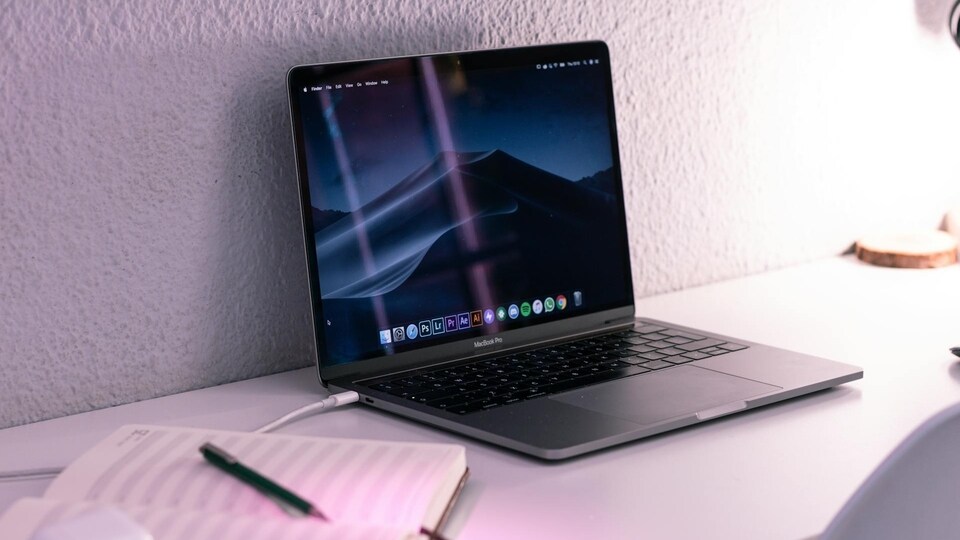

However, OLED screens place a heavier load on a laptop battery than many users expect. In daily use and long-term testing, OLED laptops often deliver less battery time than models with LCD screens. OLED panels also face a risk of burn-in, where fixed icons or images leave faint marks on the display over time.
Understanding how OLED screens work helps users manage these issues. Unlike LCD panels that rely on a constant backlight, OLED screens power each pixel separately. When the screen shows darker content, fewer pixels stay active and power use drops. Bright screens with many light pixels consume more energy and drain the battery faster.
Users can improve battery life with a few simple changes that do not affect normal work.
Also read: From Realme 16 Pro series to Oppo Reno 15 series - Smartphone launches to watch in January 2026
Switch to a Dark Desktop Background
Using a dark background reduces the number of lit pixels. Users can open Settings, go to Personalisation and select either a dark image or solid black as their desktop background.
Turn on Dark Mode
Dark mode keeps menus, taskbars, and system areas darker across Windows. This setting lowers screen power use and helps extend battery time. Users can enable it under Settings, then Personalisation, and select Dark under colour options.
Also read: OnePlus 16 tipped to feature a big 200MP camera upgrade, early leaks suggest
Adjust Screen and Sleep Timeouts
Setting the screen to turn off after a short idle period prevents power loss when the laptop is not in use. Users can open Settings, select System, then Power and battery, and set the screen to turn off after about 15 minutes on battery power. Setting the sleep mode to around 30 minutes also helps save energy.
Also read: Samsung Galaxy S26 Ultra likely to focus on camera refinements over hardware changes
Bonus Tip for all Laptops
Windows also offers Power Mode and Energy Saver options. The Power Mode feature enables users to prioritise either battery life or performance, depending on whether the device is plugged in. Energy Saver limits background activity and lowers screen brightness when battery levels fall. Users can enable it earlier if they need longer battery time.
With these steps, OLED laptop users can reduce power use and make each charge last longer.


