
 E-Paper



Tired of expensive cartridges? These ink tank printers could save you money every time you print at home
Cut printing costs without compromising on quality. These five ink tank printers on Flipkart are built for reliable everyday home and office printing.

 Prefer HTon Google


Our Picks

Research-Backed Choices
Every product we recommend is chosen through a combination of Primary Research and Secondary Research.
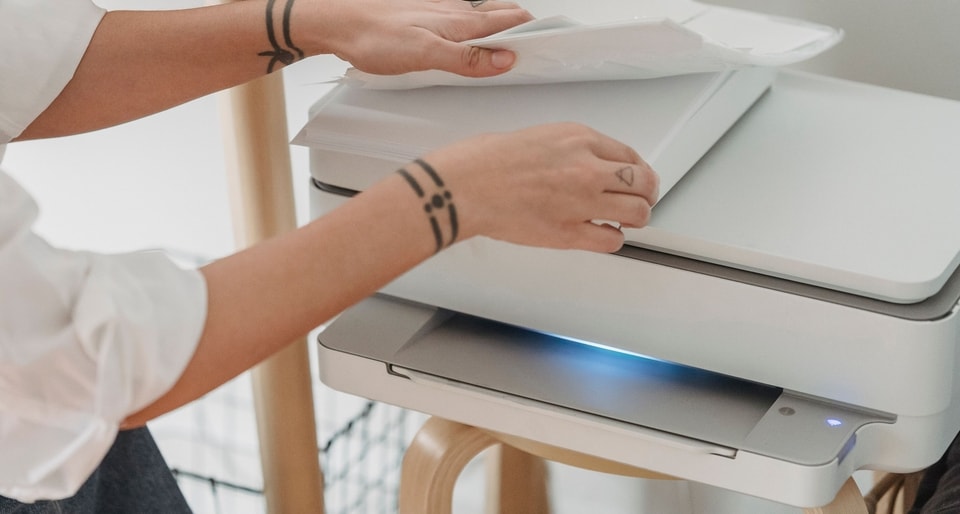

A printer is one of those devices you rarely think about until you suddenly need one. It could be a child printing a school project before the deadline, a professional preparing documents for an important meeting, or a family bringing old memories to life on photo paper.
That is when having the right printer makes all the difference. Modern ink tank printers keep running costs low while delivering excellent print quality. Many also offer wireless connectivity, faster print speeds, and support for both documents and photos.
To make your search easier, we have shortlisted five excellent ink tank printers available on Flipkart. Whether you want an affordable option, lower long-term printing costs, or a feature-rich all-in-one printer, these models strike a strong balance between performance, convenience, and value. They are well-suited to everyday printing at home or in the office:
1. Brother DCP-T535DW:
If your printer spends more time printing documents than sitting idle, the Brother DCP-T535DW is worth considering. Automatic duplex printing saves paper, while its high page yield helps keep running costs under control. Add wireless printing and a compact design, and it becomes a practical choice for homes and small offices alike.
Specifications
Reasons to buy

Automatic duplex printing saves paper
High page yield lowers running costs
Wi-Fi and mobile printing support
Reason to avoid

Colour printing is relatively slow
Mobile app needs improvement
Occasional Wi-Fi connectivity issues
What are buyers saying about this printer on Flipkart?
Buyers appreciate the Brother DCP-T535DW for its low running costs, sharp document quality, and convenient automatic duplex printing. Many also find wireless printing easy to use. However, some note that colour printing is not the fastest, and the mobile app could be more intuitive.
Why should you consider buying this printer?
The Brother DCP-T535DW is a sensible choice if you print regularly and want to reduce ink costs over time. Features such as automatic duplex printing, wireless connectivity, and a high page yield help reduce effort, save paper, and make everyday printing more convenient.
2. HP Smart Tank 589:

Our Principles
Full Transparency
Every product review clearly lists the Pros and Cons, giving you a balanced view.
Brand Confidence
We focus on products from brands with a proven reputation and long-standing market trust.
The HP Smart Tank 589 is designed for families, students, and home offices seeking hassle-free printing. Guided setup makes it easy to get started, while the refillable ink tank helps keep long-term printing costs low. With wireless printing and scanning, it handles everyday documents without unnecessary complexity.
Specifications
Reasons to buy
Low-cost refillable ink tank
Wi-Fi and HP Smart app support
Beginner-friendly guided setup
Reason to avoid
No automatic duplex printing
No automatic document feeder
Colour printing is relatively slow
What are buyers saying about this printer on Flipkart?
Buyers like the HP Smart Tank 589 for its straightforward setup, low running costs, and vibrant colour output. Many also find wireless printing convenient for everyday use. However, opinions on print speed are mixed, and some users have reported occasional Wi-Fi connectivity and app-related issues.
Why should you consider buying this printer?
The HP Smart Tank 589 is a sensible choice if you want an easy-to-use printer with low printing costs. Its refillable ink tank, wireless connectivity, and straightforward setup make it well suited to students, families, and home offices that print regularly.
3. Canon PIXMA MegaTank G3000:
The Canon PIXMA MegaTank G3000 is a practical choice for users who print frequently and don't want to worry about ink costs. Its high-yield MegaTank system keeps refills infrequent, while built-in Wi-Fi makes it easy to print from laptops and smartphones. It also delivers sharp documents and vibrant colour photos.
Specifications
Reasons to buy
High-yield MegaTank ink system
Wi-Fi and mobile printing support
Good print quality for documents and photos
Reason to avoid
No automatic duplex printing
Slower print speeds than many rivals
Initial setup can take time
What are buyers saying about this printer on Flipkart?
Buyers appreciate the Canon PIXMA G3000 for its economical ink consumption, sharp document printing, and vibrant photo quality. Many also find wireless printing convenient for everyday use. However, some users note slower print speeds, occasional Wi-Fi issues, and a longer initial setup process.
Why should you consider buying this printer?
The Canon PIXMA G3000 is worth considering if you print regularly and want to keep running costs low. Its MegaTank ink system, wireless connectivity, and high-quality photo output make it a practical option for students, families, and home users alike.
4. Canon PIXMA MegaTank G3730:
The Canon PIXMA MegaTank G3730 is a practical choice for students, families, and home offices that print regularly. Its refillable ink tank helps keep long-term printing costs low, while wireless connectivity makes printing from laptops and smartphones effortless. A compact design and a user-replaceable maintenance cartridge enhance its everyday convenience.
Specifications
Reasons to buy
Excellent Canon PRINT app experience
Compact, space-saving design
User-replaceable maintenance cartridge
Reason to avoid
Relatively slow print speeds
Lower page yield than some rivals
No automatic duplex printing
What are buyers saying about this printer on Flipkart?
Buyers praise the Canon PIXMA G3730 for its crisp print quality, straightforward wireless setup, and low running costs. Many also appreciate its compact design and mobile printing features. However, some users report slower print speeds and occasional Wi-Fi connectivity issues.
Why should you consider buying this printer?
The Canon PIXMA G3730 is worth considering if you want affordable, everyday printing with low maintenance costs. Its refillable ink tank, wireless connectivity, compact footprint, and easy maintenance make it a practical choice for students, families, and home offices.
5. Epson EcoTank L3210:
The Epson EcoTank L3210 is a practical option for students and families who print regularly without spending much on ink. Its refillable ink tank keeps running costs low, while Epson's Heat-Free technology reduces power consumption. Sharp print quality and a compact design make it well suited to everyday home use.
Specifications
Reasons to buy
Very low running costs with high page yield
Heat-Free technology reduces power consumption
Compact, spill-free ink tank design
Reason to avoid
No Wi-Fi connectivity
No automatic duplex printing
USB-only connectivity limits flexibility
What are buyers saying about this printer on Flipkart?
Buyers praise the Epson EcoTank L3210 for its low printing costs, sharp print quality, and compact design. Many also appreciate the spill-free refill system. However, some users miss Wi-Fi connectivity and automatic duplex printing, while others find the USB-only connectivity less convenient.
Why should you consider buying this printer?
The Epson EcoTank L3210 is worth considering if you need an affordable printer with low long-term running costs. Its high-yield ink tank, excellent print quality, and energy-efficient Heat-Free technology make it a dependable choice for students and home users.
Q1. How do you choose the right printer for your needs?
Ans: The best printer isn't always the cheapest. Compare these key factors before making your decision:
- Cost per page: Determines how affordable the printer is to use over time.
- Print yield: Shows how many pages you can print before replacing or refilling ink.
- Print quality: Indicates how sharp text and colourful images will appear on paper.
Q2. Why should you consider an ink tank printer over a traditional inkjet printer?
If you print regularly, an ink tank printer is usually the better investment. Although it costs more upfront, it offers a much lower cost per page, significantly higher print yields, and fewer ink refills over time. Traditional inkjet printers are often cheaper to buy, but their cartridge replacements can become expensive if you print frequently. For students, families, and home offices with regular printing needs, an ink tank printer is generally the more economical choice in the long run.
How Do These Printers Stack Up?
Product | Cost per page | Print yield | Print quality |
|---|---|---|---|
| Brother DCP-T535DW | Not specified | Up to 15,000 black / 5,000 colour pages | Up to 1200 × 6000 dpi |
| HP Smart Tank 589 | 0.10 rupees (Black) / 0.20 rupees (Colour) | Up to 4,000 black / 6,000 colour pages | Up to 4800 × 1200 dpi |
| Canon PIXMA MegaTank G3000 | Not specified | Up to 6,000 black / 7,000 colour pages | Up to 4800 × 1200 dpi |
| Canon PIXMA MegaTank G3730 | 0.13 rupees (Monochrome) / 0.25 rupees (Colour) | Up to 6,000 monochrome / 7,700 colour pages | Up to 4800 × 1200 dpi |
| Epson EcoTank L3210 | Around 9 paise (Black) / 33 paise (Colour) | Up to 4,500 black / 7,500 colour pages | Up to 5760 × 1440 dpi |
Need a bigger screen without a big TV? These projectors are ideal for small apartments
Monsoon making your home damp? These gadgets can make daily life easier
Disclaimer: At Hindustan Times, we help you stay up-to-date with the latest trends and products. Hindustan Times has an affiliate partnership, so we may get a part of the revenue when you make a purchase. We shall not be liable for any claim under applicable laws, including but not limited to the Consumer Protection Act, 2019, with respect to the products. The products listed in this article are in no particular order of priority.



