
 E-Paper



Still visiting print shops? These 5 all-in-one printers make home printing effortless in 2026
All of these printers come under a budget of ₹15,000, which makes them ideal for families and offices.

 Prefer HTon Google


Our Picks
FAQs
Our Picks
| Product | Rating | Price |
|---|---|---|
Epson Ecotank L3252 Wi-Fi All-in-One Ink Tank Wireless Color LED Printers (Black)View Details  | ₹14,986 | |
 | ||
HP DeskJet Ink Advantage 2338 All-in-One Printer, Print, Copy, Scan, Hi-Speed USB 2.0, Up to 20/16 ppm (Black/Color), 60-Sheet Input Tray, 25-Sheet Output Tray, 1000-page Duty Cycle, Color, 7WQ06BView Details | ₹4,599 | |
| ||
Canon PIXMA E477 All in One Wifi Inkjet Colour Printer with Scanner for Home, upto 400 Black and 180 Colour printsView Details | ||
| ||
HP Smart Tank 580 All-in-One WiFi Colour Printer | 1 Extra Black Ink Bottle | 1+1 Year Extended Warranty on Registration| Up to 8000 Black & 6000 Colour Prints I Print,Scan & Copy for Office/HomeView Details | ₹14,879 | |
| ||
Brother Ink Tank DCP-T236 (New Launch) All in One (Print Scan Copy) Color Home Printer, 27/11 PPM BK/CL, 150 Sheet Paper Tray, Print Upto 7.5K Pages in Black & 5K in Color Each (CMY),Free InstallationView Details | ||
| ||

Research-Backed Choices
Every product we recommend is chosen through a combination of Primary Research and Secondary Research.
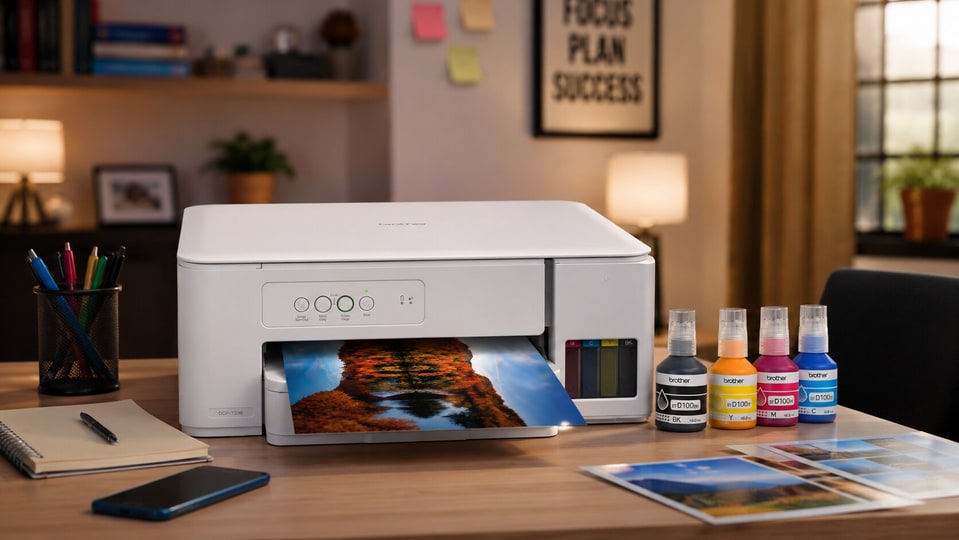

For years, visiting a neighbourhood print shop has been the go-to solution for printing school and college assignments, office documents and other important forms. However, most people would agree that this routine feels outdated now as the process is time consuming, unnecessarily expensive and it disrupts your entire routine. Solution? A simple solution to this problem is getting an all-in-one print that can be installed anywhere in home and office and offers a hassle-free solution to printing important documents.
Before you start worrying about the price, here's some good news for you. The market right now is full of both budget and premium options, which gives buyers flexibility to pick a model fits their pocket or get an all-in-one printer model that suits their requirements. So, if you are planning to buy an all-in-one printer for your home or office, here are our top picks for you.
Factors to consider while buying an all-in-one printer
Type of printer: Pick inkjet or ink tank printer if you want vibrant colour photos and low cost-per-page. Inkjet printers are good for people who print documents frequently. Pick a laser printer for high-volume, text-heavy documents. Laser printers are good for occasional users.
Scanning and copying: If you handle multi-page documents, having the Auto Document Feeder (ADF) feature is essential for hands-free scanning.
Print Speed: Print speed is measured in pages per minute (PPM). If you frequently print lengthy reports or multiple documents, opt for a model that delivers faster print speeds to save time.
Connectivity: Look for wireless connectivity options such as Wi-Fi Direct, Apple AirPrint, Mopria, and manufacturer apps to make printing easier.
Best all-in-one printers for home use
1. Epson Ecotank L3252 Wi-Fi All-in-One Ink Tank Wireless Color LED Printers (Black)
This printer comes with a space-saving design that fits easily on a study table or workstation while its integrated refillable ink tank keeps maintenance simple and reduces printing costs. It comes with Epson's Heat-Free Micro Piezo inkjet printing technology, which delivers sharp text and vibrant colour prints. It gets a flatbed scanner that offers high-resolution document and photo scanning, which makes it suitable for digitising paperwork and preserving family photographs. Apart from that, this printer comes with built-in Wi-Fi, Wi-Fi Direct and support for the Epson Smart Panel app.
Specifications
Reasons to buy

Excellent print quality
Economical printing
Easy wireless setup
Reason to avoid

Automatic duplex not available
What are buyers saying on Amazon?
Buyers appreciate this printer for its low printing cost, dependable print quality and hassle-free wireless connectivity. Customers also praise the ease of refilling ink bottles and the printer's ability to produce crisp documents and colourful graphics.
Why should you choose this product?
Buyers should choose this printer for its printing quality and economical printing.
2. HP DeskJet Ink Advantage 2338 All-in-One Printer, Print, Copy, Scan, Hi-Speed USB 2.0, Up to 20/16 ppm (Black/Color), 60-Sheet Input Tray, 25-Sheet Output Tray, 1000-page Duty Cycle, Color, 7WQ06B

Our Principles
Full Transparency
Every product review clearly lists the Pros and Cons, giving you a balanced view.
Brand Confidence
We focus on products from brands with a proven reputation and long-standing market trust.
This printer features a minimalist design that occupies little space on the desk at home and office. It is powered by HP's Thermal Inkjet printing technology, which produces sharp black text and vibrant colour prints that are suitable for assignments, forms and everyday documents. It comes with an integrated flatbed scanner that captures documents and photos with good clarity, which in turn makes it convenient for digitising paperwork. Additionally it gets easy USB connectivity and support for HP Smart software that simplifies setup and everyday operation.
Specifications
Reasons to buy
Good print quality
Economical printing
Lightweight design
Reason to avoid
Ink cartridges that require frequent replacement
What are buyers saying on Amazon?
Buyers appreciate this printer for its affordability, ease of installation and satisfactory print quality for everyday tasks. They also appreciate its compact footprint.
Why should you choose this product?
Buyers should choose this printer for its printing quality and economical printing.
3. Canon PIXMA E477 All in One Wifi Inkjet Colour Printer with Scanner for Home, upto 400 Black and 180 Colour prints
This printer features a lightweight design and it is powered by Canon's FINE (Full-photolithography Inkjet Nozzle Engineering) inkjet technology that delivers crisp text and vibrant colour prints with smooth gradients, which makes it suitable for documents as well as occasional photo printing. It comes with a built-in CIS flatbed scanner that captures documents with impressive clarity, and its integrated Wi-Fi support allows users to print and scan wirelessly through the Canon PRINT Inkjet/SELPHY app.
Specifications
Reasons to buy
Good print quality
Good product quality
Easy to use
Reason to avoid
Average connectivity
What are buyers saying on Amazon?
Buyers find the printer easy to set up and use, with good print quality and clarity, and consider it suitable for both home and office use.
Why should you choose this product?
Buyers should choose this printer for its printing quality.
4. HP Smart Tank 580 All-in-One WiFi Colour Printer | 1 Extra Black Ink Bottle | 1+1 Year Extended Warranty on Registration| Up to 8000 Black & 6000 Colour Prints I Print,Scan & Copy for Office/Home
This feature-packed printer is designed for homes and small offices that need affordable, high-volume printing. It comes with an integrated ink tank system with transparent reservoirs that allows users to easily monitor ink levels. It is powered by HP Thermal Inkjet technology, which delivers sharp text documents and vibrant colour prints. It uses high-quality HP ink bottles that are designed to produce rich colours and fade-resistant prints. Its flatbed scanner captures documents and photos with excellent clarity, while Wi-Fi, Bluetooth Low Energy setup and the HP Smart app enable seamless wireless printing and scanning.
Specifications
Reasons to buy
Good print quality
Easy to use
Value for money
Reason to avoid
Average connectivity
What are buyers saying on Amazon?
Buyers find the printer has good build quality, is easy to set up and use, and is perfect for both office and home needs. They consider it a value for money and appreciate its wireless capabilities.
Why should you choose this product?
Buyers should choose this printer for its printing quality and connectivity options.
This printer built is designed for low-cost, high-volume printing. Its clean, space-saving design features a front-access refillable ink tank, making refills quick and mess-free. It is powered by Brother Ink Tank Inkjet printing technology, which produces crisp text and vibrant colour prints. It also gets an integrated CIS flatbed scanner that delivers high-resolution scans with accurate detail, which in turn makes it ideal for digitising documents and photos.
Specifications
Reasons to buy
Good print quality
High printing speed
Easy to use
Reason to avoid
USB-only connectivity
What are buyers saying on Amazon?
Buyers find the printer excellent for home and office use, with decent print speed and easy mobile printing capabilities. They also appreciate its printing speed.
Why should you choose this product?
Buyers should choose this printer for its printing quality and speed.
Top 3 features of the best all-in-one printers for home
| NAME | PRINTING TECHNOLOGY | PRINTING SPEED | AUTOMATIC DUPLEX PRINTING |
|---|---|---|---|
| Epson Ecotank L3252 | Inkjet | Up to 5760 × 1440 dpi | No |
| HP DeskJet Ink Advantage 2338 All-in-One Printer | Inkjet | Up to 4800 × 1200 dpi | No |
| Canon PIXMA E477 All in One Wifi Inkjet Colour Printer | Inkjet | Up to 4800 × 600 dpi | No |
| HP Smart Tank 580 All-in-One WiFi Colour Printer | Inkjet | Up to 4800 × 1200 dpi | No |
| Brother Ink Tank DCP-T236 | Inkjet | Up to 1200 x 6000 dpi | No |
Similar articles for you
Your productivity deserves more than a laptop screen. These monitors deliver exactly that
Tired of carrying your charger? These laptops deliver the battery life most people actually need
Still paying for cloud storage? Here's when an SSD is the better buy in 2026
The Research
I’ve used and tested hundreds of printers including laser and inkjet printers. I’ve also been writing about consumer electronic devices and home appliances for over a decade.
To compile this guide, I’ve used hundreds of inkjet printers across price segments and brands in India and combed through Reddit pages that talk about their printing and scanning technologies and the factors that impact their overall efficiency and performance. Like all HT journalists, I review products with complete editorial independence and recommend products based on my learnings.
Disclaimer: At Hindustan Times, we help you stay up-to-date with the latest trends and products. Hindustan Times has an affiliate partnership, so we may get a part of the revenue when you make a purchase. We shall not be liable for any claim under applicable laws, including but not limited to the Consumer Protection Act, 2019, with respect to the products. The products listed in this article are in no particular order of priority.



