
 E-Paper



AIIMS Jodhpur admit card 2019 released for clerk, DEO exam, here’s how to download
AIIMS Jodhpur admit card 2019 : AIIMS Jodhpur has released the admit card for the exam to recruit lower division clerk (LDC), upper division clerk (UDC) and data entry operators (DEO) on the official website of the college.


AIIMS Jodhpur has released the admit card for the exam to recruit lower division clerk (LDC), upper division clerk (UDC) and data entry operators (DEO) on the official website of the college. The examination will be held on February 25.

AIIMS Jodhpur Admit Card 2019: Here is the direct link to download admit card
All candidates must bring clear print out of their Admit Card. In addition to Admit Card they should carry a valid photo Identification Document like Aadhaar Card OR other government approved photo ID as PAN Card/Driving License/Bank Pass Book/Elector’s Photo ID Card (EPIC)/ Passport containing photograph of candidate. No photocopies of 10th Certificate or Photo ID will be accepted. Please bring 2 (two) passport size colored photographs.
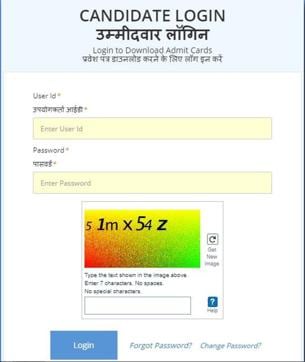
AIIMS Jodhpur admit card 2019: Here is how to download
1) Visit the official website of AIIMS Jodhpur at aiimsjodhpur.edu.in
2) Click on the link for ‘Examination Notice for the post of Lower Division Clerk, Upper Division Clerk and Data Entry Operator’ in the latest news section
3)Click on the link for admit card download
4) Key in your user Id and password
5) Enter the captcha code and login
6) Download and take a printout of the admit card displayed on the screen
Candidates must read the examination notice released with the admit card given below:


