
 E-Paper



SSC CGL 2019: Registration process ends soon, check details here
The computer-based CGL 2019 Tier-1 examination will be conducted from March 2 to March 11, 2020. Whereas, the Tier-II and Tier-III examination will be conducted from June 22 to June 25, 2020.


The last date to apply for the SSC Combined Graduate Level recruitment examination 2019 is Monday, November 25, 2019. Candidates interested and eligible for the examination can apply online at, ssc.nic.in on or before November 25, till 5 pm.
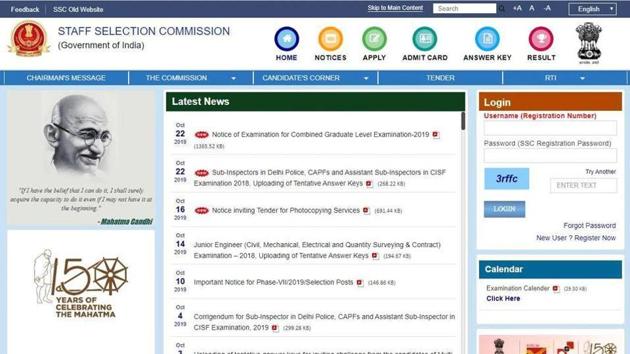
According to the official notification released on October 22, 2019,the computer-based CGL 2019 Tier-1 examination will be conducted from March 2 to March 11, 2020. Whereas, the Tier-II and Tier-III examination will be conducted from June 22 to June 25, 2020.
Application fee:
The application has to be submitted in the online mode. Candidates are required to pay a total of Rs 100 as an application fee. Fee can be paid through BHIM UPI, Net Banking or by using Visa, Mastercard, Maestro, RuPay Credit or Debit card or in cash at SBI Branches by generating SBI Challan.
Women candidates and applicants from Scheduled Castes (SC), Scheduled Tribes (ST), Persons with Disability (PwD) and Ex-servicemen (ESM) category are exempted from payment of application fee.
For more information, candidates are advised to read the official notification.
How to apply:
1. Visit the official website
2. On the home page, click on the link that reads, ‘Register Now’
3. Fill up the online registration form and upload all supporting documents
4. Once you submit the registration form, a registration ID and password will be provided to you
5. After your registration id is created, go back and key in your credentials and log in
6. Click on the ‘Apply’ link provided in Combined Graduate Level Examination 2019 section under ‘Latest Notifications’ tab.
7. Application form will appear on the display screen
8. Information in columns at S No-1 to 14 will be automatically filled from your One-time Registration Data which cannot be edited.
9. Now, fill up the application form
10. Make payment
11. Download the application form and take its print out for future use.


