
 E-Paper



ASUS Jelly75 keyboard KD201 review: A prebuilt keyboard I didn't feel like modifying
The Asus Jelly75 combines a striking translucent design, smooth typing and versatile connectivity, making it a strong mechanical keyboard under ₹10,000.

 Prefer HTon Google


Research-Backed Choices
Every product we recommend is chosen through a combination of Primary Research and Secondary Research.
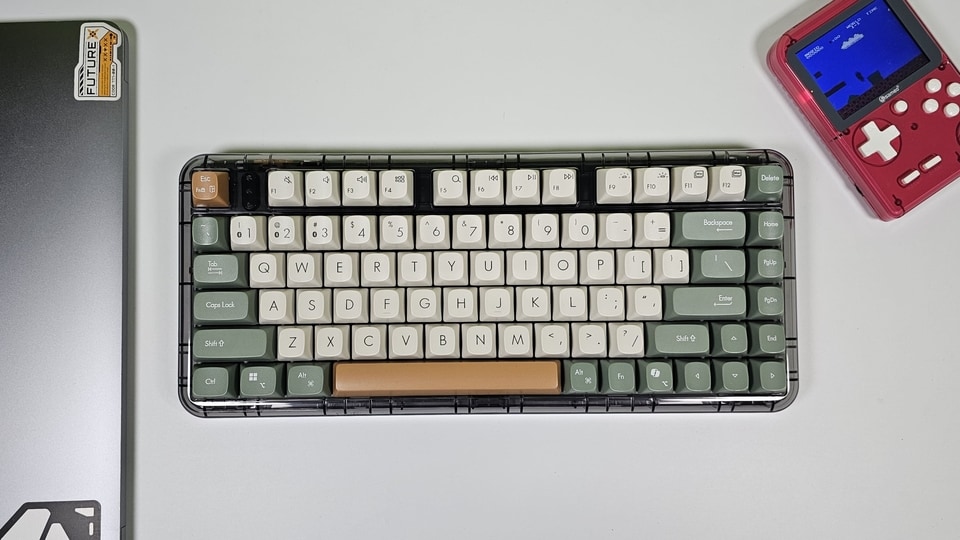

Asus bringing a premium mechanical keyboard to India that isn't specifically targeted at gamers is something I genuinely appreciate. The Jelly75 is aimed more at people who care about the typing experience, design and customisation, and at ₹8,999, it sits right at the point where Indian keyboard enthusiasts may be willing to stretch their budget if the experience actually lives up to the price. So, is the Asus Jelly75 worth checking out if you have ₹9,000 to spend on a mechanical keyboard? I used it as my daily keyboard to find out.
ASUS Jelly75 keyboard KD201 specifications
| Specification | Details |
|---|---|
| Layout | 75% |
| Switches | Linear mechanical switches |
| Key travel | 4mm |
| Mount | Gasket mount |
| Connectivity | Wired, 2.4GHz wireless, Bluetooth |
| Polling rate | Up to 1000Hz wired |
| Battery | 4,000mAh |
| Backlight | White, 4 brightness levels |
| Weight | Approx. 1.2kg |
| Price | ₹8,999 |
1. ASUS ROG KD201 Jelly75 Wireless Keyboard - Volt Green
A design I want on my desk
The design is easily my favourite thing about the Asus Jelly75. The transparent body looks fantastic, and I actually like that you cannot see every bit of the internals through it. It keeps the keyboard looking clean instead of making it feel like a science project sitting on your desk. The plastic body is also surprisingly good. It feels solid in your hands and doesn't have that cheap, hollow feeling you get from some plastic mechanical keyboards.
At around 1.2kg, the Jelly75 is quite heavy for a 75% keyboard, but that's actually a good thing. Once you put it on your desk, it stays exactly where you leave it. I got the Orange Meadow version and it looks fantastic with my white desk and minimal setup. There is also a Volt Green version, which has a much more contrasting look and honestly looks just as cool.
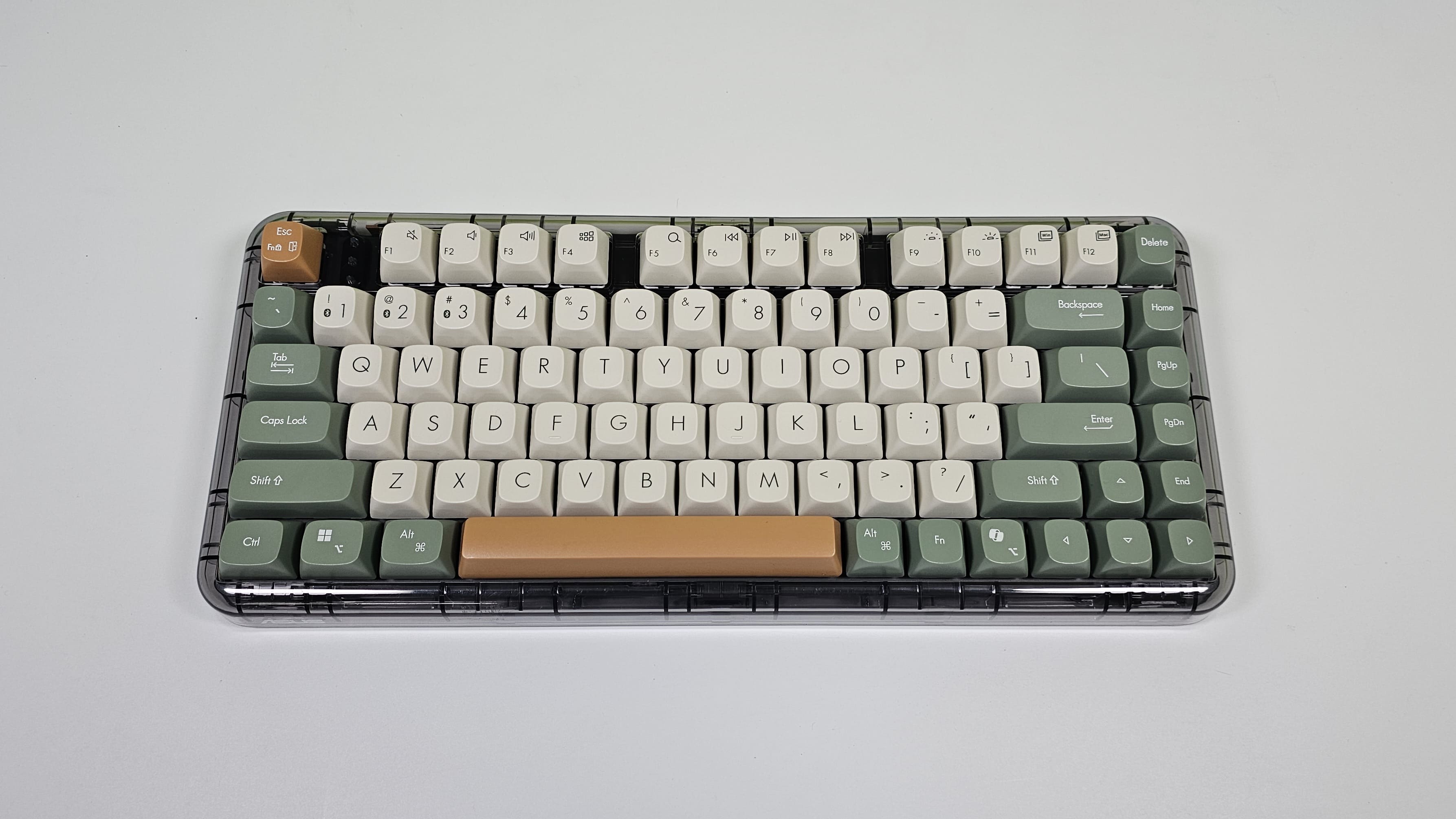
You also get two different sizes of kickstands, so you can adjust the typing angle depending on how you prefer to use the keyboard. Overall, Asus has done a really good job here. The Jelly75 doesn't look like another gaming keyboard with RGB everywhere, and that is exactly what I like about it.
Typing makes its case
The typing experience is really good, and this is where the Jelly75 starts to justify its price. Asus uses linear mechanical switches with 4mm of travel, and the switches feel smooth and relatively quiet compared to the clicky mechanical keyboards you usually come across. The switches also feel pre-lubed, which gives the keys a smoother press and makes typing feel faster and more effortless.
The keys have very little wobble and feel stable even when you press them slightly off-centre. The stabilisers on the larger keys also do a good job of keeping things under control, although the spacebar does have a slightly different sound compared to the rest of the keyboard. The overall typing feel is soft enough to make long typing sessions comfortable while still giving you the mechanical keyboard feedback I want.
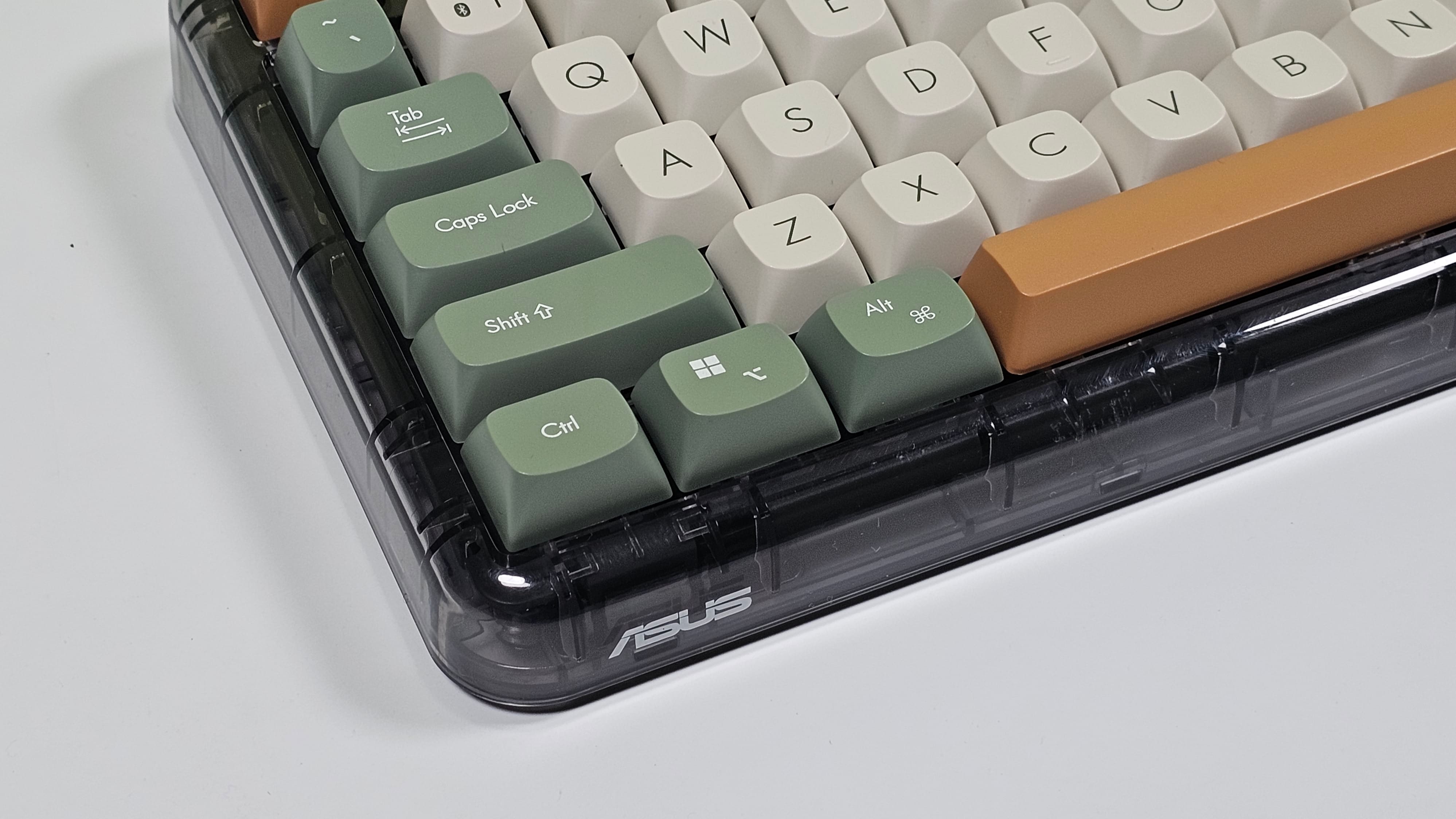
The gasket mount also helps here. There is a little bit of flex when you press down hard, but it gives the keyboard a softer feel instead of the hard bottom-out you get from a typical rigid keyboard. I'm not going to pretend I can tell you the difference between every type of gasket material used by keyboard enthusiasts, but after using the Jelly75 for a while, I can definitely say I like how it feels.
The switches are also hot-swappable, so if you are someone who likes experimenting with mechanical keyboards, you can replace them without having to solder anything. You can also change the keycaps and give the keyboard your own look, and because of that translucent body, I think there is a lot of room for customisation here.
There is just one weird omission. Asus doesn't include a keycap or switch puller in the box, so if you actually want to start customising the keyboard, you'll need to buy one separately.
Backlight looks good, doesn't help much
This is probably the biggest disappointment for me. The Jelly75 gets a four-level white backlight instead of RGB, and I actually like that decision because it suits the minimal design much better. The problem is that the key legends themselves are not translucent, so the light doesn't actually shine through the letters.
Instead, the light illuminates the area around the keys. It looks nice, but it doesn't really help you see the keys in the dark. I often work at night, and once the room gets completely dark, the legends become difficult to see. Even with just the light coming from my monitor, I found myself keeping the backlight turned off because it wasn't really helping.
So while the backlight looks good, I wouldn't call it particularly useful. Asus could have easily made the legends translucent and turned this into a much more practical implementation.
Three ways to connect
Connectivity is another strong point. You get wired, Bluetooth and 2.4GHz wireless connectivity, so you can use the keyboard with pretty much any setup. The keyboard can also stay connected to multiple devices and switching between them is quick, which is particularly useful if you use one keyboard with your laptop and desktop.
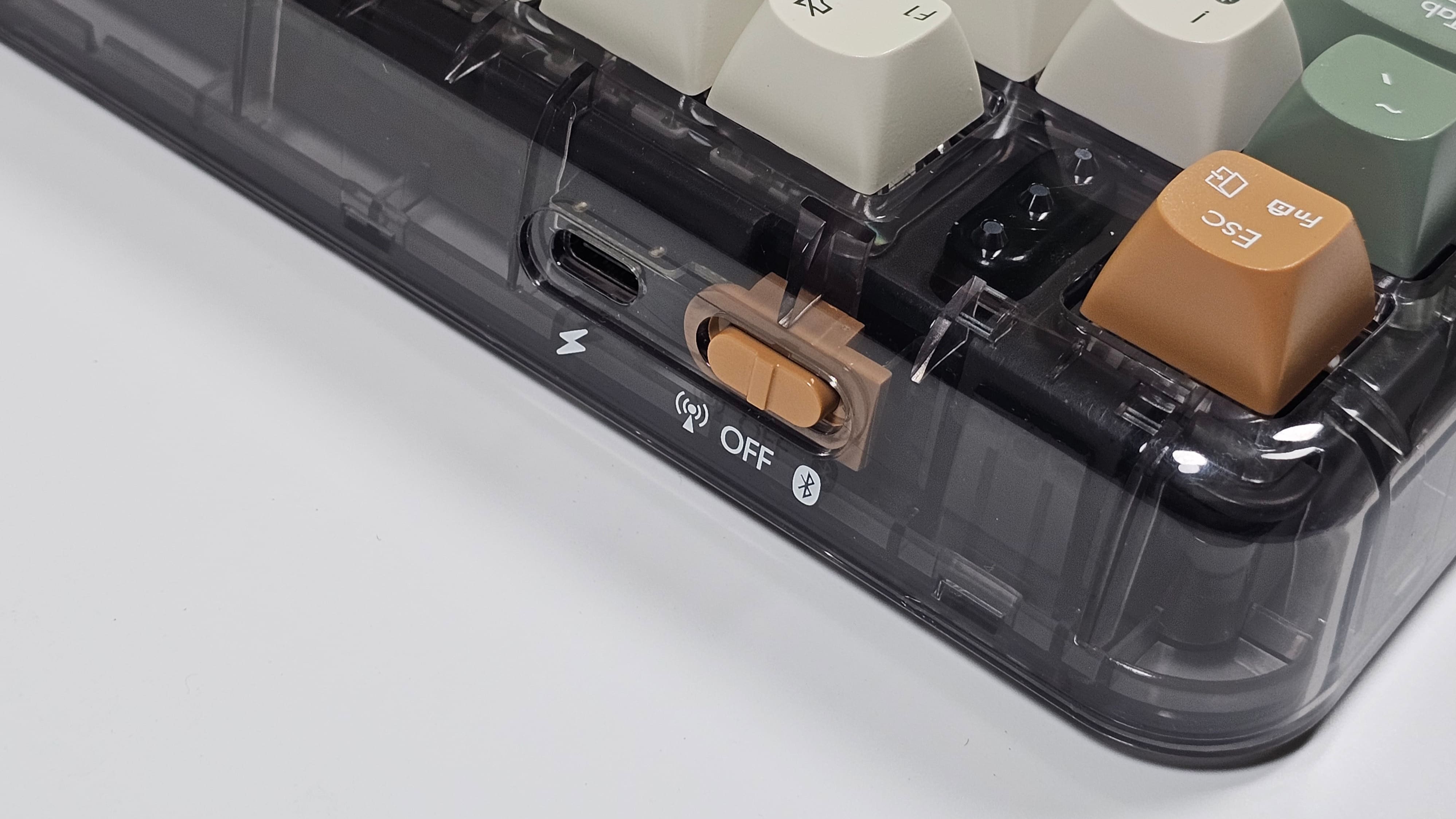
Asus also includes a braided USB Type A to Type C cable, which works for both wired connectivity and charging the keyboard. The 2.4GHz connection is responsive enough for gaming as well, although I spent most of my time using the keyboard for work and regular typing.
There is no dedicated storage slot for the wireless dongle, which could have been useful if you regularly carry the keyboard around. But honestly, I don't think it's a deal breaker here because you still have Bluetooth and wired connectivity if you somehow lose the dongle. Please don't lose the dongle, though.
A battery that just keeps going
Battery life is probably one of the most impressive numbers here. Asus claims up to 8,500 hours of battery life from the 4,000mAh battery with the backlight turned off. That works out to roughly a year of continuous use on a single charge under Asus' stated conditions, which is more than enough for most people.
I obviously didn't use the keyboard for an entire year to verify that claim, but battery life was never something I had to worry about during my testing. And considering how rarely I needed to charge it, the Jelly75 should easily handle long periods away from the cable.
ASUS Jelly75 keyboard KD201: Pros and cons
Pros
- Excellent translucent design and build quality
- Smooth, comfortable typing experience
- Hot-swappable switches
- Wired, 2.4GHz and Bluetooth connectivity
- Excellent battery life
- Heavy chassis keeps the keyboard stable
Cons
- Backlight doesn't illuminate the key legends
- No keycap/switch puller in the box
- No dedicated dongle storage
- No software for deeper customisation
The final keystroke
There are plenty of mechanical keyboards available on Amazon for under ₹10,000, and many of them offer features that you also get on the Asus Jelly75. But what makes the Jelly75 different is the combination of its design and typing experience. The translucent body, solid construction, smooth linear switches, and hot-swappable design make it feel much more special than a typical mechenical keyboard.
At ₹8,999, I wouldn't call it a cheap keyboard, especially when there are so many options available from enthusiast brands around this price. But if you want something that looks completely different, feels great to type on and can be customised later, the Asus Jelly75 is easily one of the more interesting mechanical keyboards I've used in this price range. The useless backlight is my biggest complaint, but outside of that, I really like what Asus has done here.
Read more reviews
Samsung Galaxy Book6 Pro Review: A creator’s dream that finally matches the MacBook’s efficiency?
Samsung Galaxy S26 review: Refining the compact flagship formula with meaningful upgrades
This Dell 32 Plus 4K QD OLED monitor quietly replaced more than just my old monitor
HP EliteBook 8 G1a review: Premium business laptop with impressive battery and AI features
Disclaimer: At Hindustan Times, we help you stay up-to-date with the latest trends and products. Hindustan Times has an affiliate partnership, so we may get a part of the revenue when you make a purchase. We shall not be liable for any claim under applicable laws, including but not limited to the Consumer Protection Act, 2019, with respect to the products. The products listed in this article are in no particular order of priority.



