
 E-Paper



Scam Alert: SIR verification call incoming? Beware, it could be a fraud!
As per the ECI, officials do not call or message for SIR verification yet lack of awareness is benefitting the scamsters. How does it work? Read on to know

 Prefer HTon Google


Have you too received a call stating confidently that it’s for the purpose of Special Intensive Revision (SIR) verification? Think twice before responding to it casually! Recently, a Pune resident, who is in his late 70s, lost ₹4.98 lakh in a cyber fraud after a caller told him that his SIR data needed some corrections. In another case, an 82-year-old from Bengaluru has been reportedly duped of ₹3.49 lakh on the pretext of verification of SIR form.
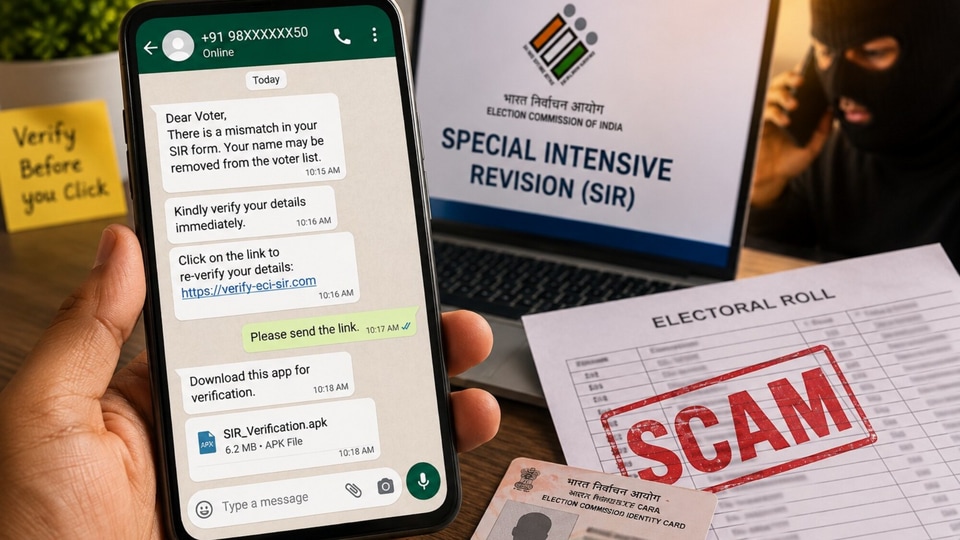
Indeed it’s the SIR verification that has turned into the latest trick for cyber fraudsters to scam citizens, as they target voters highlighting errors or mismatches in the forms submitted.
With the SIR activity in its advanced stage in many cities, it’s crucial to know how to stay safe from falling for such fake calls.
What’s the scam?
It typically begins with a call from someone claiming to be an official of the Election Commission of India (ECI), a Booth Level Officer (BLO) or part of a voter verification team. The caller may say things like, ‘The details filled in form don’t match the records’, or ‘Your SIR form is rejected’. This is to play on your fear of your name getting deleted from the voter list.
In a tone of urgency, soon help is offered to resolve the issue. Herein, a voter re-verification link or an APK (Android Package Kit) file is sent via WhatsApp or SMS. The fraudulent link demands the user to pay a nominal fee, such as ₹5, via NetBanking or credit/debit card, to build credibility. Some even ask for bank credentials and OTPs. Before you know, an unauthorised transaction gets through, deducting money from your account.
How to stay safe?
- All SIR-related services are free of charge, and officials never ask for any banking credentials, card details, OTPs or ATM PINs.
- Do not download unknown APK files or click on links received on WhatsApp or SMS from unknown numbers.
- Before responding, verify the information independently through the official ECI website or local BLO. Don’t use any links or numbers provided by the caller to check this.
- If you have already shared any financial details with a stranger, immediately contact your bank to block your card or suspend your access to NetBanking.
Where to report?
If you receive such a suspicious call, you could report it at: www.sancharsaathi.gov.in / www.cybercrime.gov.in
Or, call: Cyber Crime Helpline Number: 1930
Story compiled by Anshita Jain
For more, follow @htcity.delhijunction


